Last updated: November 18, 2026
Store printer paper flat, sealed, and away from humidity. If sheets curl before they reach the printer, they feed unevenly and are more likely to stick together or miss the rollers. The fix is simple: keep paper in its original wrap or a storage cabinet, limit room moisture, and let cold paper warm up before use.
Key takeaways
- Keep printer paper in a dry place and close the pack again right after you open it.
- Flat storage matters more than a fancy box; bent stacks invite curl at the edges.
- A storage cabinet helps if the room changes from damp to dry during the day.
- Let paper sit in the room before loading it if it came from a colder space.
- If paper already has a hard curve, treat that pack as a problem, not a bargain.
How should I store printer paper?
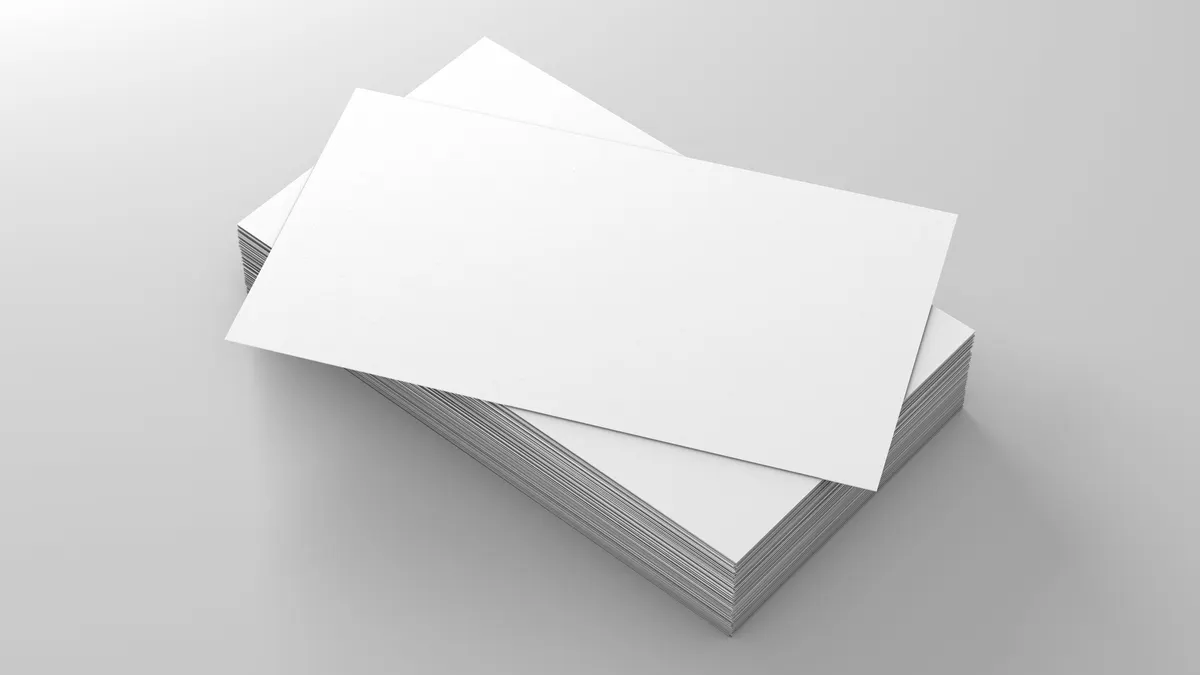
Store printer paper flat in a sealed pack inside a dry storage cabinet. The paper should stay in the same shape it had when it left the carton, because edge curl starts when sheets absorb moisture unevenly or get bent under weight.
Use a shelf, not a floor. A floor can pick up dampness, especially near an outside wall or a sink. Keep the stack under light pressure from its own pack, not under boxes of toner or reams of labels. A carton of paper can sit for a while, but a crushed corner or a half-open wrap can leave you with wavy edges that feed badly.
The simplest rule is this: if the room feels damp enough for paper to soften, it is damp enough to cause trouble. Paper fibers react to humidity quickly, and that change shows up first at the corners. For background on moisture control, the EPA’s mold and moisture guidance and the Smithsonian’s paper care guidance both point to stable indoor conditions as the safer choice for paper-based materials.
What causes paper curl before printing?
Paper curl before printing usually comes from humidity swings, heat, or rough storage. One side of the sheet gains or loses moisture faster than the other, so the paper bends toward the drier side and stops lying flat.
A storage cabinet helps because it buffers the paper from those swings. A desk near a heater, a window, or an air vent does the opposite. Even short exposure can matter when a ream is left open overnight, because the top sheets dry faster than the middle of the stack.
Re-sealing the pack matters too. Printer paper is sold wrapped for a reason: the wrap keeps the ream at a more even moisture level. Once that wrap is open, the paper is on its own. If you leave it loose for a week, the top sheets may curl even if the room looks fine.
This is also why paper from a cold car or garage can act badly for a few hours. The air around it changes faster than the fibers inside it. If you load it right away, the printer gets the curled version first.
What is the right way to open and re-seal a pack?
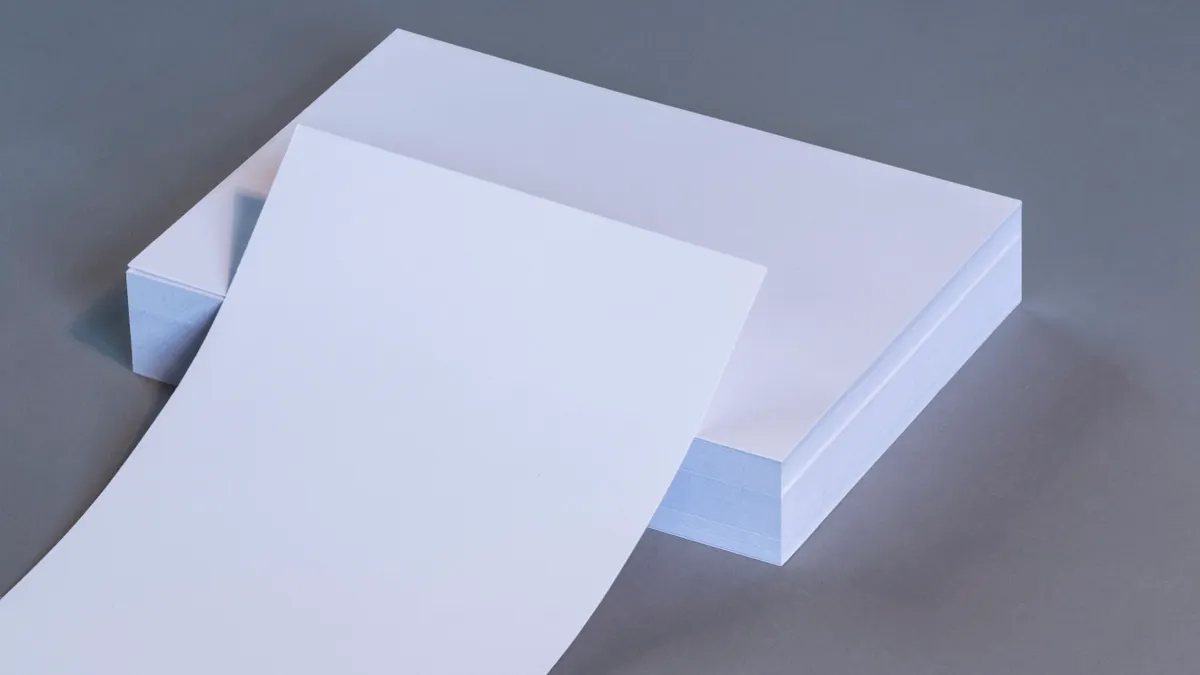
Open the pack only when you need it, then re-seal the paper in the same wrap or a clean storage bag. That keeps the stack close to its original moisture level and slows edge curl.
Start by opening one ream, not a whole carton, unless you print heavily. Remove only the sheets you need and square the stack before you put it back. If the paper came in a plastic or waxed wrap, fold it back over the top edge as tightly as you can. If the wrap is torn, place the remaining sheets in a clean storage cabinet with the edges aligned and the stack flat.
Do not fan the sheets or leave the ream open on a desk for days. That looks harmless, but it lets the top edge dry out faster than the rest. The result is a slight arc that can turn into a feed problem later.
The trade-off is simple: quick access is easier when paper stays out in the open, but open storage costs you flatness. This matters less for short notes and more for duplex jobs, letterhead, and anything that needs clean registration.
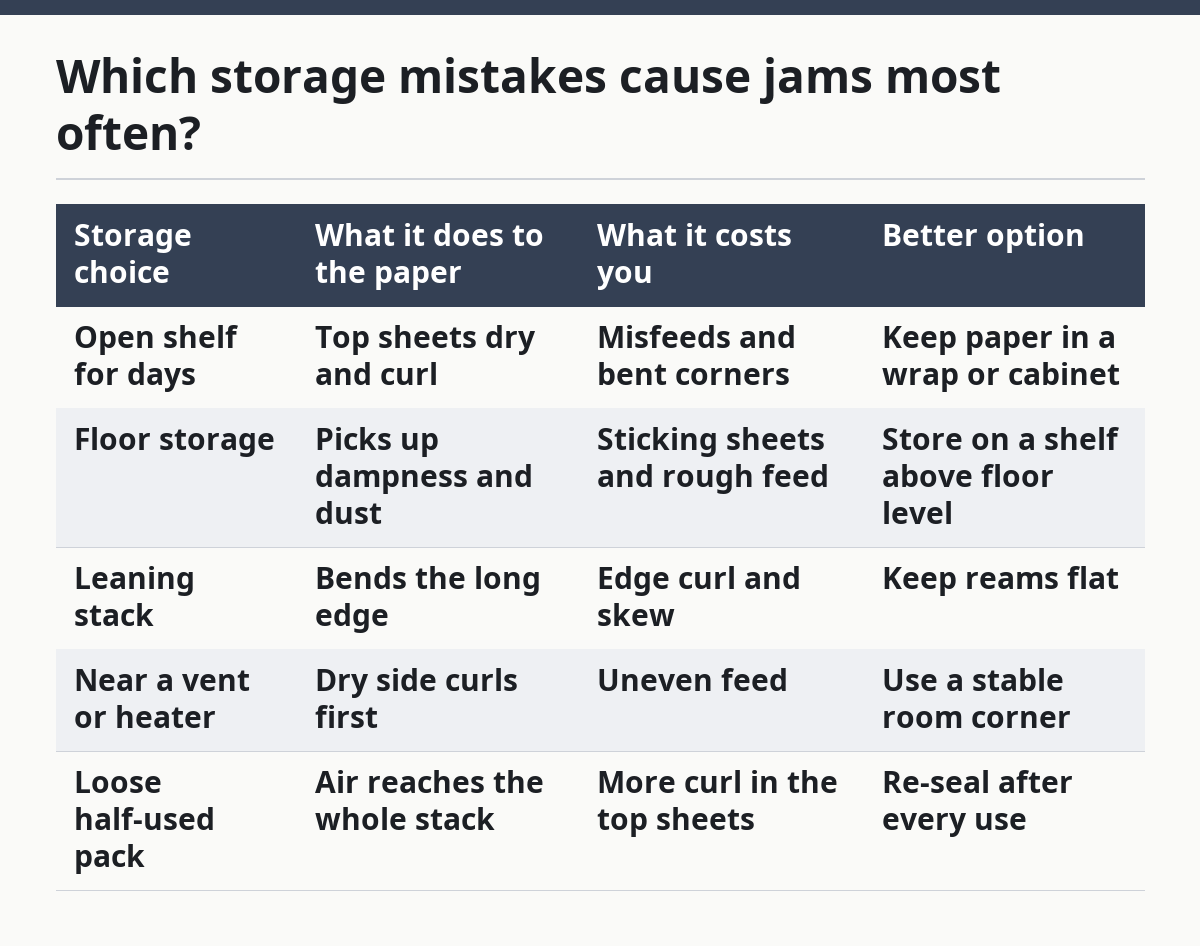
Which storage mistakes cause jams most often?
The most common mistakes are open storage, bad stack orientation, and putting paper where humidity swings. Each one changes how the sheets sit in the tray, and the printer has to fight the shape of the paper before it can feed it.
| Storage choice | What it does to the paper | What it costs you | Better option |
|---|---|---|---|
| Open shelf for days | Top sheets dry and curl | Misfeeds and bent corners | Keep paper in a wrap or cabinet |
| Floor storage | Picks up dampness and dust | Sticking sheets and rough feed | Store on a shelf above floor level |
| Leaning stack | Bends the long edge | Edge curl and skew | Keep reams flat |
| Near a vent or heater | Dry side curls first | Uneven feed | Use a stable room corner |
| Loose half-used pack | Air reaches the whole stack | More curl in the top sheets | Re-seal after every use |
Stack orientation matters more than many people expect. Keep sheets flat, not on edge, and avoid heavy pressure on one corner. A 500-sheet ream can tolerate normal storage; it does not tolerate being jammed behind a box of office supplies or leaned against a wall at an angle.
This is where a storage cabinet earns its place. It does not need to be special. A clean cabinet with a closed door is enough to protect paper from daily room changes and from accidental bends.
How do I condition paper before loading it?
Condition paper by letting it sit in the room for a short time before loading it, especially if it came from a colder or damper place. The goal is to let the paper and room air settle to the same general conditions so the sheets stop fighting each other.
Leave the ream closed while it adjusts. Do not open it and spread the sheets out to “air them out.” That can make curl worse, because the outer sheets change faster than the inner sheets. If you need the paper soon after moving it from a garage, car, or delivery area, give it time in the storage cabinet first.
After conditioning, fan the stack lightly only if the paper has picked up static and is sticking together. Do not bend the stack sharply. The point is to separate the sheets, not to train them into a curve.
Paper conditioning is a small step, but it solves a common problem: a pack that looks fine on the shelf and then feeds badly because it moved from one environment to another too quickly. If the room has a big humidity swing from morning to afternoon, conditioning helps less than stable storage does, which is why the cabinet matters first.
Is paper orientation in the printer tray part of storage?
Paper orientation in the tray does not fix bad storage, but it can reduce feed trouble when a pack has slight curl. Load the stack so the paper follows the tray guides without forcing it into a bend.
The paper should sit square in the tray, with the edges even and the guides snug but not crushing the stack. If the paper arches upward or downward before it enters the rollers, the printer has to pull against that curve. That can lead to a skewed feed or a double sheet.
Do not overfill the tray. A full tray can press the top sheets into a tighter curve than they had in storage, especially if the paper is already near its limit. A smaller stack often feeds better than a packed one because the top sheets lie flatter.
This is one place where storage and feeding meet. Good storage gives you flat paper; proper tray loading keeps it flat long enough to reach the rollers.
When should I stop using a pack?
Stop using a pack when the curl stays after you re-seal and condition it, or when the stack has a hard bend that the sheets will not release. That pack is no longer a good candidate for clean feeding.
Slight curl can sometimes improve after the paper sits flat in a dry cabinet. Hard curl usually does not. If the edges stay arched, the paper may keep misfeeding even when the printer is fine. At that point, use the pack for draft jobs or notes and move a fresh ream into service.
This is not a printer hardware problem if the curl starts in storage. It is a paper condition problem first. The best fix is still prevention: flat storage, re-sealed wrap, and stable humidity.
For broader print-care issues beyond paper storage, the hub on print quality and maintenance can help connect the dots between paper condition and the rest of the print path.
Does paper storage affect print quality?
Yes, paper storage affects print quality because curled or damp paper enters the printer unevenly. That can show up as skewed feeds, wrinkled edges, or sheets that do not lie flat after printing. The paper itself may be the problem before the printer ever touches it.
Why does paper curl before I load it into the printer?
Paper curls before loading when it absorbs or loses moisture unevenly. A room with humidity swings, an open pack, or a stack stored on edge can all cause that bend. The curl usually starts at the corners or long edge and gets worse the longer the paper sits exposed.
Drafted with AI; not yet reviewed by a person.