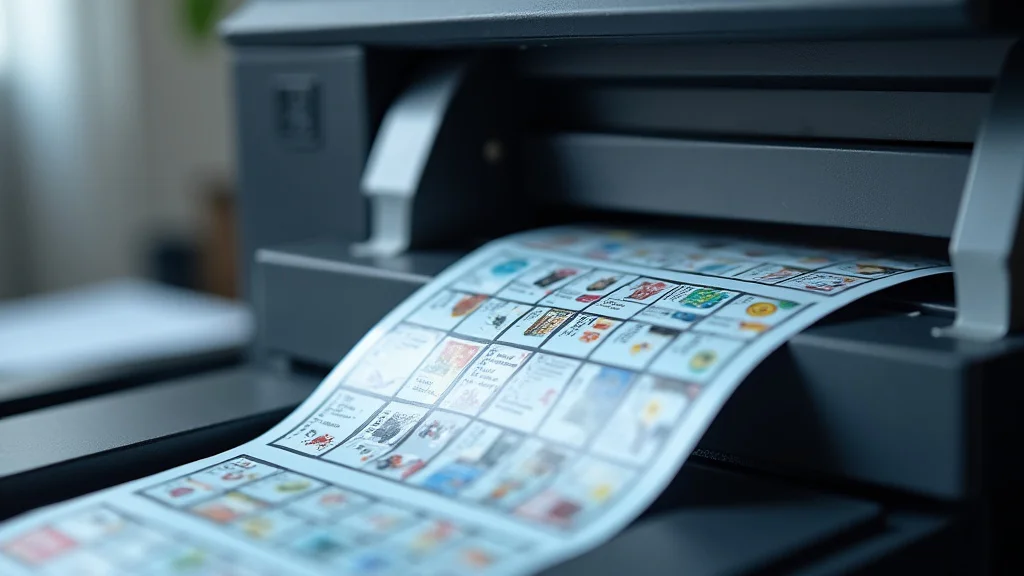
Remember that time you needed a receipt, but the printer was out of ink, and the second copy was barely legible? It’s a frustrating situation we’ve all encountered. Fortunately, the world of business forms has a reliable solution: printing 3 part carbonless forms. These forms make it simple to create multiple copies simultaneously, eliminating the need for messy carbon paper or expensive digital copies. This post will guide you through everything you need to know about these forms, helping you streamline your processes. You will learn about the different types, the benefits, and how to create the best forms to fit your needs, resulting in a more efficient workflow. Get ready to enhance your business practices and make document handling a breeze!
Key Takeaways
- 3 part carbonless forms create instant copies without ink or carbon paper.
- You’ll discover the different paper types and how they work.
- Learn about the advantages of using carbonless forms in your business.
- Find out how to choose the right form and printer for your specific needs.
- Explore important design considerations for effective form creation.
- Optimize your forms to reduce errors and improve efficiency.
Understanding Carbonless Forms and Their Advantages
Carbonless forms are a game changer for any business needing multiple copies of the same document. Think about invoices, purchase orders, or work orders – all of these can benefit from the ease of use and efficiency that carbonless forms provide. Unlike traditional forms that require carbon paper or digital solutions, carbonless forms rely on a clever chemical reaction to create copies. This eliminates the need for messy carbon paper, ensuring clear and legible copies with every use. This section will explore the core concepts of carbonless forms and highlight their numerous benefits.
How Carbonless Forms Work
The magic behind printing 3 part carbonless forms lies in the coated paper. Each sheet is treated with a specific chemical coating. Typically, there are three types of paper involved: the top sheet (CB or Coated Back), the middle sheet(s) (CFB or Coated Front and Back), and the bottom sheet (CF or Coated Front). When pressure is applied, such as from a pen or impact printer, tiny capsules containing a dye break open and react with the coating on the receiving sheet. This chemical reaction creates a duplicate image of what is written or printed on the top sheet. The process is clean, efficient, and ensures that you get copies instantly. The clarity of the copies is generally excellent, although it can vary depending on the paper quality and the pressure applied.
- The top sheet, or CB (Coated Back), contains micro-encapsulated dye. When pressure is applied, these capsules burst.
- The middle sheets, or CFB (Coated Front and Back), have a coating that receives the dye from the top sheet and contains dye for transferring to the bottom sheet.
- The bottom sheet, or CF (Coated Front), has a coating that reacts with the dye to create the final copy.
- The number of parts can vary. You can have 2-part, 3-part, 4-part, or even 5-part forms. The more parts, the more copies you get.
- Each part of the form can be a different color, making it easy to identify the different copies for distribution and filing.
Benefits of Using Carbonless Forms
Switching to printing 3 part carbonless forms offers a range of advantages that can streamline operations and save money. The absence of carbon paper means less mess and a cleaner working environment. The quick copy-creation process significantly reduces the time spent on administrative tasks. Forms can be readily available when needed, preventing time delays. The ability to create multiple copies simultaneously also cuts down on the need for extra printers or copiers, thus reducing both equipment costs and electricity expenses.
- Efficiency: Carbonless forms generate multiple copies with a single writing action or print, saving time.
- Cleanliness: They eliminate the mess associated with carbon paper, making them much easier to manage.
- Cost-Effective: They reduce the need for photocopying or additional printing, saving money on consumables.
- Improved Accuracy: Multiple copies are made at once, reducing the chances of data entry errors.
- Versatility: These forms can be customized with different colors and layouts to improve organization.
Carbonless Paper Types and Weights
Carbonless paper comes in various types and weights to meet different needs. Understanding these specifications is essential to make sure the forms are effective for your application. The paper weight affects the thickness and durability of the forms, which in turn impacts how well the copies are made and how long the forms last. The paper type can also impact how the form is used. For example, some paper types are better suited for specific applications or printing methods. The correct choice will make the forms easier to handle and can improve the quality of the copies.
- Paper Weight: Carbonless paper weights usually range from 15lb to 24lb. Heavier paper is more durable, while lighter paper is generally more cost-effective.
- Paper Types: Options include standard, premium, and recycled. Premium paper offers better image quality and durability.
- Coating Quality: High-quality coatings ensure sharp copies and prevent smudging, even with a lot of handling.
- Color Options: Sheets can be different colors for easy identification of copies. Common colors include white, yellow, pink, and blue.
- Finishing Options: Perforation, numbering, and binding can be added to forms for better organization and use.
Choosing the Right Printing Method for 3 Part Carbonless Forms
The choice of printing method is important when printing 3 part carbonless forms. Impact printers, like dot matrix printers, are perfect for carbonless forms because they use physical pressure to transfer the image. The print heads hit the paper, causing the chemical reaction necessary for creating copies. Other types of printers, such as laser or inkjet printers, may require modifications or special paper. This section breaks down the different printing options, helping you select the best method for your needs and budget.
Impact Printers and Carbonless Forms
Impact printers, such as dot matrix printers, are the perfect choice for printing carbonless forms. They work by using small pins to strike an ink ribbon, which then hits the paper. This pressure activates the chemical reaction in the carbonless paper, transferring the image from the top sheet to the other sheets. Impact printers are very reliable and cost-effective, making them an ideal choice for businesses that need to print forms on a regular basis. They are also great for creating forms with multiple parts because the pressure ensures that all copies are clearly visible. They can print in multiple colors using color ribbons, providing options for branding and easy identification.
- Mechanism: Impact printers use a print head that strikes the paper through an inked ribbon.
- Compatibility: Perfectly compatible with carbonless forms because the impact creates the needed pressure.
- Cost-Effective: They are relatively inexpensive to purchase and maintain, making them great for small businesses.
- Durability: Impact printers are built to last, making them a reliable choice for high-volume printing.
- Customization: They support custom formatting and can create forms with different fonts and layouts.
Laser and Inkjet Printers and Carbonless Forms
Laser and inkjet printers can be used with carbonless forms, although they may not be as simple as impact printers. These printers rely on heat or liquid ink to create images, and the pressure applied may not be enough to properly trigger the chemical reaction in all types of carbonless paper. It’s really important to use carbonless paper that is explicitly designed for these printers. Some special carbonless papers are made to work with laser and inkjet printers. Using the right paper can make the forms print well, but it might not deliver the same quality and copy number as an impact printer. Therefore, consider the printing method when choosing carbonless paper.
- Laser Printers: These use toner and heat to create images. They may require special carbonless paper made for heat exposure.
- Inkjet Printers: These spray ink onto the paper. They need carbonless paper designed to absorb ink without smudging.
- Paper Compatibility: Always check the printer’s specifications and use compatible carbonless paper.
- Image Quality: The image quality can be affected, so it might not produce a clear copy as an impact printer.
- Cost: High-quality, laser or inkjet-compatible carbonless paper can cost more than standard paper.
Selecting the Best Printing Method
Selecting the best printing method really depends on your specific needs, the frequency of use, and your budget. If you are regularly printing 3 part carbonless forms and require clear, consistent copies, an impact printer is the best choice. It is affordable and reliable. For businesses that already have laser or inkjet printers, the cost of specialized carbonless paper might make it a reasonable option if the volume is low. Carefully look at your overall printing needs, budget constraints, and the expected quality of the forms when making a decision.
- Print Volume: High-volume printing makes an impact printer the best choice.
- Quality Needs: If high-resolution copies are important, consider the printer’s resolution and paper compatibility.
- Budget: Impact printers are generally more affordable, while laser and inkjet printers may have a higher initial cost.
- Existing Equipment: If you already have a laser or inkjet printer, assess whether it is feasible to use it with specialized carbonless paper.
- Ease of Use: Impact printers are easy to set up and use, providing a simple workflow.
Designing Effective 3 Part Carbonless Forms
Effective design is a huge aspect of printing 3 part carbonless forms. A well-designed form is easy to read, simple to fill out, and can reduce errors. This section examines the core elements to consider when designing forms. This includes information placement, layout, and how to improve the overall design. By following these guidelines, you can create forms that make the information-gathering process efficient and help your business run smoothly.
Key Design Elements for Carbonless Forms
The design of carbonless forms is more than just how they look; it impacts how useful they are. A few key elements are important for making the forms easy to use and reducing errors. This includes making sure the forms are clear and organized and using colors or numbering to improve readability. Designing with these elements will make your forms more effective, while also creating a professional appearance for your business.
- Clear Headings: Make sure there are clear headings for each section to help users understand what information is requested.
- Logical Layout: Use a logical layout that flows well and makes it easy to go from one field to the next.
- Sufficient Space: Provide enough space for users to write or type information clearly.
- Use of Colors: Use different colors for different sheets for easy identification and organization.
- Font Choice: Select a readable font size and style that’s easy to read, especially on the duplicate copies.
Layout and Formatting Tips
Proper layout and formatting are essential for making carbonless forms usable. This includes paying attention to the spacing between the fields and using a design that is easy to navigate. Formatting the forms with lines, boxes, and shading can direct the user’s attention and improve the organization. These small changes make the form more user-friendly and ensure that important information is captured.
- Field Spacing: Provide enough space between the fields to make it easy to write in them.
- Alignment: Align text and fields so that they look neat and are easy to read.
- Boxes and Lines: Use boxes and lines to separate different sections and fields for better organization.
- Font Consistency: Keep a single font style and size across the form for a uniform look.
- Check Boxes and Radio Buttons: Use check boxes or radio buttons where appropriate to provide clear options.
Color and Numbering Strategies
Color and numbering systems are useful in printing 3 part carbonless forms, especially when multiple copies are needed. Using different colors for each sheet (e.g., white, yellow, and pink) makes it easy to quickly identify the intended recipient of each copy. Numbering each form is an easy way to track forms and keep the record system precise. A well-considered color and numbering plan will improve organization and make forms management more efficient.
- Color Coding: Assign a different color to each part of the form to identify where each copy goes.
- Numbering: Number each form for tracking and record keeping.
- Sequential Numbering: Use sequential numbering to keep track of forms in order.
- Color and Numbering Consistency: Maintain a consistent system to prevent confusion.
- Placement of Information: Put important information, such as the form number, in a prominent spot.
Optimizing Carbonless Forms for Efficiency
Optimizing carbonless forms involves making sure that they are useful, easy to complete, and reduce errors. Simple adjustments to form design, such as adding pre-filled fields or using clear labels, can significantly improve the speed and correctness of the data entry process. This section provides tips for optimizing your forms to make your business more effective, reduce mistakes, and streamline your operations when printing 3 part carbonless forms.
Reducing Errors with Form Design
A well-designed form helps to reduce errors, ensuring the accuracy of collected data. Clear instructions, pre-filled fields, and easy-to-read formatting can all help prevent errors. A form that is easy to understand and use will reduce mistakes, which will improve the quality of data collected and make the business more efficient.
- Clear Instructions: Provide clear and easy to follow instructions for each section of the form.
- Pre-filled Fields: Use pre-filled fields for standard information, if possible, to reduce manual entry.
- Validations: Use form fields that limit the type of input (e.g., numbers only) to reduce data errors.
- Examples: Provide examples of how to fill out the form for the user to understand quickly.
- Review Area: Leave a section for users to review their responses before submission.
Streamlining Data Entry
Streamlining data entry reduces the time it takes to fill out forms and improves productivity. The goal is to make the form easy to complete, which minimizes user effort. Streamlined data entry saves time, improves data accuracy, and makes operations more efficient. It also helps in keeping a professional appearance.
- Use Checklists: Use checklists or check boxes to simplify selection of common options.
- Minimize Fields: Only include fields that are essential to gather information to keep the form short.
- Data Input Order: Organize the form to make the flow of data input logical and effective.
- Automated Fields: Use automated fields where possible, such as a date or form number.
- Label Clarity: Make sure that the labels are clear and brief to make data entry easier.
Storage and Handling of Carbonless Forms
Correct storage and handling of carbonless forms are essential to ensure that the copies are clear and legible and to prolong the life of the forms. Forms must be protected from extreme temperatures, direct sunlight, and moisture, which can cause the chemical coating to react prematurely. Handling the forms with care will make sure that the copies are high quality, maintain the integrity of the information, and make the forms last longer.
- Storage Environment: Store forms in a cool, dry place away from direct sunlight and moisture.
- Temperature Control: Avoid extreme temperature fluctuations, which can affect the form’s coating.
- Handling: Handle forms gently to prevent damage to the paper and smudging of the copies.
- Protection: Keep the forms in a protective container, such as a box or cabinet.
- Rotation: If you are storing a big quantity, rotate the stock to avoid old forms from being used.
Common Myths Debunked
Myth 1: Carbonless forms are difficult to use.
The reality is that carbonless forms are as easy to use as regular forms. The user simply fills out the top sheet, and the writing is automatically copied to the sheets below, reducing the time spent copying information. They are designed to streamline processes, not complicate them. They eliminate the hassle of inserting and removing carbon paper, making them easier and cleaner to handle.
Myth 2: Laser printers cannot print on carbonless paper.
While impact printers are best suited, the reality is that laser printers can use carbonless paper, but it is important to choose paper made for laser printers. There are carbonless papers designed specifically for heat exposure. However, results can be inconsistent, so it is important to always test your paper. Using an impact printer is the best way to get multiple, high-quality copies.
Myth 3: Carbonless forms are not durable.
The idea that carbonless forms are not durable is a misconception. If you handle carbonless forms correctly, the forms can last. Durability depends on the paper type and storage conditions. If kept in a cool, dry place, and handled with care, they can withstand regular use. High-quality carbonless paper provides clear copies for a long time.
Myth 4: Carbonless forms fade over time.
The truth is that while the image on carbonless forms can fade, the quality of the image can be maintained if the forms are stored correctly. Over time, the image may fade slightly, but storage conditions play a big role. Keep them away from direct sunlight, heat, and moisture, to extend the life of the image. The quality of the paper and the coating also influence how long the image lasts.
Myth 5: Carbonless forms are expensive.
The reality is that, while the initial cost of carbonless forms may be slightly higher than standard forms, the overall cost-effectiveness is often higher. They eliminate the need for carbon paper or the costs of additional printing. They can actually save money by reducing the need for photocopying or extra printing runs. The efficiency gains more than offset the initial cost.
Frequently Asked Questions
Question: Can I print 3 part carbonless forms on my home printer?
Answer: It depends on the printer. Impact printers work best because they apply the needed pressure. Inkjet and laser printers may work with special carbonless paper made for them, but the results may not be as clear. Always test your printing setup with a small batch first.
Question: What is the lifespan of 3 part carbonless forms?
Answer: The lifespan depends on the quality of the paper, the storage conditions, and how much the forms are handled. If stored correctly, they can maintain readability for several years. Keep them in a cool, dry place away from direct sunlight to extend their lifespan.
Question: How do I store 3 part carbonless forms to maintain their quality?
Answer: Store them in a cool, dry place, away from direct sunlight and extreme temperatures. Avoid humidity, which can degrade the coatings. Keep the forms flat to prevent curling and protect them from pressure to avoid triggering the image transfer prematurely.
Question: Can I customize 3 part carbonless forms with my business logo and branding?
Answer: Yes, you can customize the forms. You can add your business logo, branding elements, and specific information using design software or online templates. Ensure your printer has the appropriate capabilities to handle the design elements.
Question: What are the main benefits of using 3 part carbonless forms?
Answer: The main benefits are efficiency (creating multiple copies at once), cleanliness (no messy carbon paper), cost-effectiveness (reduced need for photocopying), and accuracy (reducing data entry errors). They are also adaptable to a wide range of needs.
Final Thoughts
By now, you should have a firm grasp of printing 3 part carbonless forms. These forms offer a straightforward way to create multiple copies of important documents. We’ve explored the process, from choosing the proper paper and printing method to creating effective designs. Remember that the correct printer choice, be it an impact printer or a laser printer with the right paper, is essential. Also, the layout, color coding, and numbering all play a huge role in efficiency. Now, you have the knowledge needed to evaluate your business’s needs, implement the right tools, and make your record-keeping smooth and reliable. Start simplifying your operations by implementing carbonless forms today.