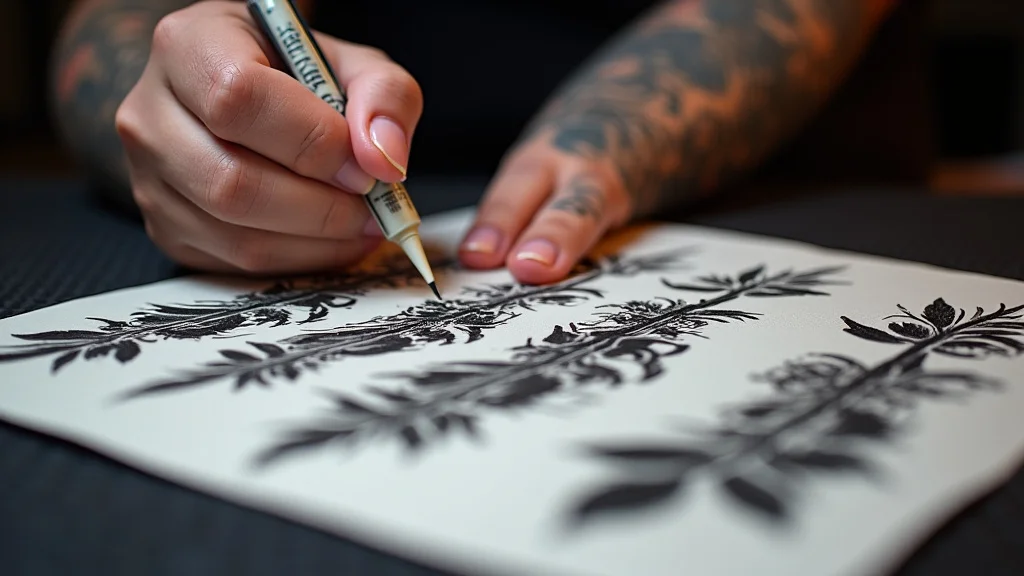
Remember that time your friend tried to DIY a tattoo at home? Let’s just say the outcome wasn’t exactly professional. One of the biggest hurdles they faced was creating a clear, accurate stencil. That’s where the art of printing tattoo stencils comes in! This guide explores everything you need to know, from the right materials to the best methods, ensuring a crisp transfer every time. You’ll learn how to get the perfect template for your next tattoo, whether you’re a seasoned artist or just starting. Get ready to level up your tattooing game and achieve those stunning, long-lasting results. By the end, you’ll be able to create stunning designs and the basics of printing tattoo stencils, improving your results.
Key Takeaways
- Discover the essential equipment and supplies needed for printing stencils.
- Learn the different methods of stencil transfer, from tracing to thermal printers.
- Understand the importance of stencil paper and transfer solutions.
- Find out how to prepare the skin and apply the stencil for the best results.
- Explore tips for maintaining and preserving your stencils.
- Get insights into avoiding common errors when printing and transferring stencils.
Getting Started: The Essentials for Printing Tattoo Stencils
Before you begin the process of printing stencils, it’s vital to gather the correct supplies. The quality of your materials significantly impacts the final outcome. Using unsuitable products can lead to blurry stencils, poor adhesion, and an overall disappointing tattoo. This section will guide you through the key equipment, from printers to transfer solutions, to create stencils that deliver precise and clean results.
Choosing the Right Printer for Your Stencils
The printer you select is fundamental to achieving high-quality stencils. Not all printers are created equal. You’ll need a printer that’s capable of producing sharp, detailed images on stencil paper. Inkjet printers are the most common choice, as they work well with stencil transfer paper and inks. Laser printers can be used, but require specific modifications to work correctly with stencil paper. When selecting a printer, consider resolution and the types of ink it uses. High resolution results in sharper, more accurate stencils. Make sure the printer has settings that allow you to adjust darkness and contrast for optimal results.
- Inkjet Printers: These are generally preferred for printing tattoo stencils. They offer good image quality and are compatible with various stencil papers. Inkjet printers are relatively affordable. They are easy to use and maintain. They are versatile, producing vibrant, high-resolution stencils that clearly transfer fine lines and details to the skin.
- Laser Printers: Though less common, laser printers can be used with specific modifications. These printers use toner instead of ink. Special techniques are necessary to transfer the toner from the stencil paper to the skin.
- Printer Resolution: Pay attention to the printer’s resolution, which is usually measured in dots per inch (DPI). A higher DPI generally results in a better quality stencil. Aim for a printer with a DPI of at least 600 x 600 for sharp, detailed stencils.
- Printer Settings: Experiment with your printer’s settings. Adjust the darkness and contrast levels to achieve the best results on your chosen stencil paper.
Essential Supplies for Printing Stencils
Besides a printer, several other materials are necessary for creating effective stencils. These supplies work in tandem to produce accurate and durable stencil transfers. Using the correct materials is just as important as choosing the right printer. Without these items, your stencil creation will not go as planned. This section covers the essential supplies needed for a professional finish.
- Stencil Paper: Stencil paper is specifically designed to work with tattoo transfer methods. There are several types. Choose paper that is compatible with your printer and designed for your specific stencil transfer method. Consider the paper’s ability to hold ink and transfer cleanly. It is available in different types: thermal and freehand. Thermal paper is designed for use in thermal printers. Freehand paper can be used with any printer.
- Transfer Solution: Transfer solutions are applied to the skin to help the stencil adhere properly. These solutions come in various forms, including gels, sprays, and lotions. They create a sticky surface that securely holds the stencil in place during the tattooing process. Choose a transfer solution that is gentle on the skin.
- Stencil Prep Solution: Some artists use a stencil prep solution. This liquid helps to clean the skin. It will also help the stencil to stick to the skin.
- Stencil Transfer Paper: This is a special paper. It has a waxy coating. The coating transfers the design to the skin. It comes in different forms: thermal, spirit, and freehand.
- Gloves: Wear gloves during the entire process. This will help you keep the stencil clean. It also protects the artist from any cross-contamination.
Understanding Stencil Paper Types
Choosing the correct stencil paper is crucial for transferring your designs. Different types of stencil paper are available, each with unique characteristics and appropriate applications. Understanding the differences between these types helps you select the best paper for your printer, design, and desired results. The right paper can enhance the accuracy and longevity of your stencil, leading to better tattoo outcomes. Here are the key types to keep in mind.
- Thermal Stencil Paper: Designed for use with thermal printers. This paper typically has three layers: a top sheet, a middle layer that transfers the ink, and a backing sheet. The thermal printer heats the paper. The top sheet has the design. This creates a stencil that is ready for transfer to the skin.
- Spirit Stencil Paper: Also known as carbon paper or freehand stencil paper. It is a traditional option for creating stencils. It consists of multiple layers. One layer contains carbon ink. When you apply pressure with a pen, pencil, or tracing tool, the ink transfers to the bottom layer.
- Dot Matrix Stencil Paper: Designed for dot matrix printers. It works similarly to thermal paper. The dot matrix printer prints the design using small dots. This creates a stencil that you can use for transferring the design to the skin.
- Stencil Transfer Paper for Specific Printers: Some manufacturers offer stencil paper specifically for their printers. These papers are designed to work optimally with their products, ensuring the best possible results.
Methods for Printing and Transferring Tattoo Stencils
Several methods exist for creating and transferring tattoo stencils, each with unique advantages. Choosing the right method depends on your design, equipment, and personal preference. The methods described here cover the range of options, from tracing by hand to using specialized printers. Each method has its own set of steps and considerations. These include equipment required, the quality of the transfer, and the efficiency of the overall process. This section provides an overview of each of the most used methods.
Thermal Printing Method
The thermal printing method is a popular choice due to its efficiency and the high quality of stencils produced. This process involves the use of a thermal printer and specially designed stencil paper. The printer uses heat to transfer the design onto the stencil paper, which is then used to transfer the design to the skin. This method is quick, creates precise stencils, and requires minimal handwork. It’s a great option for artists who produce numerous designs or require detailed stencils.
- Step 1: Design Preparation: Prepare your design in a digital format. Make any necessary adjustments to ensure it looks accurate. Make sure your design is ready for transfer. It should be mirrored, if necessary, so that it appears correctly on the skin.
- Step 2: Load the Paper: Load your thermal stencil paper into the thermal printer. Make sure the paper is correctly aligned. Follow the instructions for your specific printer.
- Step 3: Print the Design: Send the design to the printer. The thermal printer will apply heat to the stencil paper, transferring the image. Avoid moving the paper. This will keep the transfer consistent.
- Step 4: Transfer to Skin: Apply a transfer solution to the skin. Then apply the printed stencil. Press it firmly onto the skin for a few seconds. The stencil will transfer the design. Gently remove the stencil.
Hand Tracing Method
The hand tracing method is a traditional approach that involves manually transferring a design onto the skin. This method is a great choice if you have a simple design, do not have access to a printer, or want more control over the stencil creation process. It requires tracing the design onto the stencil paper by hand using a pen or pencil. This method allows for a high degree of artistic control. It also works well for creating custom stencils on the spot.
- Step 1: Prepare the Design: Print or draw your tattoo design. You can also trace it from a reference image. Make sure the design is mirrored if needed.
- Step 2: Position the Stencil Paper: Place your stencil paper over the design. Secure both the design and stencil paper to a flat surface. This will ensure that neither move when tracing.
- Step 3: Trace the Design: Use a pen or pencil to trace the design onto the stencil paper. Apply firm, consistent pressure. Ensure all lines and details are accurately transferred.
- Step 4: Transfer to Skin: Apply a transfer solution to the skin. Place the traced stencil onto the skin. Apply pressure for a few seconds to transfer the design.
Using a Dot Matrix Printer for Tattoo Stencils
Dot matrix printers offer an older but often reliable option for printing stencils, especially when you need a clear and detailed template. These printers use a print head that strikes an ink-soaked ribbon to create dots on the paper. The dots combine to form the design. This method often works well with stencil transfer paper, producing effective results. It can be a good option for artists looking for a cost-effective and dependable printing method.
- Step 1: Design Preparation: Load your tattoo design into the software connected to your dot matrix printer. Ensure the design is mirrored if it has any text or asymmetrical elements.
- Step 2: Prepare the Printer: Load the stencil paper into the printer. Many dot matrix printers accept continuous-feed paper, but you might need to manually feed individual sheets. Make sure the paper aligns correctly in the printer.
- Step 3: Print the Stencil: Adjust printer settings for the best print quality. Increase the darkness or contrast as needed. This will ensure that the stencil image is clear.
- Step 4: Transfer to Skin: Apply a stencil transfer solution to the skin. Press the printed stencil onto the prepared skin. Hold it firmly for a short time. Then, gently lift the stencil to reveal the transferred design.
Perfecting the Tattoo Stencil Transfer
Achieving a perfect tattoo stencil transfer is essential for a clean and accurate final result. Proper skin preparation and precise application techniques are critical to making sure the stencil adheres correctly and transfers clearly. This section focuses on the steps you can follow. These will help you improve the transfer process and avoid common errors. It also provides tips on applying the stencil smoothly and ensuring its longevity during the tattooing process.
Skin Preparation: A Key Step
Before applying a stencil, it is important to prepare the skin. Correct skin preparation will help improve stencil adhesion and make sure the design transfers cleanly. The skin’s condition directly impacts the quality of the stencil transfer and, subsequently, the tattoo’s outcome. Taking the time to properly prepare the area creates a smooth surface. It removes oils and impurities that could prevent the stencil from adhering correctly.
- Clean the Skin: Wash the area with mild soap and water. Use a gentle cleanser to remove any dirt, oil, or lotions. Rinse thoroughly. This helps create a clean canvas for the stencil.
- Shave the Area (if necessary): If there is hair in the area, gently shave the area. Remove any hair to improve stencil adhesion and make the tattooing process easier. Be careful not to irritate the skin.
- Exfoliate Gently: Lightly exfoliate the skin to remove dead skin cells. This will promote a smoother surface for the stencil. Avoid harsh exfoliants that can irritate the skin.
- Dry the Skin: Pat the skin completely dry after washing and shaving. A dry surface is vital for the proper application of transfer solutions.
Applying the Stencil Correctly
Properly applying the stencil is essential for a clean and accurate tattoo. You need to position the stencil on the skin carefully, apply it firmly, and keep it in place during transfer. This step directly impacts the final appearance of the tattoo. The following steps will guide you through the process, helping you achieve a perfect stencil transfer every time.
- Apply Transfer Solution: Apply the transfer solution to the prepared skin, following the product’s instructions. A thin, even layer of solution will help the stencil adhere. Avoid using too much solution, which can cause the stencil to slide.
- Position the Stencil: Place the stencil carefully onto the skin. Make sure it is positioned correctly. Align it with the body contours and any reference marks you have made.
- Apply Pressure: Use your palm or a clean, flat tool to apply even pressure to the entire stencil. Press firmly for several seconds. Ensure every part of the stencil makes good contact with the skin.
- Remove the Stencil: Slowly lift the stencil from the skin, starting from one edge. Watch carefully to make sure the entire design has transferred. If the stencil isn’t transferring well, reapply and press for a longer time.
- Let it Dry: Allow the stencil to dry completely before you begin tattooing. This step will help ensure that the stencil stays in place during the tattooing process.
Troubleshooting Common Transfer Issues
Even with the best preparation and application techniques, issues can sometimes occur during the stencil transfer process. Understanding and addressing these problems is key to a flawless final result. This section helps you identify common problems, such as a blurry stencil or poor adhesion, and offers solutions to correct them. With the right troubleshooting, you can fix issues and improve your stencil transfer skills.
- Blurry Stencil: Blurry stencils may result from various issues, including too much transfer solution, moving the stencil during transfer, or using low-quality stencil paper. Reduce the amount of transfer solution used. Make sure the stencil doesn’t move. If the issue continues, test different stencil paper.
- Poor Adhesion: If the stencil doesn’t stick properly, the skin may not be clean. The skin may also be too oily. Make sure the skin is thoroughly cleaned and dried before application. You may also need to try a different transfer solution.
- Incomplete Transfer: If parts of the design don’t transfer, press harder and longer when applying the stencil. It’s also possible that the stencil paper is not compatible with your transfer solution.
- Stencil Smudging: Smudging can occur if the stencil gets wet before it is set. Make sure the stencil is completely dry. Avoid touching the stencil. You may also need to use a better quality stencil transfer solution.
Preserving and Maintaining Your Stencils
Proper care of your stencils can improve the quality of your tattoo work. Properly stored stencils stay clearer, last longer, and produce cleaner tattoo transfers. This section will cover how to store, clean, and maintain stencils to get the best results. The goal is to maximize their use. Maintaining stencils properly means they’re ready when you need them, improving the efficiency of your work.
Storage and Handling of Stencils
Correct storage and handling of stencils extend their life and ensure their integrity. Proper storage can prevent stencils from getting damaged. Storing stencils properly includes keeping them dry, clean, and protected from environmental factors. The way you handle your stencils directly impacts the quality of your tattoos. This part will give you tips on how to handle your stencils correctly.
- Keep Stencils Dry: Store stencils in a cool, dry place. Moisture can damage the ink. This makes the stencil unreadable.
- Store Flat: Store stencils flat to prevent them from curling. Place them between sheets of paper or in a flat file. This helps keep the stencil in good condition.
- Protect from Light: Avoid exposure to direct sunlight. Sunlight can fade the stencil. Store stencils in a dark place.
- Clean Your Hands: Before handling stencils, make sure your hands are clean and dry. Avoid touching the design on the stencil. This will help prevent smudging and contamination.
Cleaning and Preserving Your Stencils
Keeping your stencils clean and well-maintained is crucial for achieving high-quality tattoo results. Removing excess residue. Cleaning your stencils can help them last longer. This can help prevent issues. This part will provide tips on cleaning your stencils, and how to preserve their quality.
- Gentle Cleaning: Use a soft, damp cloth to clean stencils. Gently wipe away any excess transfer solution or ink. Avoid harsh chemicals that can damage the stencil.
- Allow to Dry: Allow the stencil to dry completely after cleaning. Ensure the stencil is dry before storing it. This step helps prevent damage.
- Touch-Ups: If your stencil is damaged, consider making touch-ups using a fine-tip pen.
- Reuse the Stencil (if Possible): If possible, you can gently clean and reuse a stencil. This saves time and resources.
Common Myths Debunked
Myth 1: Any Printer Works for Tattoo Stencils
Many think that any printer can create tattoo stencils. However, the quality and type of printer affect the stencil quality. Using a high-resolution inkjet printer will deliver better results, especially for detailed designs, compared to a basic printer.
Myth 2: You Need Expensive Equipment
Some people believe that achieving great tattoo stencils needs expensive gear. While professional thermal printers offer convenience, you can create effective stencils with more affordable options. With patience and good technique, hand tracing and dot matrix printers can deliver quality stencils.
Myth 3: The Stencil Must Be Pressed Hard
A common misconception is that applying a lot of pressure during the stencil transfer is needed. Excessive pressure can distort the stencil. It’s more important to use consistent, even pressure for a few seconds. The goal is to ensure the stencil adheres to the skin, producing a clear transfer.
Myth 4: Stencil Paper Is the Same as Regular Paper
Many believe stencil paper and regular printer paper can be used interchangeably. Stencil paper is specifically designed to work with tattoo transfer methods. Its construction allows the design to adhere to the skin. Regular paper may not hold the ink or transfer correctly.
Myth 5: All Transfer Solutions Are the Same
It’s easy to assume all transfer solutions work the same way, but their ingredients and properties vary. Some solutions work better for specific skin types. They also vary in terms of drying time. Using the appropriate solution for your skin type and environment will affect the outcome.
Frequently Asked Questions
Question: Can I use regular paper to make a tattoo stencil?
Answer: No, you should not use regular paper. Regular paper is not designed to hold ink and transfer the design to the skin. Use stencil paper instead.
Question: What’s the best type of printer for creating stencils?
Answer: Inkjet printers are usually the best option for creating stencils. They produce high-quality, detailed stencils that transfer clearly. Thermal printers are also a good option.
Question: How do I store my stencils?
Answer: Store stencils in a cool, dry place. Keep them flat, and protect them from light. Avoid storing them in a place where they may get damaged.
Question: Can I reuse a stencil?
Answer: Yes, you can. You can gently clean and reuse a stencil. However, it’s a good idea to create a fresh one to be sure the design is accurate.
Question: What can I do if my stencil is smudging?
Answer: Make sure the stencil is completely dry before you tattoo. Reduce how much transfer solution you use. Make sure you are using a good quality transfer solution.
Final Thoughts
Creating professional-quality tattoo stencils doesn’t have to be a complicated process. With the right tools, supplies, and techniques, you can achieve amazing results, whether you’re a beginner or an experienced artist. The key lies in understanding the fundamentals: choosing the right printer and paper, preparing the skin, and applying the stencil correctly. Remember to experiment with different methods, and don’t be afraid to adjust your approach. Success with printing tattoo stencils requires practice. Focus on mastering each step. Embrace the process, and soon you’ll be creating flawless stencils for all your tattoo designs. The goal is to perfect the design and impress everyone.