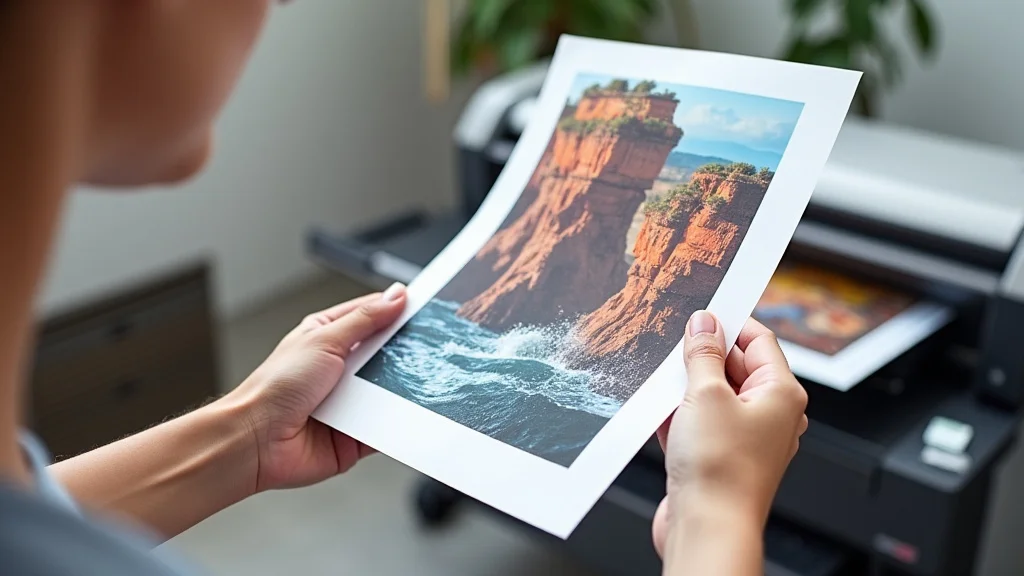
Remember that time you needed a last-minute poster for a school project, but the print shop was closed? Or, perhaps you wanted to create some personalized artwork for your room, but didn’t know where to begin? Printing your own 8×10 posters can seem tricky at first, but it’s a skill that’s surprisingly easy to master. This guide will walk you through everything you need to know, from choosing the right paper to getting the perfect print. You’ll learn the steps to create amazing posters, improving your ability to make beautiful graphics. You will discover practical tips, increasing your knowledge of printing 8×10 posters.
Key Takeaways
- Learn the essential steps for preparing your design for printing.
- Discover how to choose the right paper and printer settings for your project.
- Understand the various file formats and their impact on print quality.
- Explore practical tips for achieving professional-looking results.
- Gain valuable insights into optimizing your prints for cost-effectiveness.
- Find out where to buy affordable materials for your projects.
Getting Started with Printing 8×10 Posters
The first step in producing impressive 8×10 posters is design preparation. Before you even think about hitting the “print” button, you need to have a well-designed and appropriately formatted file. This means creating your artwork or choosing your images, and then ensuring they are the correct size and resolution. Consider the content of your poster and who your audience is. Are you creating a promotional poster for a business, or a personalized piece of art? Your design choices will depend on these factors.
Designing Your Poster
The design phase is where your creativity truly shines. Decide on your poster’s purpose and target audience to guide your design choices. If it’s a photograph you’re showcasing, ensure the image quality is high, which will result in a sharper print. For text-heavy posters, select a font that is easy to read from a distance. Consider using high-contrast colors to make your message stand out. Keep the design simple and uncluttered, ensuring your primary message is clear. A well-designed poster attracts attention and effectively conveys its information.
- Choose Your Software: Select a design program you are comfortable with. Popular options include Canva, Adobe Photoshop, or GIMP.
- Set the Size: Make sure your canvas size is exactly 8×10 inches, or 20.32 x 25.4 cm. This precision is important for accurate printing.
- Select High-Quality Images: Use images with high resolution to prevent pixelation. Aim for at least 300 DPI (dots per inch) for excellent print quality.
- Incorporate Clear Text: Use readable fonts and make sure the text size is large enough to be easily seen from a distance.
- Consider Color Choices: Pick colors that complement each other and align with your poster’s subject. High contrast increases readability.
Think about the overall layout and how you can create visual appeal. Even a simple poster can be effective if it’s well-designed.
File Format Selection
The file format you choose can significantly impact the final quality of your printed 8×10 posters. Different formats have various features, affecting how the image is compressed and stored. Selecting the correct file format is important to prevent image quality issues like pixelation or blurry prints. Understanding the benefits of each file type can help you create the best possible print.
- JPEG (JPG): A common file format ideal for photographs. It uses lossy compression, which means some image data is discarded to reduce file size. Use it for images where slight quality loss is acceptable.
- PNG: Best for images with text, graphics, and sharp lines. PNG supports lossless compression, preserving image detail.
- PDF: A versatile format that preserves the layout and formatting. PDF files are excellent for printing, as they can be opened consistently across different devices.
- TIFF: A high-quality format suitable for professional printing, as it doesn’t lose image data during compression. TIFF files are larger but provide excellent detail.
Choosing the correct file format for your 8×10 posters ensures that your design retains its quality during the printing process. Carefully consider the type of content and the desired level of detail to make the best choice.
Resolution and DPI
Resolution and DPI (dots per inch) are crucial components when printing 8×10 posters, directly impacting the clarity and sharpness of your printed image. Resolution refers to the number of pixels in your image, determining the level of detail captured. DPI indicates how many dots of ink your printer will place within an inch of your image during the printing process. An image with a low resolution will appear pixelated or blurry when printed at larger sizes, such as 8×10. By giving thought to resolution and DPI, you will greatly improve the final print quality.
- Minimum Resolution: Always use an image resolution of at least 300 DPI for your 8×10 poster.
- Source Images: The quality of your source image is directly related to your final print quality.
- Monitor Settings: While your monitor’s display settings are important for viewing your image, they don’t directly affect print quality.
- Printer Capabilities: A printer’s DPI rating gives a general indication of print quality, but the printer’s technology and ink can also affect the final appearance.
Always verify the resolution of your image before printing to ensure the best possible results. This simple check can prevent blurry or pixelated prints.
Choosing the Right Materials for Printing 8×10 Posters
Selecting the correct paper and knowing your printer’s capabilities can drastically affect the final look of your 8×10 posters. Different papers provide different surface textures and finishes, which can change the colors and overall appeal of your prints. Your printer’s capabilities can influence the kind of paper it can handle and the quality of the prints. You can experiment with a variety of options to find the best match for your project, from matte to glossy paper.
Paper Types and Finishes
The type of paper you select for printing your 8×10 posters impacts both the look and feel of your final product. Each finish offers a unique aesthetic, allowing you to tailor your prints to your specific needs. Understanding the properties of each paper type will help you decide which one best suits your project’s goals. Whether you’re creating art prints, promotional materials, or personal photos, the correct paper type will significantly boost the presentation of your poster.
- Matte Paper: Has a non-reflective surface, ideal for displaying text and artwork. It provides a soft, elegant look and reduces glare, which makes it easy to read from any angle.
- Glossy Paper: Offers a shiny, reflective finish, making colors appear vibrant and images sharp. Best for photos and images where the colors need to pop.
- Semi-Gloss Paper: This paper is a middle ground between matte and glossy, with a slight sheen. It resists fingerprints and provides a balance between detail and readability.
- Photo Paper: Specially designed for high-quality photo prints, offering excellent color accuracy and sharpness. It often comes in both glossy and matte finishes.
- Card Stock: A thicker paper, suitable for posters that need to be durable or stand up on their own. It provides a more robust feel.
The correct choice of paper will enhance the appeal of your 8×10 posters and make your visuals stand out. Always test print with different paper types to find your preference.
Ink and Printer Considerations
The ink and printer you use are key in achieving high-quality 8×10 posters. Different printers use different ink technologies, which affect print quality, color accuracy, and durability. Whether you use an inkjet or a laser printer, it is important to understand the strengths and limitations of each. You should know the kinds of ink the printer uses and how they impact the quality of your prints.
- Inkjet Printers: Offer high resolution and are well-suited for detailed images. They use liquid ink, which can produce vibrant colors.
- Laser Printers: Use toner and are great for high-volume printing. Laser printers provide sharp text and are often more economical for documents with large blocks of text.
- Ink Types: Pigment-based inks are more water-resistant and fade-resistant, while dye-based inks often provide brighter colors.
- Printer Settings: Adjust printer settings to suit the paper type and your desired quality. Use the recommended paper settings for the paper you have selected.
- Maintenance: Keep your printer clean and perform regular maintenance.
Combining the right ink type with your printer settings ensures that your prints are vivid, durable, and well-suited for your display needs. This attention to detail will help you make 8×10 posters that you can show with pride.
Where to Buy Materials
Finding the right materials at reasonable prices is important when printing 8×10 posters. There is a broad range of options available. Understanding where to buy paper, ink, and other supplies can help you stay within your budget. Many online and in-store options are available, so you can pick the best options for your particular requirements.
- Online Retailers: Amazon, Staples, and specialized print supply websites offer a wide selection of paper types and ink cartridges. These sites often provide competitive prices.
- Office Supply Stores: Stores like Staples, Office Depot, and local print shops are convenient for purchasing paper and other print materials.
- Art Supply Stores: These stores often offer premium photo paper and art-grade supplies, useful for high-quality prints.
- Wholesale Suppliers: For those who print often, wholesale suppliers provide cost-effective options, especially for bulk purchases.
- Check for Sales and Discounts: Keep an eye on sales and discounts.
Knowing where to buy the best supplies at good prices helps to make printing 8×10 posters affordable and accessible. You can produce professional-looking prints without spending a fortune by finding good sources for your materials.
Printing 8×10 Posters: The Printing Process
Understanding the printing process will help you produce excellent 8×10 posters. From printer settings to troubleshooting, each step is necessary for achieving the desired results. Taking the time to master each stage will enable you to make high-quality prints every time. Even simple steps can ensure your posters turn out great.
Printer Settings and Calibration
Appropriately setting up your printer and calibrating it are crucial steps for achieving the best results with your 8×10 posters. Printer settings control aspects like color, resolution, and paper type. By learning how to set up and calibrate your printer, you can make sure your prints match the colors and quality of your original design. You will be able to maximize your printer’s capabilities by fine-tuning these settings.
- Paper Type: Select the correct paper type in your printer settings. This tells the printer how to handle the paper.
- Print Quality: Choose the best print quality setting, such as “Best” or “Photo,” for high-resolution images.
- Color Settings: Ensure your printer’s color settings are accurate. You can choose to let the printer manage colors or control them manually.
- Calibration: Perform a printer calibration to make sure colors are consistent and accurate. You can use your printer’s built-in calibration feature.
- Print Preview: Before printing, preview your design. This lets you spot any problems before wasting paper and ink.
By customizing printer settings and regular calibration, you can make sure your 8×10 posters are of the highest quality. This will help you get the best possible outcomes in terms of color, detail, and overall appearance.
Test Prints and Adjustments
Test prints and adjustments are a very important part of the printing 8×10 posters process. Before producing a final copy, it is very important to conduct test prints. Testing allows you to fine-tune your settings, fix any problems, and guarantee that the final print meets your expectations. The process saves paper, ink, and time, while giving you the opportunity to make any adjustments needed to optimize the final results.
- Print a Test Sheet: Start by printing a small test sheet to check color accuracy, contrast, and overall print quality.
- Review the Test: Carefully check your test print for any issues, like color discrepancies, banding, or blurriness.
- Make Adjustments: Adjust your printer settings, as needed. This may include color correction, adjusting print quality, or selecting a different paper type.
- Print Another Test: After making adjustments, print another test sheet to confirm the changes have improved the print quality.
- Final Print: Once you are happy with the test results, print your final 8×10 poster.
By conducting several test prints and fine-tuning your printer settings, you can guarantee that the final 8×10 poster satisfies your standards. This method helps to achieve a professional finish.
Troubleshooting Common Issues
Printing 8×10 posters might involve some problems. Knowing how to troubleshoot usual issues is crucial for maintaining excellent print quality and preventing unnecessary waste. Many issues, from color inaccuracies to paper jams, have quick and simple fixes. By troubleshooting issues, you can resolve problems and guarantee that your printing projects run without a hitch.
- Color Issues: If colors look different from what you see on your screen, calibrate your printer and check your color settings. Make sure your design’s color mode (RGB or CMYK) matches your printer’s abilities.
- Blurry Prints: Blurry prints usually happen when using a low resolution image. Use a higher resolution image and verify that the printer settings match the paper type.
- Paper Jams: Make sure the paper is loaded correctly. Inspect the paper tray for obstructions and use the right type of paper.
- Streaks or Lines: If your prints show streaks or lines, clean the print heads and align the printer. Clean the cartridges and print heads.
- Ink Issues: Examine the ink cartridges for low levels. Replace any cartridges that are low or empty.
Addressing these common problems will allow you to quickly and effectively resolve print quality issues, saving time and resources. This proactive strategy ensures that your 8×10 posters are of excellent quality.
Printing 8×10 Posters for Various Projects
The applications for 8×10 posters are numerous, ranging from personal projects to business advertising. The flexibility of this format makes it ideal for a variety of uses, providing both an effective means of communication and aesthetic appeal. Knowing how to adapt your printing strategies will help you achieve the best results, no matter your goal.
Personal Projects and Decorative Prints
Printing 8×10 posters is ideal for personal projects like wall art, photo displays, and unique gifts. This size is easy to manage and works well for many types of images and designs. When designing for personal use, you can give your imagination free rein, making posters that reflect your personal tastes. You will discover many opportunities to experiment with styles and materials when printing posters for yourself or as gifts.
- Personalized Photo Prints: Print your favorite photos to display around your home.
- Custom Art: Produce your own artwork or buy from artists to create unique wall decor.
- Quote Prints: Create inspiring quote posters to decorate your study or living spaces.
- Event Memorabilia: Design posters for special occasions, such as birthdays or anniversaries.
- Gifts: Give customized posters as thoughtful, personalized gifts.
For personal projects, printing 8×10 posters gives you a chance to express creativity and enhance your environment. Each project is an opportunity to experiment and make something original.
Business and Promotional Materials
In business, 8×10 posters are a versatile tool for advertising, marketing, and internal communication. They are ideal for conveying messages, advertising specials, or promoting events because they are small enough to be portable. The ability to customize posters with your branding makes them ideal for advertising, which increases visibility and creates a professional image. They can be used in a number of settings, including storefronts, offices, and trade shows, to successfully boost awareness and sales.
- In-Store Advertising: Promote sales, new products, and special deals with eye-catching posters.
- Event Promotion: Advertise events with posters and attract your target audience.
- Office Decor: Use posters to show your mission, values, and motivational messages.
- Trade Show Displays: Make your booth stand out with posters that display information.
- Informational Posters: Post safety guidelines, training resources, and announcements in the workplace.
The adaptability of 8×10 posters makes them an affordable and successful tool for boosting brand visibility, increasing engagement, and achieving your marketing objectives.
Educational and Informative Posters
Printing 8×10 posters is also an ideal method for educational and informational uses, such as presentations, educational materials, and instructional tools. The size allows you to explain complex topics. These posters will improve learning. They will give you the chance to produce educational materials for schools, universities, or personal use. Their mobility, adaptability, and visual appeal make them useful in any environment.
- Classroom Resources: Use posters to illustrate topics, facts, and concepts.
- Educational Displays: Showcase information at museums, libraries, and public spaces.
- Training Materials: Develop posters for training, presentations, and workshops.
- Infographics: Display complex data in a simple, visual format to attract attention.
- Science and Art Projects: Support educational projects at schools.
In the realm of education, 8×10 posters make complicated subjects easier to grasp. These posters are effective learning tools for students of all ages.
Common Myths Debunked
Myth 1: Higher DPI Always Equals Higher Quality
While DPI is a factor in print quality, it’s not the only factor. A very high DPI on a low-resolution image won’t improve the quality, and could, in fact, make the image appear worse. The quality of the original image, your printer’s capabilities, and the paper you use also have important effects.
Myth 2: Glossy Paper is Always Better for Photos
Glossy paper can make photos vibrant, but it also reflects a lot of light, which can make it hard to see the image in brightly lit environments. Matte paper and semi-gloss paper can work better in certain situations, providing a softer look that is easier to see from a wider range of angles. Choosing the right paper type depends on the lighting conditions.
Myth 3: Any Printer Can Print High-Quality Posters
Not all printers are made to produce high-quality prints. Printers’ capabilities vary in terms of resolution, ink systems, and paper handling. A printer created specifically for photo printing will give superior results to a standard office printer, so you need the right tool for the job.
Myth 4: You Need Expensive Software to Design Posters
There are many free and low-cost design programs, such as Canva and GIMP, that are very effective. These applications provide everything you need to create visually attractive posters without spending a lot of money on expensive software.
Myth 5: Printing at Home Is Always Cheaper
While printing at home may seem cheaper, it can become expensive due to the cost of ink, paper, and the possibility of printer maintenance. If you plan to print in bulk, using a local print shop or professional printing service may be cheaper and provide higher quality results.
Frequently Asked Questions
Question: What is the best resolution for printing 8×10 posters?
Answer: For the best results, use images with a resolution of at least 300 DPI (dots per inch) when printing 8×10 posters. This ensures that the details in your photos and graphics will be sharp and clear.
Question: Can I print 8×10 posters on any printer?
Answer: You can print 8×10 posters on most printers, but the quality will vary. Photo printers or printers made for producing high-quality prints will give you the best results. The printer’s DPI and ink technology will also affect print quality.
Question: What is the difference between CMYK and RGB color modes?
Answer: RGB (Red, Green, Blue) is used for on-screen display, whereas CMYK (Cyan, Magenta, Yellow, Key/Black) is used for printing. When preparing your design, choose CMYK to get the most accurate print colors.
Question: What kind of paper is best for printing posters?
Answer: The best paper depends on your needs. Glossy photo paper works well for photos. Matte paper gives a non-reflective, elegant finish, while semi-gloss is in between. You can find the right paper for your project by trying different paper types.
Question: How can I prevent my prints from smudging?
Answer: To avoid smudging, allow the ink to dry completely. Use the recommended paper for your printer and ink. You should also handle your prints carefully, especially during the initial drying period.
Final Thoughts
The journey of printing 8×10 posters may be a rewarding process that opens doors to creative possibilities. You now have the knowledge and tools required to make stunning visual displays, from design and material selection to printing and troubleshooting. By implementing what you’ve learned about resolution, paper types, and printer settings, you’re well-equipped to produce top-quality prints for all your projects. Whether you’re decorating your home with personal photos or creating promotional materials, your ability to make beautiful posters is waiting. Dive into this amazing experience and create posters that reflect your imagination!