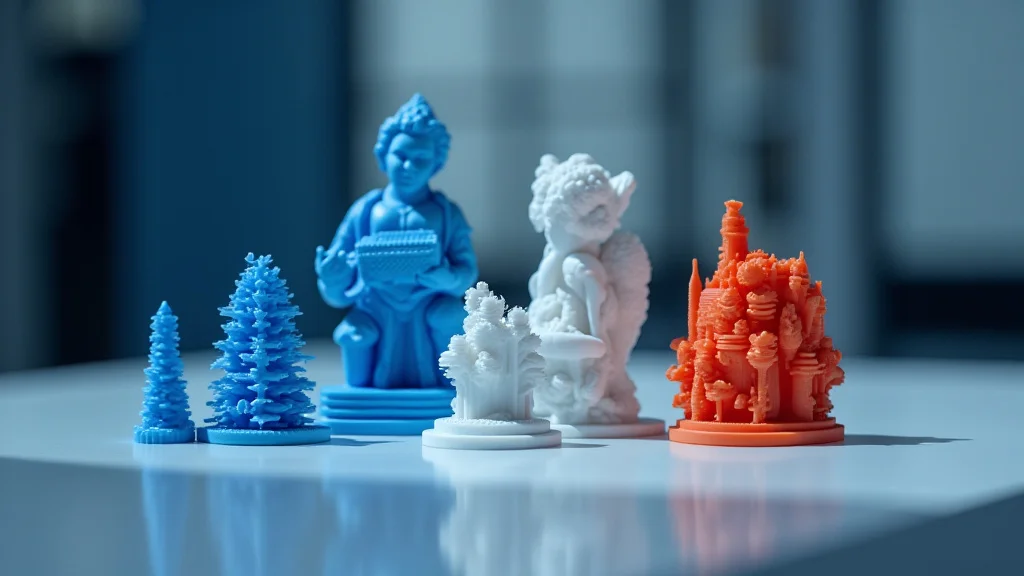
Ever tried to 3D print something only to have it warp and crack before your eyes? That’s a frustrating experience, right? This article will help you master printing with ASA, a fantastic material for creating durable and UV-resistant parts. We’ll explore the best settings, tips, and tricks to ensure successful prints every time. You’ll learn how to overcome common problems, select the right ASA for your needs, and get the most out of this versatile filament. By the end, you’ll be creating high-quality, weather-resistant prints. Get ready to level up your 3D printing game and achieve professional results!
Key Takeaways
- Learn the specific settings to optimize your 3D printer for ASA.
- Discover the advantages of using ASA filament over other materials.
- Understand how to address common issues like warping and layer adhesion.
- Gain valuable tips on post-processing ASA prints for a professional finish.
- Find out which types of 3D printing projects are best suited for ASA.
- Compare ASA to other filaments and its strengths.
Getting Started With ASA Filament
ASA, or Acrylonitrile Styrene Acrylate, is a thermoplastic polymer known for its excellent resistance to weathering, UV radiation, and impact. This makes it an ideal choice for outdoor applications, unlike some other filaments. ASA is similar to ABS (Acrylonitrile Butadiene Styrene) but offers superior UV resistance, meaning your prints will last longer without fading or becoming brittle. It also resists yellowing over time from sun exposure. This section will guide you through the initial steps when printing with ASA, ensuring you start on the right foot.
Selecting the Right ASA Filament
Choosing the correct ASA filament is the first step toward successful prints. Various manufacturers offer ASA, and each product will have its own characteristics. Look for filaments that specify their dimensional accuracy; this ensures your prints come out to the size you expect. Another factor is the filament’s color; ensure the color is suitable for your project. Consider the manufacturer’s reputation, reading reviews to get insight into the filament’s reliability and ease of use. You might also want to explore specialty ASA filaments that have additives. Carbon fiber-filled ASA is available for greater strength and stiffness. ASA is available in a wide array of colors, perfect for a range of projects.
- Dimensional Accuracy: Accurate filament diameter ensures the printer deposits the correct amount of material. Look for filaments with a tolerance of +/- 0.05mm for consistent results.
- Color Options: ASA comes in many colors, so choose the color you need for your project.
- Manufacturer Reputation: Choose ASA from reputable manufacturers to ensure quality and consistency.
- Specialty Filaments: Consider options like carbon fiber-filled ASA for enhanced strength or other specialized properties.
Preparing Your Printer for ASA
ASA requires specific printer settings. You need to prepare your 3D printer correctly to avoid common problems. ASA prints at higher temperatures than PLA. Ensure your hot end and print bed can reach the recommended temperatures. You’ll also need a heated bed to minimize warping, and an enclosure can help maintain a consistent temperature, further reducing warping. Proper bed adhesion is crucial. Use adhesives, like glue sticks or specialized 3D printing bed adhesives. These steps help prevent warping and delamination during printing with ASA.
- Hot End Temperature: ASA typically prints between 230-250°C (446-482°F). Check the manufacturer’s recommendations for your specific filament.
- Heated Bed: A heated bed is essential, set to 80-110°C (176-230°F). This minimizes warping by keeping the first layers adhered to the bed.
- Enclosure: An enclosure will help keep a consistent ambient temperature, reduce drafts, and improve print quality.
- Bed Adhesion: Use adhesives like glue sticks, hairspray, or specialized bed adhesives to improve bed adhesion and reduce the risk of warping.
Understanding the Basics of ASA Properties
ASA is known for its excellent mechanical properties and chemical resistance. It is often used where impact strength is important and should be considered for outdoor products. The material can withstand exposure to sunlight and weather, making it suitable for automotive parts and other outdoor applications. ASA is more rigid than ABS and retains its shape better under heat. Due to its properties, ASA offers a longer lifespan. ASA resists degradation, maintaining its strength and appearance over time, even with extended outdoor use. This material offers a valuable alternative to ABS. Understanding these basics is critical for making informed decisions.
- UV Resistance: ASA does not degrade in sunlight, making it suitable for outdoor applications.
- Impact Strength: ASA is strong, so it can handle impact and rough handling.
- Chemical Resistance: ASA is resistant to many chemicals, making it appropriate for environments where it may come into contact with solvents or other substances.
- Rigidity: ASA is more rigid than ABS, maintaining its shape under heat.
Optimizing Settings for ASA 3D Printing
Fine-tuning your printer settings is vital to achieving successful prints with ASA. Temperature, print speed, and cooling settings all play a key role in the final print quality. Each ASA filament has different needs, so refer to the manufacturer’s recommendations as a starting point. Adjusting these settings will help you avoid warping, layer separation, and other common issues. Correctly calibrated settings directly impact the final product quality and will help make printing with ASA a satisfying experience. Experimentation is important!
Temperature and Print Speed Considerations
The correct temperature settings are critical for ASA. The nozzle temperature usually ranges from 230°C to 250°C, and the bed temperature is often set between 80°C and 110°C. Temperature affects layer adhesion and the overall strength of the print. Print speed should be slower than that used for PLA. Starting with a speed of 40-60 mm/s can help, but it’s important to adjust this based on the specific design. Increasing the speed too much can lead to poor layer adhesion or other print defects. You should adjust the print speed based on the design’s complexity and the required level of detail.
- Nozzle Temperature: Experiment within the recommended range. Higher temperatures can improve layer adhesion, while lower temperatures can reduce stringing.
- Bed Temperature: Maintain a consistent bed temperature to reduce warping.
- Print Speed: Start with a slower print speed (40-60 mm/s) to ensure good layer adhesion.
- Layer Height: A lower layer height produces finer details and smoother surfaces.
Bed Adhesion Techniques
Getting the first layer to stick is a major factor in 3D printing with ASA. Warping is a common problem with ASA, which is why proper bed adhesion techniques are necessary. Using a heated bed is essential, but other methods will further improve adhesion. Use a layer of adhesive, like a glue stick, hairspray, or specialized 3D printing bed adhesives. These materials create a stronger bond between the first layer and the bed, which reduces warping. You can also experiment with your printer’s bed leveling. Proper bed leveling ensures the nozzle is the correct distance from the bed, creating the best first layer. You can also try using a brim, which is a border around your print. This increases the contact area between your part and the bed. These techniques will vastly improve your printing with ASA success.
- Glue Stick or Hairspray: Apply a thin, even layer of glue stick or hairspray to the print bed before printing.
- Specialized Bed Adhesives: These are specifically formulated for 3D printing and provide excellent adhesion.
- Brims and Rafts: Use a brim to increase the surface area in contact with the bed and reduce warping.
- Bed Leveling: Calibrate your printer’s bed leveling to ensure the nozzle is the correct distance from the bed.
Cooling and Enclosure Strategies
While ASA does not need as much active cooling as PLA, controlled cooling can improve the print quality. Excessive cooling can cause the layers to separate, while inadequate cooling can affect the final print quality. You should typically disable the part cooling fan for the first few layers to improve bed adhesion. After that, you can use a small amount of cooling, around 20-30%. The use of an enclosure will help maintain a consistent temperature. An enclosure maintains a warm environment, which reduces warping and improves layer adhesion. It also keeps out drafts, which can negatively affect the printing process. Proper cooling and enclosure management will provide the best results during printing with ASA.
- Part Cooling Fan: Disable the cooling fan for the first few layers. Increase cooling to 20-30% after the first few layers.
- Enclosure: Using an enclosure to maintain a consistent temperature is beneficial.
- Airflow: Avoid placing the printer near drafts or air conditioning vents.
- Temperature Monitoring: Monitor the ambient temperature inside the enclosure.
Troubleshooting Common ASA Printing Problems
Even with the best preparation, problems can arise while printing with ASA. This section will help you understand and overcome the most common issues you might encounter. We’ll explore solutions to improve your prints. This information will help you identify the root cause of these issues and learn how to fix them. Having this knowledge will increase your success and reduce the wasted materials.
Addressing Warping and Layer Separation
Warping and layer separation are frequently encountered when printing with ASA. Warping occurs when the corners or edges of a print lift from the print bed, usually due to uneven cooling. Layer separation happens when the layers of the print do not adhere correctly, resulting in weak points or even complete failure. To combat warping, ensure that you use a heated bed and apply adhesive. Make sure that the bed is correctly leveled. Consider adding a brim to your print. To reduce layer separation, increase the nozzle temperature to improve layer adhesion. Slow down the print speed to give the layers more time to bond. Make sure your printer is in an enclosure to maintain consistent ambient temperature. Proper settings and techniques will dramatically improve print quality.
- Warping: Increase bed temperature, use adhesive, and ensure bed leveling is correct.
- Layer Separation: Increase the nozzle temperature. Slow down the print speed to improve layer adhesion. Ensure your printer is in an enclosure.
- Enclosure: If your prints are warping, consider enclosing your printer.
- Adhesion: Use a glue stick or specialized bed adhesive.
Dealing With Stringing and Poor Surface Finish
Stringing refers to thin strands of filament that form between different parts of a print. These strands are caused by the nozzle moving between different points of the print, leaving behind excess material. A poor surface finish can show imperfections, like rough spots or uneven layers. The nozzle temperature can play a key role in stringing. If it is too high, the filament can become more fluid and string. Lower the temperature or use the retraction settings in your slicer. Make sure your printer is well-calibrated. Adjusting print speeds, nozzle temperatures, and cooling can improve the finish. To address stringing and improve surface quality, you can also adjust your retraction settings. Adjusting the slicer’s settings for both the retraction distance and speed will help eliminate the extra filament. Fine-tuning these factors will result in higher-quality prints.
- Stringing: Adjust retraction settings in your slicer. Reduce nozzle temperature.
- Poor Surface Finish: Adjust print speeds, nozzle temperatures, and cooling settings.
- Retraction: Increase the retraction distance.
- Nozzle Temperature: Ensure your nozzle is at the right temperature for your filament.
Calibration and Maintenance Tips
Regular maintenance and calibration are vital to obtaining consistent results. Make sure that your printer’s bed is properly leveled before starting a print. Regular maintenance of the printer components also helps. The correct nozzle distance is key. This will ensure that the filament adheres to the bed and the layers bond correctly. In addition to regular cleaning, you may want to upgrade to a hardened steel nozzle. This will reduce wear. Periodic calibration will help maintain optimal performance. Regular calibration and maintenance will help you obtain high-quality prints and prolong the life of your printer. Consistent maintenance helps ensure your printer is functioning correctly, increasing your printing with ASA success.
- Bed Leveling: Ensure proper bed leveling before each print.
- Nozzle Distance: Calibrate the nozzle distance for the first layer adhesion.
- Nozzle Maintenance: Inspect the nozzle for wear or damage.
- Regular Cleaning: Clean the printer regularly to remove any filament debris.
Post-Processing ASA Prints
Once your print is complete, you will need to perform post-processing to remove support structures and provide a clean finish. ASA prints require some post-processing to refine the final product. Different methods are available, and the right choice will depend on the intended use. Proper finishing can improve the appearance and durability of your prints. Post-processing steps include sanding, painting, and smoothing. Correct post-processing enhances the overall quality and prepares your 3D-printed parts for their end-use. The end goal is to achieve a professional-looking finished product.
Removing Supports and Imperfections
Removing support structures is necessary for 3D prints with ASA, as these supports are needed to prevent overhangs from collapsing. The first step in removing these supports is to do so carefully. Use a sharp hobby knife or a specialized support removal tool to avoid damaging your print. Some support structures are difficult to remove. Use diagonal cutters. Ensure you have proper lighting. You can carefully file or sand any remaining support material. Sanding is essential for removing layer lines and imperfections. Always start with a coarser grit sandpaper and gradually move to finer grits for a smoother finish. Proper removal of support structures and imperfections will increase the final product quality. Doing it carefully prevents any accidental damage.
- Careful Removal: Use a sharp hobby knife or support removal tool.
- Support Placement: Optimize support placement during slicing.
- Filing and Sanding: Use files and various sandpaper grits to smooth surfaces.
- Diagonal Cutters: You can carefully clip away hard-to-reach supports.
Sanding, Painting, and Smoothing Techniques
Sanding is a key part of post-processing. Sanding removes layer lines and imperfections from your print surface. Start with a coarser grit sandpaper (e.g., 220 grit) and gradually work up to finer grits (e.g., 400, 600, 800, or even 1000 grit) to achieve a smooth finish. Painting is another option that adds aesthetics. Use paints designed for plastics. Start with a primer to promote adhesion and build up color. Smoothing can be achieved using chemical methods like vapor smoothing, which exposes the ASA to solvents. This process melts the surface and makes it glossy. Choose the correct method based on your project requirements and desired result. Correct surface preparation provides a professional look. The post-processing steps enhance the appearance and functionality of your prints. These extra steps will make your finished parts look their best.
- Sanding: Start with coarse grit sandpaper and work up to finer grits.
- Painting: Use paints designed for plastics.
- Primer: Apply a primer before painting.
- Smoothing: Consider using chemical smoothing techniques for a glossy finish.
Long-Term Care and Maintenance
ASA parts are known for their durability and resistance to environmental factors. Regular care and maintenance will ensure that your ASA prints remain in good condition over time. Protect your ASA prints from prolonged exposure to intense sunlight and extreme temperatures to prevent damage. Clean the parts with a mild soap and water solution and dry them. Avoid using harsh chemicals or abrasive cleaners. If the parts are exposed to mechanical stress, inspect them regularly for any signs of wear and tear. Proper storage is also important. Keep the prints in a cool, dry place away from direct sunlight. Consider these tips for the extended lifespan of your prints.
- UV Protection: Avoid prolonged direct sunlight exposure.
- Cleaning: Use mild soap and water.
- Chemical Exposure: Avoid harsh chemicals and solvents.
- Storage: Store prints in a cool, dry place away from sunlight.
Comparing ASA to Other 3D Printing Materials
Understanding how ASA compares to other common 3D printing materials is valuable for choosing the best filament. Each filament has unique properties that make it more appropriate for different uses. ASA is comparable to ABS in some ways but offers several advantages. The best choice depends on your specific project needs. Considering the properties of each material, as well as the pros and cons, can help you make an informed decision for printing with ASA.
| Material | Pros | Cons | Best Applications |
|---|---|---|---|
| ASA | UV Resistant, High Impact Resistance, Weather Resistant | Requires a Heated Bed, Can Warp | Outdoor Parts, Automotive Components, Weather-Resistant Enclosures |
| ABS | High Strength, Good Impact Resistance | High Warp, Poor UV Resistance | Functional Parts, Prototyping |
| PLA | Easy to Print, Low Warping, Biodegradable | Low Heat Resistance, Brittle, Not UV Resistant | Prototyping, Decorative Items |
| PETG | Good Strength, Flexible, Easy to Print | Not as UV Resistant, Sensitive to Moisture | Functional Parts, Bottles, Containers |
ASA vs. ABS
ASA and ABS have similar mechanical properties and are suitable for functional parts. The primary difference is in UV resistance. ASA offers superior UV resistance, making it better for outdoor use, and it does not yellow as easily in the sun. ABS is cheaper and available in many colors. ASA’s price point is higher. ASA is also less likely to warp than ABS. The choice depends on the application. For outdoor projects, ASA is the better option. For general use, ABS may suffice.
- UV Resistance: ASA offers excellent UV resistance, unlike ABS.
- Warping: ASA is less prone to warping compared to ABS.
- Cost: ABS is generally less expensive than ASA.
- Best Uses: ASA is ideal for outdoor use and projects requiring UV stability.
ASA vs. PLA and PETG
PLA and PETG are easier to print than ASA and ABS. PLA is biodegradable and easy to print, but it lacks the strength and heat resistance of ASA. PETG offers a balance of strength and flexibility, with good chemical resistance. ASA is much stronger and is superior in impact resistance and weathering resistance. ASA prints can warp, so a heated bed and enclosure are often needed. Consider the project’s requirements. If the project requires outdoor durability and UV resistance, ASA is the better choice. For projects where ease of printing and biodegradability are essential, choose PLA. For projects where flexibility and chemical resistance are necessary, choose PETG.
- Printability: PLA and PETG are generally easier to print.
- Strength and Durability: ASA is superior in impact resistance and weathering resistance.
- Heat Resistance: ASA offers higher heat resistance than PLA and PETG.
- Uses: Use ASA for outdoor durability.
Common Myths Debunked
Myth 1: ASA is too difficult to print.
While printing with ASA may seem challenging initially, it is manageable with the right settings and preparation. Proper bed adhesion, temperature control, and an enclosure are crucial. This post provides the information to ensure successful printing. With practice and the right approach, you can master ASA and achieve excellent results.
Myth 2: ASA prints always warp.
Warping is a common issue with ASA, but it can be avoided by following the steps outlined in this post. A heated bed, adhesives, and an enclosure will drastically reduce warping. Proper bed adhesion techniques and calibration are essential for successful ASA prints. Controlling the environment will help produce successful results.
Myth 3: ASA is only for outdoor use.
Although ASA is well-suited for outdoor use due to its UV resistance, it can be used for various projects. Its strength, durability, and impact resistance make it useful for many parts. ASA’s properties make it ideal for any project needing durability and strength. If UV resistance is a priority, ASA is an excellent choice.
Myth 4: All ASA filaments are the same.
ASA filaments vary by brand. Different manufacturers will have slightly different formulations. Always check the manufacturer’s recommendations and reviews before using a new filament. Some ASA filaments contain additives for specific properties. Consider the manufacturer’s reputation. Understanding these differences will help you make the best choice for your project.
Myth 5: You don’t need post-processing for ASA.
Post-processing is essential to refine the finish and remove any imperfections. Sanding, painting, and smoothing can drastically improve your ASA prints. The correct post-processing methods will depend on the final product requirements. Correct post-processing enhances the overall quality. Post-processing steps include sanding, painting, and smoothing.
Frequently Asked Questions
Question: What temperature should I print ASA?
Answer: ASA generally prints at a nozzle temperature between 230-250°C and a bed temperature between 80-110°C. Refer to the filament manufacturer’s recommendations.
Question: How do I prevent warping when printing with ASA?
Answer: Use a heated bed, apply a bed adhesive, and enclose your printer. Ensure bed leveling is correct, and consider a brim.
Question: What’s the difference between ASA and ABS?
Answer: Both are strong, but ASA has better UV resistance. ASA is less likely to yellow and degrade in sunlight.
Question: Do I need a special printer for ASA?
Answer: No, but your printer should be capable of reaching the necessary high temperatures and have a heated bed. An enclosure is recommended.
Question: How do I smooth ASA prints?
Answer: Sanding is the best option. Start with a coarser grit and move to finer grits. Vapor smoothing can be used but can be difficult to control.
Final Thoughts
Printing with ASA is an excellent choice for a variety of projects requiring durability and UV resistance. From selecting the right filament to mastering temperature settings and bed adhesion, the journey to successful prints requires a focused approach. By preparing your printer, optimizing your settings, and troubleshooting any issues, you can create high-quality, long-lasting parts. Post-processing techniques will refine the final product. You are now equipped with the knowledge to print amazing creations. Experiment with different settings and techniques. Don’t be afraid to try new things and make adjustments. Embrace the learning process and watch your 3D printing skills flourish. Happy printing!