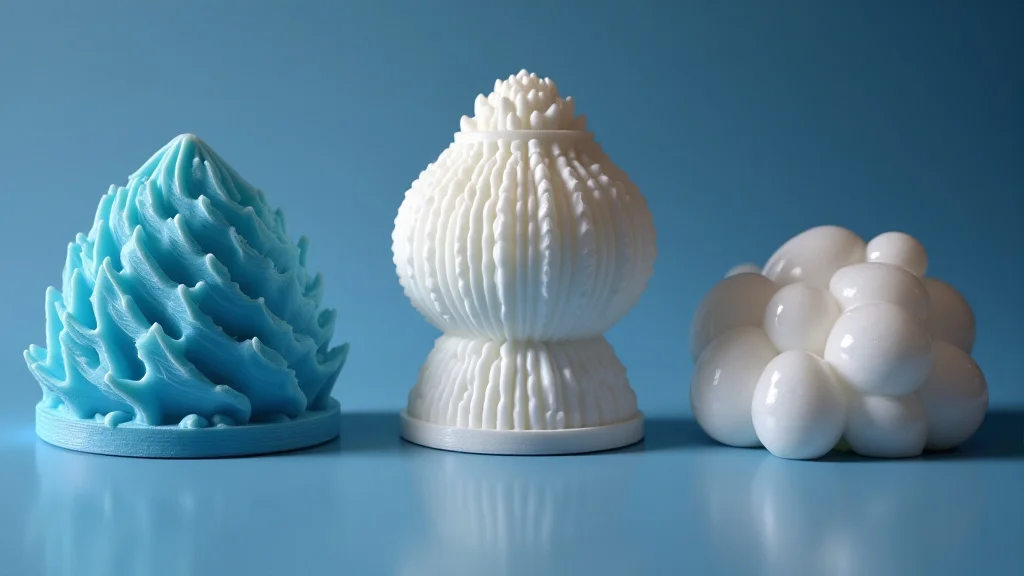
Ever tried to print something awesome, only to have it warp and crack halfway through? Frustrating, right? It’s a common experience when working with printing with ABS filament. This post is your friendly guide to mastering ABS printing, helping you avoid those print fails and get amazing results every time. You’ll learn the ins and outs of ABS, from the best settings to the tricks of the trade, so you can start creating with confidence. Get ready to level up your 3D printing skills!
Key Takeaways
- Learn the benefits of using ABS filament for 3D printing.
- Discover the ideal settings and temperatures for successful ABS prints.
- Explore techniques to prevent warping and cracking.
- Understand the importance of proper ventilation when working with ABS.
- Learn about post-processing techniques to refine your ABS prints.
- Gain valuable tips and tricks for troubleshooting common ABS printing issues.
Unveiling the Advantages of ABS Filament
ABS (Acrylonitrile Butadiene Styrene) is a popular thermoplastic polymer used in 3D printing. It’s the same material used to make LEGO bricks and car bumpers. The advantages of using ABS are numerous. It’s known for its durability, impact resistance, and ability to withstand higher temperatures. This makes it an ideal choice for functional parts, mechanical components, and items that require strength and resilience.
Strength and Durability Explained
ABS excels when it comes to strength. It’s significantly stronger than materials like PLA, making it suitable for applications where stress and wear are factors. It also can withstand significant impacts, reducing the likelihood of breakage during use. This makes it suitable for items such as tools, enclosures, or parts that experience regular handling. This is why ABS is often selected when printing parts that need to be functional and long-lasting.
-
Impact Resistance: ABS is much better at absorbing shocks compared to other filaments. This means printed parts won’t break or crack as easily if dropped.
Think of a car bumper – it needs to withstand impacts. ABS’s impact resistance ensures your prints can take a beating.
-
Heat Resistance: ABS can handle higher temperatures than PLA.
This is crucial for items that may be exposed to heat, like parts for an engine compartment or items left in a hot car. ABS stays strong where others weaken.
-
Chemical Resistance: ABS resists the effects of some chemicals.
This is beneficial for creating containers, housings, or objects that might come into contact with solvents or oils. This added resistance extends the lifespan of your prints.
The Versatility of ABS
ABS is not just strong; it’s also versatile. It can be easily machined, sanded, and painted, opening up a world of possibilities for customization and finishing. It can be used for a wide range of products including enclosures, prototypes, and even toys. Its versatility allows for a broader spectrum of creativity and utility in the 3D printing process.
-
Machining and Finishing: ABS can be easily sanded, drilled, and tapped after printing.
This allows for refinements and adjustments that you cannot make with other materials. You can smooth surfaces, add threads, or modify the design.
-
Painting and Surface Treatments: ABS readily accepts paints and other surface treatments.
This means you can add color, create visual effects, and improve the look of your prints. This can be done by applying paint or using various coatings.
-
Wide Applications: ABS is suitable for creating various items.
These range from functional parts to decorative items. This makes ABS a popular choice for prototyping, model-making, and manufacturing.
Optimizing Settings for Printing With ABS
Achieving successful prints with ABS involves paying close attention to your printer’s settings. The optimal temperature for the extruder is typically between 230-250°C (446-482°F). The bed temperature should be set to 90-110°C (194-230°F) to ensure good adhesion to the build plate. These temperatures vary slightly depending on the specific ABS filament you are using. Remember to consult the manufacturer’s recommendations for your particular filament.
Temperature Control: Extruder and Bed
The extruder temperature controls how well the ABS filament melts and flows. If the temperature is too low, the ABS will not melt properly, leading to under-extrusion and weak layers. If the temperature is too high, the material can become overly liquid, leading to stringing, oozing, and poor print quality. The bed temperature is crucial for ensuring the first layer adheres correctly. Proper bed adhesion is the foundation for a successful ABS print.
-
Extruder Temperature: Fine-tuning this setting ensures proper melting and layer adhesion.
Experiment within the recommended range. Start with a temperature in the middle and adjust it up or down to find the sweet spot for your filament.
-
Bed Temperature: This helps the first layer stick to the print bed and reduce warping.
A higher bed temperature is often needed to counteract the cooling effect that can cause warping. Make sure the bed temperature is within the recommended range.
-
Initial Layer Height: This setting impacts adhesion, especially important for ABS.
A slightly thicker initial layer height helps the filament bond to the bed surface. This prevents any problems such as lifting from the bed.
Print Speed and Layer Height Considerations
The ideal print speed for ABS typically ranges from 30-60 mm/s. Slower speeds provide better layer adhesion and minimize warping, especially for larger prints. Layer height significantly affects print quality. A lower layer height produces finer details and smoother surfaces, but it also increases the print time. Balancing print speed and layer height is key to achieving the desired results.
-
Print Speed: Adjusting the print speed helps to reduce issues like warping.
Slower speeds give the ABS more time to cool and bond to the previous layers, leading to fewer problems with warping and better layer adhesion.
-
Layer Height: This setting affects the detail and quality of the print.
Lower layer heights are important for intricate details and a smoother finish. Balance detail with printing time as lower layer heights increase the printing time.
-
Retraction Settings: Optimized retraction settings reduce stringing and oozing.
Retraction settings pull the filament back into the nozzle, reducing the amount of excess material that comes out during travel moves. This helps improve the overall quality of the print.
Warping and Cracking Prevention Techniques
Warping and cracking are common challenges when printing with ABS. These issues arise from the filament’s tendency to cool and contract unevenly. This process creates internal stresses that cause the edges of the print to lift from the build plate or even crack. There are several steps you can take to mitigate these issues and achieve successful prints.
Enclosure Benefits
An enclosure is one of the most effective solutions for preventing warping. An enclosure maintains a consistent ambient temperature around the print, which slows down the cooling process. This uniform temperature helps reduce the stresses that cause warping and cracking. It’s like baking a cake – you need a controlled oven environment to get the best results.
-
Temperature Consistency: An enclosure maintains a stable temperature, preventing rapid cooling and warping.
The enclosed environment helps control the air temperature. This keeps the print material at a more consistent temperature throughout the printing process.
-
Reduced Drafts: It shields the print from drafts that can cause uneven cooling.
Drafts can cool one part of the print faster than others, leading to warping. The enclosure protects against these external influences.
-
Improved Layer Adhesion: Even temperatures create improved layer bonding.
The consistent temperature reduces the thermal stress between layers, resulting in stronger prints.
Build Plate Adhesion Solutions
Good bed adhesion is critical for any successful ABS print. Several methods can improve the adhesion of your first layer to the print bed. These range from using adhesives to modifying your bed surface. Using these techniques significantly reduces the likelihood of the print lifting off the build plate during the printing process.
-
Adhesive Application: Applying a thin layer of glue stick or ABS slurry to the bed.
Adhesives help the ABS stick firmly to the bed during printing. This prevents the edges of the print from lifting. This increases the chances of a successful print.
-
Bed Surface Prep: Using a textured or treated build plate.
Materials like BuildTak or PEI sheets offer a surface that ABS will readily adhere to. This surface makes it easier for the first layer to stick securely to the print bed.
-
Brims and Rafts: Use these in your slicer to increase contact area.
Brims extend the base of the print outwards, increasing the contact area with the bed. Rafts create a base layer under the entire print, further improving adhesion.
The Importance of Ventilation When Printing With ABS
When ABS is heated, it releases potentially harmful fumes. These fumes can cause irritation and, in the long term, pose health risks. It’s important to have proper ventilation in the space where you are printing. This minimizes your exposure to these fumes and ensures your safety.
Fume Mitigation Strategies
Ensuring proper ventilation during ABS printing is essential for minimizing health risks. Effective measures include using an enclosure with a built-in filter, placing the printer near an open window, or using an air purifier. Each of these will help minimize exposure to fumes and improve air quality.
-
Enclosure with Filter: This captures the fumes before they can spread.
Enclosures that use activated carbon filters trap the fumes before they can circulate. This will protect your lungs.
-
Window Ventilation: This allows fresh air to circulate.
Printing near an open window helps remove the fumes from the printing environment. This minimizes your exposure to them.
-
Air Purifier: Air purifiers with HEPA and activated carbon filters clean the air.
This improves air quality by removing harmful particles and odors. It will create a safer environment.
Health and Safety Considerations
While the health risks associated with ABS fumes are generally considered low in a well-ventilated area, it’s always wise to take precautions. People with respiratory conditions or sensitivities should be particularly cautious. Regular breaks and ensuring adequate air circulation are smart habits for reducing your exposure. If you have concerns, consult a medical professional.
-
Respiratory Protection: Use a respirator with a filter rated for VOCs.
A respirator offers an extra layer of protection, particularly when ventilation is not optimal. It filters out harmful particles and gases.
-
Workplace Ventilation: Set up the printer in a well-ventilated area.
Make sure there is a good flow of fresh air. A well-ventilated area can help dissipate fumes quickly.
-
Personal Health: Take breaks and monitor how you feel.
If you experience headaches, nausea, or other symptoms, stop printing and ventilate the space. Prioritizing your health is always important.
Post-Processing Techniques for ABS Prints
Once your ABS print is complete, you can use post-processing techniques to enhance its appearance and functionality. These techniques involve smoothing the surfaces, adding coatings, and refining details. Proper post-processing can elevate your prints from functional to visually appealing works.
Surface Finishing and Smoothing
ABS prints often benefit from surface finishing. Methods like sanding, vapor smoothing, and using fillers can smooth out layer lines and imperfections. These processes improve the aesthetics of your 3D printed objects and make them feel better to the touch. These are key for achieving a professional finish.
-
Sanding: Sanding removes layer lines and imperfections, creating a smooth finish.
Start with coarser grit sandpaper and gradually move to finer grits. This helps create a smooth and refined surface.
-
Vapor Smoothing: Using acetone vapor to melt the surface and smooth the print.
This method dissolves the surface layers, giving the part a glossy appearance. It is a more advanced technique.
-
Fillers and Primers: These help fill imperfections.
They can also provide a base for painting. Fillers like Bondo and primers create a uniform surface.
Painting and Coatings for ABS
Painting and coatings can transform the appearance of your ABS prints, adding color, protection, and specific functionalities. ABS readily accepts paints and coatings, allowing for a wide range of creative possibilities. This can add a professional finish to any 3D-printed project.
-
Priming: Applying a primer helps paint adhere and hides imperfections.
Primers create an even surface for the paint, and they improve paint adhesion. They also cover any slight flaws.
-
Painting Techniques: Use spray paint or brush paint for different effects.
Spray painting offers a smooth and even finish. Brush painting offers more control for detailed work.
-
Protective Coatings: Applying a clear coat to protect the painted surface.
This offers protection from wear, UV rays, and other environmental factors, preserving the appearance of the finished product.
Troubleshooting Common ABS Printing Problems
Even with careful preparation, problems can arise when printing with ABS. Common issues include warping, cracking, poor layer adhesion, and extruder clogging. Each of these can be addressed by a systematic approach, allowing you to troubleshoot and find the best solutions. Knowing how to troubleshoot will lead to better results.
Warping and Cracking Troubleshooting
Warping and cracking are typical ABS challenges. Start by checking the bed temperature, ensuring your adhesion methods work, and adjusting your enclosure. If the issues persist, you can adjust your print speed, layer height, and filament quality. This is how you will solve warping and cracking.
-
Bed Adhesion: Improve adhesion.
Clean the bed. Use glue stick, or try a raft or brim to increase surface contact with the bed. Make sure the bed is level.
-
Temperature Control: Ensure a consistent temperature.
Use an enclosure, or adjust the bed and extruder temperatures to optimize layer adhesion and prevent cooling issues.
-
Cooling: Reduce the cooling.
Turn off the part cooling fan. This allows the layers to bond more securely, reducing warping.
Layer Adhesion and Extrusion Problems
Poor layer adhesion and extrusion problems can lead to failed prints. These may be solved by adjusting the extruder temperature, checking the filament quality, and verifying the extruder’s nozzle. By following these steps, you can create stronger prints and optimize the printing process.
-
Extruder Temperature: Check and adjust.
Make sure the temperature is set correctly. Adjust it slightly to find the optimal level for your filament.
-
Nozzle Clogging: Clear clogs if needed.
Use the printer’s cleaning method or manually clean the nozzle to remove obstructions to keep the material flowing.
-
Filament Quality: Inspect the filament.
Ensure the filament is dry and stored properly. This ensures optimal printing results. Inspect for any defects.
Common Myths Debunked
Myth 1: ABS is Always Difficult to Print
Many believe ABS is inherently difficult to print. While ABS can be more challenging than PLA, the challenges can be solved. With the right settings, enclosure, and post-processing, ABS can be quite manageable. The perception of difficulty comes from not understanding the right techniques. Proper preparation and settings are key.
Myth 2: Enclosures Are Not Necessary for ABS Printing
It is commonly assumed that enclosures are only beneficial in specific environments. However, enclosures significantly improve ABS printing by maintaining temperature and preventing drafts. The controlled environment minimizes warping and cracking. This results in far better results, no matter the situation.
Myth 3: High Bed Temperatures are Always Needed
Some believe that very high bed temperatures are essential for ABS. While a higher bed temperature is often needed, the specific temperature depends on the filament and the build plate. Excessive temperatures can cause issues. The best approach is to start with the manufacturer’s recommendations. Then you can adjust for optimal adhesion.
Myth 4: ABS Is the Best Filament for All Applications
The belief that ABS is ideal for every 3D printing project is a misunderstanding. While ABS offers strength and temperature resistance, other filaments, such as PLA or PETG, might be better for certain applications. PLA is often easier to print. PETG offers a good combination of strength and flexibility. The best material depends on the needs of the print.
Myth 5: All ABS Filaments Are the Same
There is a misunderstanding that all ABS filaments perform the same. The performance of ABS filament varies based on its composition and the manufacturer. The quality of the pigment and additives impacts the print quality and the filament’s characteristics. Different brands and formulations may require adjustments to your printer settings.
Frequently Asked Questions
Question: What is the ideal printing temperature for ABS?
Answer: The ideal printing temperature for ABS filament typically ranges from 230-250°C (446-482°F) for the extruder, but this can vary depending on the specific brand of filament.
Question: Why is my ABS print warping?
Answer: Warping is often caused by uneven cooling. To prevent warping, ensure the print bed is level, use an enclosure, and consider using a brim or raft to increase bed adhesion.
Question: How do I prepare the print bed for ABS?
Answer: For ABS, you can apply a glue stick or ABS slurry to the bed for better adhesion. The bed should be clean and level. Using a heated bed at 90-110°C (194-230°F) is crucial.
Question: What safety measures should I take when printing with ABS?
Answer: Print in a well-ventilated area to minimize exposure to fumes. Consider using an enclosure with an activated carbon filter or an air purifier. Wear a respirator if ventilation is not optimal.
Question: How can I smooth the surface of an ABS print?
Answer: You can sand the print to remove layer lines. Vapor smoothing with acetone can also be used. Applying filler and primer can prep the surface for painting. Each method results in a smoother finish.
Final Thoughts
Successfully printing with ABS can be achieved with the right preparation and knowledge. It all starts with dialing in those crucial settings, like the bed and extruder temperatures, along with the print speed. Then, you’ll want to tackle the common pitfalls like warping, by considering an enclosure or using the right bed adhesion techniques. Remember that ventilation is essential to ensuring a safe printing environment. Mastering the post-processing steps like sanding and painting is what transforms your 3D prints into professional-looking pieces. With a little practice, and by following these simple guidelines, you will be making high-quality ABS prints in no time. So, gather your materials, calibrate your printer, and get ready to create!