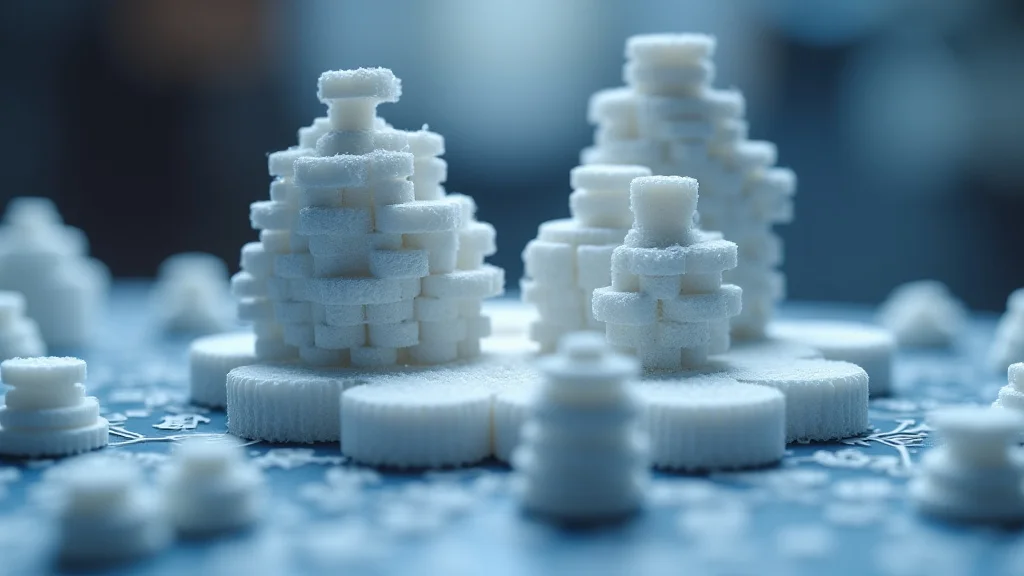
Ever tried to assemble a complex puzzle with tiny, frustrating pieces? Now imagine building that puzzle, but instead of cardboard, it’s a 3D object! This guide explores printing 3D objects with interlocking parts. We will break down everything you need to know, from design considerations to successful print techniques. Get ready to gain a solid grasp on this fascinating process, increasing your knowledge and boosting your confidence to create intricate, functional models. You’ll be able to create amazing builds with this knowledge!
Key Takeaways
- Learn the fundamental principles behind 3D printing interlocking parts.
- Discover essential design considerations for successful interlocking mechanisms.
- Explore different types of interlocking features suitable for 3D printing.
- Understand material selection and its impact on the function of interlocking designs.
- Get tips on the print settings necessary to achieve precise and reliable interlocking.
- Find insights on post-processing techniques to improve fit and finish.
Designing for Success: Principles of 3D Printing Interlocking Parts
The ability to create objects with moving or connecting components is a major advantage of 3D printing. However, it’s not simply a matter of designing pieces that “fit”. You have to account for the printing process itself, including the machine’s capabilities and the materials being used. Precision becomes extremely important, as even small variations in dimensions can prevent parts from connecting or functioning as intended. Successfully printing 3D objects with interlocking parts requires a shift in design thinking, focusing on clearances, tolerances, and the overall functionality of the final product.
Clearance and Tolerance: The Keys to a Perfect Fit
When creating parts that need to fit together, the space between the parts is very important. This space is called clearance. If the pieces are designed without clearance, they won’t fit together; they will simply fuse. Tolerance refers to the permitted difference in a dimension. When you set tolerance, you’re accounting for slight variations that can occur during the 3D printing process. These variations are normal due to the printer’s resolution and material properties. Accurate tolerance and clearance values will vary depending on your 3D printer, material, and the scale of your design. Proper design is crucial for ensuring smooth assembly and functionality.
- Clearance: Clearance is the intended gap between the mating surfaces of interlocking parts. For most FDM (Fused Deposition Modeling) printers, a clearance of 0.2mm to 0.4mm is a good starting point. This ensures that the parts can move freely without sticking. The clearance value needed will vary with the printer and material.
- Tolerance: Tolerance determines how much variation in dimensions is acceptable. Because all printers have some level of imprecision, setting a positive tolerance will help with assembly. For instance, if you are designing a 10mm peg, adding a tolerance value (e.g., +0.1mm) will ensure the final printed part is no larger than 10.1mm.
- Material Properties: Different materials have different properties that influence clearance and tolerance needs. For example, some materials may shrink or expand after printing, which can impact fit. ABS (Acrylonitrile Butadiene Styrene) tends to shrink more than PLA (Polylactic Acid), so you might need to adjust tolerances based on the material.
- Printer Calibration: Properly calibrated printers provide the best results. Make sure that your printer’s bed is level, and that the Z-offset (distance between the nozzle and the build plate) is correct. Use calibration tests before printing interlocking parts to fine-tune your settings.
Orientation and Support Structures: Setting Up for Success
How you position a 3D model during printing (orientation) is very important, especially when printing 3D objects with interlocking parts. Think of it like assembling a flat-pack piece of furniture. You wouldn’t try to build the whole thing standing upright – you would lay out the pieces to make the assembly easier. The same principle applies to 3D printing. You must decide how to position the model to minimize the need for support structures. You also have to consider the orientation to increase the part’s mechanical strength and the final surface finish. Support structures provide a temporary base for overhanging parts. Using these structures is essential for complex designs, but they can leave marks on the finished product. Good model orientation will reduce the need for support, which will result in better quality and less post-processing time.
- Minimizing Support: Always orient your model to minimize the need for support structures. Orienting the model such that interlocking features are at a slight angle will often reduce the need for support, thus streamlining the print.
- Support Placement: If support is needed, consider where it is placed. In areas where they will be easily accessible for removal, it will be easier to clean up the finished model.
- Material Compatibility: Some materials (like soluble support materials) can be dissolved. This simplifies support removal and can make it easier to reach small, intricate parts.
- Layer Adhesion: Position your part to benefit from the strongest layer adhesion. Horizontal layering is usually preferred for strength against vertical stresses, and vertical layering is helpful to manage horizontal forces.
Design Software and Testing: From Concept to Physical Form
The design software you use is where your idea takes shape before it ever enters the 3D printer. These programs allow you to create the digital model, add interlocking features, and adjust clearances and tolerances. It is extremely important to know how to use the software you use. This will improve the quality of your finished prints. Testing your design is an important step. This could be a small test print to ensure that the parts fit together as expected. It helps you identify any needed adjustments, and saves time and material by finding and solving problems early in the process. Creating a well-thought-out design, using the right software, and testing will improve the chances of a successful print.
- Software Selection: Popular choices include Fusion 360, TinkerCAD (beginner-friendly), and Blender (free and open-source). Choose software that fits your experience and needs.
- Precision Modeling: Always work with accurate measurements and dimensions. Using a digital caliper can assist in checking the dimensions of your 3D printed objects and ensure a proper fit.
- Test Prints: Print small test pieces before committing to a full-scale print. This saves on time and materials and allows for fine-tuning your design. Print the smallest interlocking parts first to ensure the fit is correct.
- Iterative Design: Be prepared to revise your design based on your test prints. This is a normal part of the process. Sometimes small changes can make a big difference in how well the parts fit together.
Interlocking Features: Types and Design Strategies
Now that we have covered the basics, let’s explore some of the different types of interlocking features you can use when printing 3D objects with interlocking parts. These features range from simple connections like pegs and holes to more complex mechanisms. The best choice will depend on the design’s purpose, complexity, and the level of mechanical strength required. Understanding the design strategies and characteristics of each type will enable you to make the best decisions for your project.
Pegs and Holes: The Foundation of Interlocking
Pegs and holes are the most basic and common type of interlocking feature. They are perfect for creating joints that can be easily assembled and disassembled. The design is simple: a peg, which is a cylindrical or rectangular projection, fits into a corresponding hole. The fit can be designed to be tight (for a secure hold) or loose (for ease of movement or assembly). The success of this design depends on precise measurements and a good understanding of the printer’s capabilities. Consider factors like material, print orientation, and the need for support structures when designing pegs and holes.
- Cylindrical Pegs: The simplest design, excellent for rotating joints. Make sure the hole diameter is slightly larger than the peg diameter (the clearance value).
- Rectangular Pegs: More resistant to rotation. These pegs can be used where alignment and stability are needed. They need to have the right clearances, or they won’t fit well.
- Angled Pegs: Angled pegs can be a simple way to create a snap-fit connection. The flexibility of the material will allow the angled peg to deform slightly to clip into the hole.
- Chamfers and Fillets: Adding chamfers (angled edges) or fillets (rounded edges) to the pegs and holes can help guide the parts together and reduce the risk of breaking the parts.
Snap-Fit Joints: Secure Connections Without Fasteners
Snap-fit joints provide a secure connection without the need for screws or other fasteners. The designs utilize flexible features that flex and snap into place. These are frequently used in plastic products due to the materials’ ability to bend. These joints are ideal for applications where quick assembly and disassembly are required. The key to a good snap-fit is to balance the strength of the joint with the flexibility of the material. A well-designed snap-fit will provide a strong and reliable connection. They require careful design considerations, including clearances, material choice, and the shape of the features.
- Cantilever Snap-Fit: One of the most common types. A beam deflects to allow a hook to engage into a corresponding slot. The design requires a flexible material that can withstand the bending stress.
- Annular Snap-Fit: Used for circular connections. An inward-facing feature on one part snaps over an outward-facing feature on another part. Requires a high degree of dimensional accuracy.
- Living Hinges: Thin, flexible sections of material that act as a hinge. Requires a flexible material and careful design to withstand repeated bending without breaking.
- Material Considerations: For snap-fit joints, use materials that are slightly flexible. PLA is more rigid and might break, whereas PETG or TPU (Thermoplastic Polyurethane) are more suitable due to their flexibility.
Threaded Connections: For Strength and Adjustability
Threaded connections, which involve screws and threaded holes, provide a strong and adjustable method of connecting parts. These connections are great for designs where a high degree of force resistance is needed or where adjustment is necessary. You can 3D print the threads directly into the parts or add metal inserts for extra strength. Threaded connections are the most involved interlocking mechanisms. They are ideal for applications that require a tight fit, strong hold, and the ability to be repeatedly assembled and disassembled. Success requires attention to detail, precision in thread design, and careful material selection.
- Printing Threads: This can be done by printing the threads directly onto the part using specific software settings and a small nozzle. The quality of the threads is dependent on the printer’s resolution.
- Adding Threaded Inserts: This involves inserting metal threaded inserts into the 3D-printed part. These inserts are usually pressed or heat-set into the plastic.
- Thread Design: Common thread types include metric, imperial, and ACME threads. Ensure the thread dimensions (diameter, pitch) match the screws you intend to use.
- Material Choice: For threaded connections, select materials that are both strong and suitable for thread creation. ABS or PETG are suitable choices.
Material Selection for Interlocking Part Function
The material you choose has a major effect on how your 3D objects with interlocking parts will function. Different materials have different properties, such as strength, flexibility, and resistance to heat and chemicals. Consider the function of your design when selecting your material. A part designed to withstand heavy loads will require a different material from a part that needs to be flexible. Selecting the correct material is vital to the success of your project.
PLA: The Beginner-Friendly Option
PLA (Polylactic Acid) is a popular choice for beginners. PLA is a biodegradable thermoplastic polymer derived from renewable resources like corn starch. It’s easy to print, and produces models with good detail. It’s also available in a wide variety of colors. However, it’s not as strong or temperature-resistant as other materials. PLA is ideal for prototypes, decorative objects, and projects that don’t need to withstand high temperatures or heavy loads. PLA is well-suited for models that require detailed surfaces and are not intended for outdoor use.
- Pros: Easy to print, low odor, wide range of colors available, biodegradable.
- Cons: Lower strength and heat resistance, can be brittle.
- Ideal Uses: Prototypes, decorative objects, models that do not need to withstand high temperatures.
- Print Settings: Typically prints at temperatures between 190°C and 220°C with a bed temperature of 60°C.
ABS: Durable and Impact-Resistant
ABS (Acrylonitrile Butadiene Styrene) is a stronger material, known for its durability and impact resistance. It’s ideal for parts that need to withstand stress or harsh conditions. ABS is commonly used in automotive parts and household appliances. However, ABS requires a higher printing temperature and may warp during printing if not managed correctly. ABS can also release fumes, so printing in a well-ventilated area is important. Despite the challenges, ABS is a good choice for functional parts that need to last. Using an enclosed printer can help reduce the warping issues.
- Pros: High strength, impact resistance, good for functional parts.
- Cons: Can warp, requires higher temperatures, emits fumes.
- Ideal Uses: Functional parts, prototypes needing strength, outdoor models.
- Print Settings: Requires printing temperatures between 220°C and 250°C and a heated bed (100°C–110°C).
PETG: Strength and Flexibility Combined
PETG (Polyethylene Terephthalate Glycol-modified) balances strength and flexibility, making it a versatile choice. It’s more durable than PLA and less prone to warping than ABS. PETG provides excellent layer adhesion and is water-resistant. PETG is easy to print, and it is a good choice for parts that need to withstand moderate stress. PETG’s resistance to chemicals and temperature fluctuations makes it a good option for outdoor applications.
- Pros: Good strength, flexibility, less warping than ABS, good layer adhesion.
- Cons: Can be prone to stringing during printing.
- Ideal Uses: Functional parts, parts exposed to water or chemicals, outdoor applications.
- Print Settings: Print at temperatures between 230°C and 250°C with a bed temperature around 70°C–80°C.
Printing Techniques: Optimizing Your Print Settings
Once you’ve selected your material and designed your interlocking parts, the next step is to prepare your model for printing. Printing settings can greatly affect the outcome of your prints. Adjustments to the print speed, temperature, and layer height will ensure the parts fit together. These adjustments help with accuracy, and improve the overall quality of the prints. The goal is to balance speed with print quality, ensuring all parts interlock properly and the final product functions correctly. Proper print preparation can ensure that you are successfully printing 3D objects with interlocking parts.
Layer Height and Resolution: Finding the Sweet Spot
Layer height refers to the vertical distance the printer moves with each layer of printing. Resolution indicates how detailed your model will be. A lower layer height results in higher resolution, but it also increases print time. When printing interlocking parts, you should use the smallest layer height compatible with your printer and nozzle size. This will make sure that the interlocking features are accurate and the parts fit together. Optimizing the settings is about balancing these two aspects: achieving a high-quality print while keeping the print time reasonable.
- Fine Details: For small or complex interlocking features, a layer height of 0.1mm to 0.15mm is often needed to capture details.
- Print Speed: Slower print speeds can improve the detail and fit, especially at lower layer heights.
- Nozzle Size: A smaller nozzle (0.4mm or less) is recommended for printing fine details.
- Test Prints: Always print test pieces to ensure that the layer height and print settings give you the desired results.
Temperature and Speed: Balancing the Equation
Temperature and print speed influence the quality of your 3D print. The printing temperature should be appropriate for the chosen material. High temperatures can cause the material to flow easily, leading to stringing. A lower temperature might result in poor layer adhesion. Print speed affects both print time and the quality of the finish. High print speeds can cause inaccuracies. Lower speeds will improve precision but will extend print time. Balancing these two factors is crucial. The right combination will ensure that the parts fit together. Testing different temperatures and speeds can help you find the best settings for the 3D objects with interlocking parts you’re printing.
- Material-Specific Temperatures: PLA usually prints well between 190°C and 220°C, while ABS typically needs temperatures between 220°C and 250°C. Always consult the material’s recommended temperature ranges.
- Print Speed Control: When printing intricate parts, reducing the print speed is recommended. A slower speed provides more time for the material to cool and bond to the layer below.
- Adjusting Settings: It may be necessary to fine-tune your settings to ensure that the parts come out correctly.
- Overhangs: Lower print speeds and lower temperatures can improve how overhangs are printed, which can improve the overall part quality.
Support Structures and Infill: Critical Settings for Success
Support structures are important when printing 3D models with overhangs or complex geometries. Infill is the interior structure of the printed part. The density of infill affects the strength and weight of your prints. For interlocking parts, choose settings carefully to get the best outcome. The support structures need to be designed to be easy to remove. The infill level must offer both strength and dimensional accuracy. Carefully choosing and configuring your support and infill settings guarantees the final parts will meet your requirements.
- Support Settings: Always ensure supports are easy to remove and do not damage the interlocking features. Consider the use of dissolvable support materials if your printer supports it.
- Infill Density: Use a higher infill density (30%–50%) to ensure that interlocking parts are strong. If the design demands it, a higher infill percentage will produce stronger parts, which is important for functional components.
- Infill Pattern: Consider infill patterns like triangles or gyroids for strength. The ideal pattern depends on the stresses the part will experience.
- Support Structure Angle: Set a support angle that matches the overhangs in your design. Adjust the angle based on the design needs.
Post-Processing: Refining Your Prints for Optimal Results
The post-processing steps are the final stage of the 3D printing process. These steps are essential to refine the 3D objects with interlocking parts. They also increase the part’s functionality and aesthetic appeal. The post-processing steps include removing support structures, cleaning up imperfections, and adjusting the fit of parts that don’t quite fit together. Carefully following the right post-processing techniques will enhance the quality of your printed model. They will also improve the final product’s usability and durability.
Support Removal: Clean and Careful
Carefully removing the support structures is a vital step. The method you use for support removal will depend on the support material and the design. PLA or ABS generally need to be carefully broken away, while specialized support materials can be dissolved. This stage requires patience and care to prevent damage to the model. Using the right tools will make the support removal simpler and prevent damage. Always prioritize a careful and methodical approach. This will help you get the best outcome for your project.
- Tools: Use a hobby knife, needle-nose pliers, and flush cutters to remove the supports.
- Support Material: Consider using dissolvable supports (like PVA) for complex designs.
- Patience: Remove supports slowly and with care to avoid breaking the part or damaging delicate features.
- Finishing: After support removal, use a file or sandpaper to smooth any rough edges.
Cleaning and Finishing: Polishing the Surfaces
After support removal, you can clean and finish the surface of your 3D-printed parts. This will improve their appearance and functionality. Use sandpaper to smooth the surfaces and to remove imperfections. Certain materials can be painted to enhance the part’s appearance. Cleaning is an important step to ensure the 3D-printed objects interlock smoothly and look great. By cleaning and finishing your parts, you can improve both their looks and performance.
- Sanding: Start with coarser sandpaper and move to finer grits to smooth surfaces.
- Solvent Smoothing: ABS parts can be smoothed using acetone vapor.
- Painting: Apply primer and paint to add color and protect the part from the elements.
- Polishing: Use polishing compounds to give parts a glossy finish.
Fitting and Assembly: Ensuring Everything Fits
In the final post-processing step, you will be checking the fit of the parts and assembling them. During this phase, you will verify whether the interlocking features work as designed. If the parts are too tight, you may need to file or sand them to improve the fit. If some parts are too loose, consider adding small shims or adjustments to tighten the connections. The goal is to ensure the 3D objects with interlocking parts come together seamlessly. You are confirming that your designs work. The final assembly step is a rewarding part of the process. It will demonstrate your success in printing 3D objects with interlocking parts.
- Test Fit: Always test the fit of the parts before final assembly.
- Adjustments: Use files or sandpaper to enlarge holes or reduce the size of pegs.
- Lubrication: If the parts are very tight, consider applying a lubricant (like PTFE-based dry lubricant) to ease assembly.
- Assembly Sequence: Follow the assembly sequence you have planned to minimize the challenges.
Common Myths Debunked
Myth 1: 3D printing is too difficult for beginners.
In the past, 3D printing had a steep learning curve. Modern 3D printers and software are much easier to use. With easy-to-use software and a variety of online tutorials, beginners can learn the basics quickly. Many companies offer 3D printers that are designed for ease of use. You can easily find tutorials to walk you through the process, step by step.
Myth 2: 3D-printed parts are always weak.
The strength of a 3D-printed part depends on the material, design, and settings. With the right material and design, 3D-printed parts can be very strong. The properties of the material will greatly affect its strength. PLA can be easily broken. However, ABS and PETG will make stronger parts. Designing parts with solid infill and proper layer adhesion will improve their strength.
Myth 3: 3D printing is only for prototypes.
3D printing is great for creating prototypes, but it also produces final products for many industries. You can 3D print customized products, parts for manufacturing, and even end-use items. Many companies are using 3D printing to create products that are ready to use. This includes medical equipment, customized tools, and intricate designs. You can make functional parts quickly and efficiently.
Myth 4: All 3D printers use the same technology.
3D printing involves several different technologies. Common methods include FDM, SLA, and SLS. Each technology uses different methods to create the final part. FDM uses molten plastic that is layered. SLA uses lasers to cure liquid resin. SLS uses lasers to fuse powder. The printing method used will depend on the part that is being built and the needs of the consumer.
Myth 5: 3D printing is very expensive.
While professional-grade 3D printers can be expensive, entry-level models are available at affordable prices. The cost of materials has decreased. It is often cheaper to produce a small quantity of parts using 3D printing than it is with other manufacturing methods. 3D printing lets you control the cost of production.
Frequently Asked Questions
Question: What’s the best 3D printing material for interlocking parts?
Answer: It depends on the application. PETG provides a good balance of strength and flexibility. ABS is more durable. PLA is good for prototyping.
Question: How do I ensure parts fit together properly when 3D printing?
Answer: Design with clearances and tolerances in mind. Test print small sections and adjust settings as needed.
Question: What causes warping in 3D prints?
Answer: Warping is often caused by uneven cooling of the material. It is more common with ABS than with PLA or PETG.
Question: Can I print moving parts with 3D printing?
Answer: Yes, you can. Design with clearances to allow movement between parts. Use the correct material for flexibility.
Question: How do I remove support structures without damaging my print?
Answer: Use the proper tools and remove supports with care. Consider dissolvable supports for complex designs.
Final Thoughts
The process of printing 3D objects with interlocking parts opens doors to creative and functional possibilities. We have walked through the key elements of the design process, material selection, and post-processing techniques. Designing for success involves considering clearances, tolerance, and printing orientation. Knowing the capabilities of different materials can lead to better outcomes. Using the right settings for your printer is key to getting clean, functional parts. The final post-processing, including support removal, cleaning, and assembly, will further refine your model. By mastering these principles, you’ll be well on your way to creating designs that fit together perfectly and perform as intended. With practice and experimentation, you can start building amazing things today!