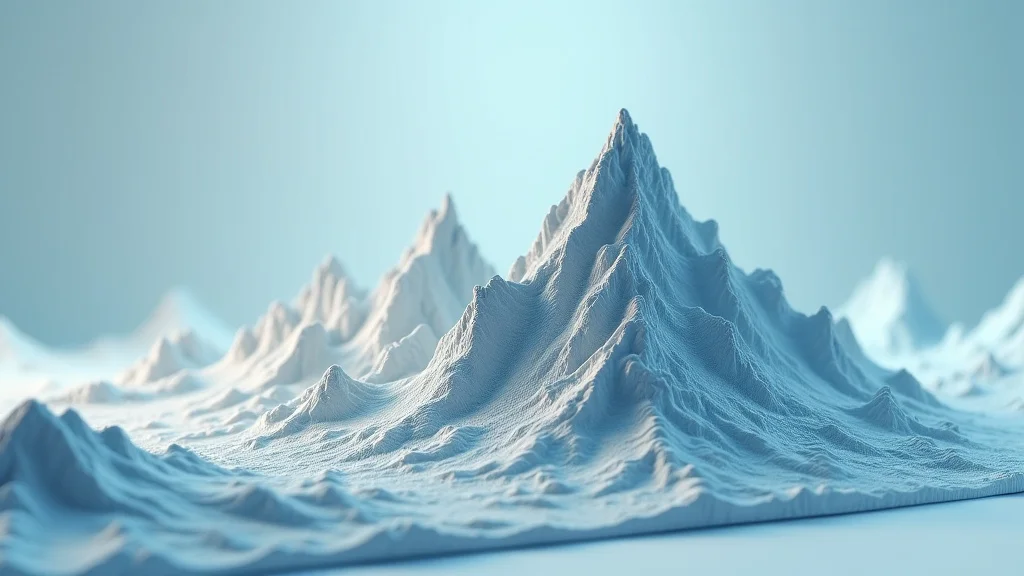
Imagine you’re planning a hiking trip, and you want a physical model of the trail before you go. Or maybe you’re a city planner wanting to visualize a new development. That’s where printing 3D maps comes in! I once helped a friend create a miniature replica of their neighborhood, and it was a fantastic way to grasp the landscape in a new way. This guide will explore the fascinating world of printing 3D maps, showing you how to turn digital data into detailed, physical models. You’ll learn the techniques, materials, and possibilities, ensuring you can create your own topographic masterpieces and gain a better grasp on your surroundings.
Key Takeaways
- Learn the basics of 3D map creation.
- Discover different methods and materials used in the process.
- Explore various applications for printed 3D maps.
- Understand the software and hardware needed for 3D map printing.
- Get insight into the challenges and limitations of 3D map printing.
- Gain valuable tips to create your first 3D map.
Unveiling the Power of 3D Map Creation
The process of creating 3D maps allows you to convert digital geographical information into physical, tangible models. This is far more than just creating a scaled-down representation; it’s about making complex data accessible and creating an intuitive interface for spatial reasoning. 3D map creation bridges the digital and physical worlds, offering a unique way to study and appreciate geographic features. It is a powerful method for visualizing landscapes, terrains, and environments in a manner that’s engaging and simple to understand. From simple topographical features to highly detailed replicas of entire cities, the options are boundless.
Mapping Basics: Data Sources and Software
The first step in printing 3D maps involves gathering and processing geographic data. This information typically comes from various sources, including satellite imagery, aerial surveys, and digital elevation models (DEMs). These models provide the height data needed to create a 3D representation of the terrain. The next step involves using software to convert the data into a format that a 3D printer can interpret. This software is essential for manipulating the data, adjusting the scale, and adding details.
- Digital Elevation Models (DEMs): DEMs are digital files that contain information about the height of the terrain at various points. They are a primary source of data for 3D map creation. Different types of DEMs exist, including those with varying resolutions, affecting the level of detail available. The higher the resolution, the more detailed your final 3D map will be. Data for DEMs come from various surveys, including satellites or aerial photography.
- Geographic Information System (GIS) Software: GIS software like QGIS and ArcGIS are frequently used to handle and process geographic data. These tools enable users to import, manipulate, and analyze datasets. They are used to prepare the data for 3D printing, which might involve cleaning the dataset, adjusting scales, or filtering unwanted elements. GIS software provides powerful options for transforming data into formats compatible with 3D printers, such as STL or OBJ files.
- 3D Modeling Software: 3D modeling programs, like Blender or Tinkercad, are employed for fine-tuning the maps. These are also used to add details not included in the original data or to correct any flaws. They are useful for adding features like buildings, roads, and water bodies. This software allows you to customize and perfect your map models.
DEM resolution is often expressed as the horizontal distance between sample points. For instance, a 1-meter DEM means that elevation measurements are taken every meter. Higher-resolution DEMs, however, result in larger file sizes, which can affect processing time.
GIS software’s capacity extends beyond merely displaying data; it permits detailed adjustments and enhancements. The software can create models with specific requirements, such as adding textures, modifying heights, or integrating other layers of information. Understanding how to use these tools is essential to achieving accurate and detailed 3D map models.
These programs allow users to add additional details that GIS software might not provide, such as textures, colors, or structural supports. 3D modeling software allows for significant control over the final product’s appearance and functionality. Using these tools gives you the ability to bring a map to life by adding a creative touch.
Selecting the Right Technology for Printing 3D Maps
The choice of 3D printing technology significantly impacts the level of detail, material options, and overall quality of the printed map. Understanding the various methods is key to selecting the most suitable one for a project. Each technology has its strengths and limitations, meaning the selection process is based on project needs.
Fused Deposition Modeling (FDM)
FDM is one of the most widely used 3D printing technologies due to its affordability and ease of use. It works by melting a plastic filament and extruding it layer by layer to build the model. FDM printers are ideal for hobbyists and educational purposes because they are straightforward. The technology’s main advantage is its cost-effectiveness; however, it might have limitations regarding fine details.
- How FDM Works: In FDM, a plastic filament is heated and forced through a nozzle, depositing the molten material onto a build platform. The printer moves the nozzle to trace the design’s shape for each layer, gradually building up the 3D model.
- Material Considerations: PLA is known for its ease of use and environmental friendliness. It is ideal for educational projects, while ABS is known for its durability and suitability in creating models intended for outdoor use. Material properties affect a map’s appearance and performance.
- Limitations: FDM may not be suitable for highly detailed maps due to its resolution limits. Additionally, the layer lines that are produced might make it less appealing for certain uses. Support structures are often needed when printing complex geometries, adding to the post-processing work.
FDM relies on the precise control of the nozzle’s movement, temperature, and extrusion speed. The most popular materials for FDM printing include PLA (Polylactic Acid) and ABS (Acrylonitrile Butadiene Styrene). They’re both easily printed and accessible to use.
The choice between PLA and ABS also hinges on the intended use of the map. Consider the surrounding environment. If the map will be exposed to sunlight or extreme weather, ABS is a more suitable choice due to its greater durability. Choosing a proper material will help with the look and longevity of your map.
The need for support structures can result in the use of additional materials and may need time to be eliminated. To deal with those limitations, you need to develop an understanding of 3D printing processes. Some projects can use other technologies, which could be more suitable.
Stereolithography (SLA) and Digital Light Processing (DLP)
SLA and DLP technologies provide superior detail and surface quality compared to FDM, making them well-suited for more complex maps. SLA uses a laser to cure liquid resin, while DLP uses a projector to cure the resin in layers. These technologies have a higher cost, which is offset by their increased detail and improved surface finishes.
- SLA vs. DLP: SLA uses a focused laser beam to trace the outline of each layer on the resin’s surface, solidifying it. DLP employs a digital projector to expose the entire layer at once. DLP printers are generally faster than SLA printers because they can cure an entire layer simultaneously.
- Resin Properties: The selection of resin significantly impacts the look and durability of the 3D map. Different resins provide different qualities, like flexibility, durability, and resistance to environmental conditions. Resins are available in various colors or can be painted after printing to add details.
- Post-Processing: SLA and DLP models require post-processing, including washing away the uncured resin and curing the parts under UV light. Removing support structures and finishing the surface is often necessary to get a smooth and polished look.
Both methods offer higher resolution, providing the ability to capture more detailed features in the map. The choice often depends on the type of resin used, the necessary printing speed, and the size of the model. These technologies use light to create objects that are extremely detailed.
Resin properties play a huge part in the map’s use. For instance, a rigid resin may be preferred for a highly detailed topographical map. For interactive or educational uses, a more flexible resin might be better. Proper resin selection leads to a better finished product and overall experience.
Post-processing is an integral part of this printing process, affecting the final result. The correct steps will guarantee an accurate, long-lasting map. You can also customize the model with details.
Selective Laser Sintering (SLS) and Multi Jet Fusion (MJF)
SLS and MJF are advanced 3D printing technologies that offer robust materials and enhanced capabilities. SLS uses a laser to fuse powdered material, while MJF uses inkjet-like technology to apply a fusing agent and detailing agent onto the powder. They are suitable for creating large, durable maps that can survive harsh conditions.
- How SLS Works: SLS uses a high-powered laser to fuse powdered materials such as nylon, creating solid objects. The process happens in a powder bed. The material is fused layer by layer until the complete model is formed.
- Multi Jet Fusion: MJF utilizes inkjet arrays to apply fusing agents and detailing agents onto a bed of powdered material. The process then uses heat to fuse the material. MJF can print in full color, producing highly detailed and visually appealing maps.
- Material Considerations: SLS and MJF can print a wide variety of materials, including nylon, which is very durable and suitable for outdoor use. The material properties affect the map’s appearance and endurance. The correct material can offer the best result, depending on your needs.
This method does not typically require support structures, which can be a huge benefit for intricate designs. It is suited for producing durable and complex 3D maps that are appropriate for professional or industrial uses.
MJF can produce highly accurate and detailed models at a much higher speed. This method is often preferred for mass production or prototypes. It is useful in applications where both aesthetics and durability are important.
The choice of material will affect the map’s durability and functionality. Nylon is very resistant to wear and tear. These materials can withstand harsh environmental conditions.
Designing and Preparing the Data for Printing 3D Maps
To design an excellent 3D map, you need to convert geographical data into a printable 3D model. This demands an understanding of the available data sources, the use of software, and awareness of the limitations of the 3D printing process. Good design practice ensures the final product is both accurate and visually compelling.
Data Preparation Techniques
Proper preparation is crucial to ensure that the 3D map accurately reflects the geographical area. This preparation includes processing the raw data and making necessary changes before the final 3D printing process. Data manipulation is also an important part of the 3D map creation process.
- Data Cleaning: Before starting, you need to refine the data. This involves eliminating any anomalies or inconsistencies that could affect the accuracy and the final look. Any errors can result in imperfections in the printed map.
- Scale and Resolution Adjustments: Correcting the scale is very important. Decide the scale of the map and adjust the data accordingly. Adjusting resolution is also very important. Higher resolutions will lead to a more detailed map. You need to balance the quality with the printing requirements and the physical size of the map.
- Feature Enhancement: Using 3D modeling software, you can add more detail to your map. Enhance the overall view by adding roads, buildings, and water bodies. You can also modify the surface texture to add a sense of realism.
Data cleaning may include removing errors, smoothing the elevation data, and removing data that is not necessary. The purpose of data cleaning is to make sure your map matches real-world conditions.
You may need to change the scale to suit the available printing capabilities. The decisions you make will have a direct impact on the finished product’s detail and the overall clarity. Ensure that the scale and the resolution are suitable to produce a final map that meets expectations.
Enhancing your map will help users understand and enjoy the map more. The objective is to make the map as educational as possible. Good use of the software tools can create a map that is useful and looks appealing.
Designing the Model
The design stage involves creating a digital 3D model that’s ready to print. The design phase is an art of turning data into a beautiful and functional map. You need to balance aesthetics with practicality.
- Selecting Features: Choose which features to include, such as mountains, rivers, and man-made structures. The most important details in your map should be accurate and easily understood.
- Height and Base Design: Consider the base of your map. The base serves to give the model structural support. Decide on the height of different features. Make sure the height ratios are visually clear.
- Adding Details: Adding details like contours, labels, or textures will enhance the map. Textures can give the look of various terrains, such as grasslands or forests. Use labels to clearly define key areas.
Consider the purpose of the map. It’s often best to concentrate on the key features. This will add clarity to the final result, and help the user easily identify the geographic areas.
The height of the features and the base of the design will affect its look. The base must be strong to support the structure. Adjust the height of the features to get the best visual look.
Adding the proper details will enhance the value of the map. Labels and textures make the map more educational and easier to understand. This will increase the visual look and usefulness.
Preparing for Printing
Preparing a 3D model for printing involves the last steps before you can start printing 3D maps. This process is essential to guarantee a good print. The settings you pick will affect the quality, speed, and cost of the printing.
- Slicing: Using slicing software, you need to convert the 3D model into instructions that the 3D printer can interpret. The software does this by splitting the model into several thin layers. The slicing process has many important settings that can affect the quality of the print.
- Orientation and Support Structures: Before printing, determine the model’s orientation. Proper orientation is essential for successful printing. Consider whether support structures are needed. Support structures are only needed for complex designs with overhangs.
- Printer Settings: Adjusting the printer settings can have a big effect on the outcome. The settings include the layer height, print speed, and infill density. Each parameter must be adjusted to the required material type.
The slicing software is essential for the printing process. You must optimize the model to the requirements of the printer. You must make sure that all the details are accurate.
The orientation of the model and the support structures affect the finished product. The printing orientation affects the overall appearance of the map. Proper use of support structures prevents collapse during printing and enhances the structural integrity.
Choosing proper settings will ensure that the printing has the right resolution and structural integrity. Experimenting with different settings will help you achieve the best outcome.
Applications and Real-World Examples of Printing 3D Maps
3D printed maps are used across many fields, from education to urban planning. These maps are great for visualization and provide a tangible, detailed view of landscapes and regions. These applications show that printing 3D maps can revolutionize data analysis and visual communication. The uses for these maps are expanding, offering new insights and possibilities.
Educational Uses
3D maps play a key role in education. They allow students and teachers to learn about geography and spatial relationships. These maps also enhance the learning experience.
- Geography Lessons: 3D maps allow students to visualize landforms. They can study mountains, valleys, and coastlines in a hands-on way. This hands-on experience allows students to understand geographical concepts more easily than flat maps.
- Environmental Science: Environmental science teachers can use 3D maps to show the impact of climate change. This will help students visualize the changes to landscapes. This will enhance understanding of these phenomena.
- Special Needs Education: 3D maps assist students with visual impairments. These maps let them discover geography in a tactile way. This will improve their spatial understanding.
The tactile nature of 3D maps aids in engaging students and improves their understanding. Students can touch and feel geographic features. It is a more immersive learning experience.
Students can study the impacts of erosion, deforestation, and other environmental issues in a hands-on way. This can inspire interest in protecting our planet.
Touching and feeling the contours on 3D maps helps them understand terrain. This enhances the learning experience for students with special needs.
Urban Planning and Development
3D maps are a helpful tool for urban planners and designers. They enhance planning and decision-making. These models will help city planners develop a better idea of how the land will look.
- Visualization of Proposed Developments: Planners use 3D maps to show new developments. This helps city officials and residents understand the effects of new buildings and infrastructure. The map allows for accurate planning.
- Traffic Flow and Infrastructure Planning: These maps assist with urban traffic flow and infrastructure. By visualizing the roads and buildings, planners can plan a more effective plan. These models help make better plans.
- Community Engagement: 3D maps make it easier for people to understand complex urban plans. This will make public discussions much better. Residents can easily engage with the process.
3D models let planners examine the way developments affect the surrounding areas. Stakeholders can examine the models to improve the projects.
Planners can use 3D models to simulate traffic. This aids in infrastructure projects. These maps help planners make decisions about the best designs.
Using 3D models enhances communication with residents. Planners can collect important feedback from residents. This will lead to better planning outcomes.
Recreational and Navigation Uses
3D maps will benefit outdoor activities and navigation, by providing a real, three-dimensional view of the terrain. This will improve planning, recreation, and overall safety.
- Hiking and Outdoor Activities: Hikers use 3D maps to learn about terrain before a trip. They can use this knowledge to help them plan routes. 3D maps will improve trip preparation.
- Navigation: Navigators use 3D maps to plan routes and find their way in unfamiliar environments. These models enhance navigation performance. This makes navigation much easier.
- Geocaching: Geocachers can use 3D maps to visualize and plan their treasure hunts. This will improve their chances of success. 3D models help geocachers plan their trips more efficiently.
These maps show elevation, potential hazards, and points of interest. This will help hikers prepare. This leads to safer and better trips.
3D maps are especially helpful in areas with complex topography. They provide a clear representation of the landscape.
3D maps help geocachers plan routes. They can understand the land around them. These maps can offer the best geocaching experience.
Challenges and Limitations in 3D Map Printing
While printing 3D maps presents numerous benefits, there are also a few limitations that need to be considered. These challenges span from technical issues to the practical issues of data and resources. To have successful results, you must consider these factors.
Data Accuracy and Availability
Data accuracy is key to creating excellent 3D maps. The accuracy, source, and reliability of the data affect the end product. Challenges with data will affect the accuracy and usefulness of the map.
- Data Source Quality: The quality of the input data is the most important factor. The accuracy of the data affects the model. The models will be less detailed. High-quality data is required.
- Data Resolution: The resolution of the data has a big effect on the level of detail on the map. Higher-resolution data allows for more detailed features. Limited resolution data can impact the view of the model.
- Data Availability: Access to accurate data might not always be available. Remote areas and developing countries often lack the necessary resources to get that data. This affects the scope and application of 3D maps.
Data from different sources can vary in quality. The origin of the data will have an impact on the outcome. You need to always choose data from trustworthy sources.
High-resolution data offers better results, but it will involve a lot of processing. You must balance the level of detail with the performance and requirements of the map.
You can find data from several sources, including government agencies and open-source projects. However, data gaps can limit the areas where you can make 3D maps.
Printing Technology Constraints
The capabilities of the 3D printing equipment have limitations that can affect the final map’s quality. This includes size restrictions, resolution limits, and material selection.
- Build Volume: The maximum size of the 3D printer’s build volume constrains the size of the 3D maps. To create larger areas, the map may have to be divided into sections, which adds difficulty and increases the printing time.
- Resolution Limits: The printer’s resolution impacts the level of detail that can be accomplished. The printer can’t create highly detailed features. Printers must meet the data quality.
- Material Limitations: The options of material can impact the utility and look of the map. Limitations in material properties can affect the map’s durability. The choice of material affects the end product.
The printer’s maximum dimensions will affect the size of the map you create. Some printers have smaller volumes. It will impact how you design your model.
The printer’s resolution impacts the details. Printers can’t reproduce extremely fine details. You should evaluate the resolution of the printer to know its capabilities.
Different materials offer various benefits. The material needs of the map will impact the design. You must think about the material’s properties.
Post-Processing and Cost Considerations
After printing, post-processing affects the overall quality and cost of 3D maps. This includes cleaning, finishing, and the costs associated with producing the maps.
- Support Removal: The removal of support structures can take a lot of time. This can potentially harm the finished product. To avoid this, you should plan for this removal.
- Finishing Techniques: Finishing a 3D map can include sanding, painting, or applying other treatments to enhance the appearance. These techniques need skill. The finishing can affect the map’s aesthetic look.
- Cost of Materials and Printing: The cost of 3D printing varies. The cost relies on the print technology and the material chosen. Printing expenses will affect the overall project cost.
The amount of support structures needed will vary, depending on the design of the model. Plan for the removal process and ensure the proper tools are available.
Finishing adds extra cost and effort. Plan for the finishing stage to get the look you want.
You must balance the cost with the quality. The cost includes the materials and any outside printing services. This is especially true for projects that require a high level of detail.
Common Myths Debunked
Myth 1: 3D printing is too complicated for beginners.
In reality, advancements in 3D printing technology have led to user-friendly printers and software. Many beginner-friendly models are available, with intuitive interfaces and pre-set profiles, making it easy to create models without significant technical knowledge. You can explore online tutorials and communities to help you. The simplicity is improving as the technology gets better.
Myth 2: All 3D printed maps are expensive to create.
While some advanced 3D printing technologies can be pricey, accessible and cost-effective options exist. FDM printers are inexpensive. Additionally, many open-source software tools are available, which helps reduce costs. You can also save costs by choosing less expensive materials.
Myth 3: The level of detail achieved is always low.
The level of detail achieved in 3D-printed maps greatly depends on the printer’s resolution and the data used. Advanced technologies, such as SLA and SLS, can produce incredible levels of detail. The more data you use, the more detail you’ll have in your map. You can also use post-processing techniques to enhance the appearance.
Myth 4: The materials used are always fragile.
The material chosen for 3D printing impacts durability. You can choose different materials based on your needs. For instance, PLA is ideal for quick and easy projects, while ABS and nylon are durable for projects that need to endure the elements. Other materials offer properties that meet different requirements.
Myth 5: 3D printing is only for experts in engineering.
3D printing is used by people from many different backgrounds. The equipment and the methods are becoming available to people with different skill sets. Educators, artists, and hobbyists utilize 3D printing for various projects. There are many programs and community groups that make learning easy and fun.
Frequently Asked Questions
Question: What software is needed for 3D map creation?
Answer: You will typically need GIS software (e.g., QGIS, ArcGIS) for processing the geographical data, 3D modeling software (e.g., Blender, Tinkercad) for designing the model, and slicing software for preparing the model for printing.
Question: What are the best materials for printing 3D maps?
Answer: The best materials depend on the application and desired properties. PLA is a popular choice for its ease of use and eco-friendliness. ABS is used for durable models, and nylon offers high strength and weather resistance. Resins are used for higher detail.
Question: How accurate are 3D-printed maps?
Answer: The accuracy of 3D-printed maps depends on the quality and resolution of the source data. Higher-resolution data results in more precise maps. The printer’s resolution also affects the level of detail you can achieve.
Question: What are the major steps in preparing a model for printing?
Answer: The main steps include importing the data, cleaning and adjusting the data, designing the model, slicing the model using slicing software, and adjusting printer settings to match the chosen material.
Question: How long does it take to print a 3D map?
Answer: The printing time varies depending on the size, complexity, resolution, and technology used. Small, simple maps can print in a few hours, while larger, more complex ones can take days to complete.
Final Thoughts
Printing 3D maps opens up a world of creative possibilities, letting you transform geographic data into tangible forms. You’ve explored the process from data gathering and design to the selection of printing methods and materials. The applications of 3D maps are far-reaching, from education and urban planning to outdoor recreation and navigation. You have also gained insight into the challenges and limitations that may arise. Use the knowledge you gained to create detailed models that bring the world around you to life. The tools are available, the possibilities are vast, and the journey of creating your own 3D map is an exciting one. Now you can explore the exciting intersection of technology and geography to create amazing maps.