Remember that time you tried to print a gorgeous photo for your friend, and the colors came out all wrong? It’s frustrating, right? That’s where printing film comes in. This guide will walk you through everything you need to know about printing film, from the different types available to how to get the best results for your projects. You’ll learn how to choose the right film, avoid common mistakes, and create stunning prints every time. Get ready to level up your printing game and say goodbye to disappointing prints! This post will provide detailed insights, improving your knowledge and boosting your confidence. You’ll gain practical skills and tips for successful printing.
Key Takeaways
- Discover various types of printing film and their ideal uses.
- Learn about essential factors when selecting printing film, such as resolution and color accuracy.
- Understand the process of preparing images for printing on film.
- Explore techniques for troubleshooting common printing issues and improving print quality.
- Find out how to choose the right printer and ink.
- Gain insights into maintaining and storing your printed materials.
Exploring the World of Printing Film
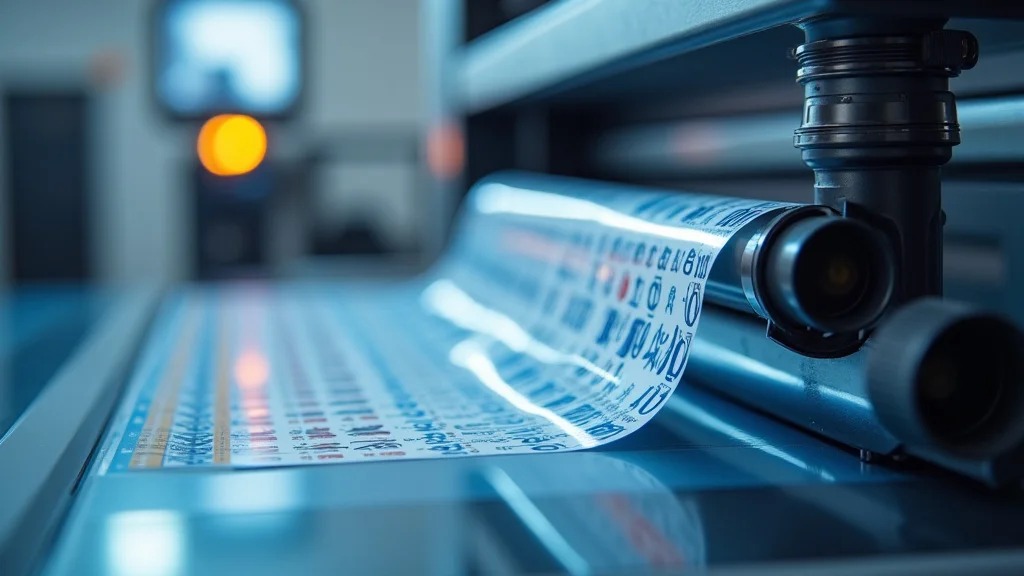
Printing film is a fascinating topic, offering options for various printing projects. It’s used in many applications, from professional photography and graphic design to creating custom decals and packaging. This versatile medium allows for the creation of high-quality prints with excellent detail and color accuracy. With a range of options available, selecting the right printing film is essential for achieving the desired results. We’ll explore the various types, applications, and considerations related to using printing film effectively.
Types of Printing Film
Various printing film types are available, each designed for specific purposes and printer technologies. Knowing the difference between them is vital for selecting the right one for your needs. We’ll explore some common types, including their characteristics and best-use scenarios.
- Inkjet Printing Film: Designed to work with inkjet printers, this film is often used for creating transparencies, proofing prints, and creating graphics. It’s available in different thicknesses and surfaces, such as clear or matte, and is ideal for projects that require detailed images and vibrant colors.
- Laser Printing Film: This type of film is designed for laser printers, suitable for high-volume printing projects requiring durability and resistance to handling. These films are typically designed to withstand the heat generated by laser printers.
- Film for Screen Printing: Specifically designed for screen printing, this film is used to create stencils for transferring images onto various surfaces. It is resistant to the inks and chemicals used in the screen printing process.
- Specialty Films: Include various film types, such as holographic film and films for special effects. These are used in specialized applications.
Inkjet printing film is a favorite due to its ease of use and versatility. It’s compatible with a wide range of inkjet printers and inks, making it a great choice for both beginners and professionals. You can find options for both dye-based and pigment-based inks, affecting the print’s longevity and color quality. The film’s surface is usually specially coated to absorb ink quickly, preventing smearing and ensuring sharp details. This film is generally water-resistant after printing, although additional protection might be needed for specific applications.
Laser printing film offers several benefits, including fast printing speeds and sharp, clear results. It is often used for creating documents, reports, and marketing materials requiring high-quality output. The film’s resistance to heat and static build-up makes it ideal for handling and storage. These films often come with a protective coating to prevent scratches and improve durability, making them a good option for projects meant to withstand regular handling.
Films for screen printing are essential for creating durable stencils that can withstand repeated use. They must be opaque enough to block UV light during the screen-burning process, and transparent enough to allow the light to pass through areas that will form the image. These films are usually coated to improve their adhesion to the emulsion used in screen printing. This ensures sharp, clean edges on the stencils, leading to high-quality prints on materials like fabric, paper, or plastic. Using the correct film will improve the precision and the longevity of your screen printing stencils.
Specialty films extend the possibilities for creative projects. They can produce unique visual effects or add extra functional attributes to your prints. Holographic films create stunning visual patterns that catch the light, making them perfect for decorative items. Others may have special coatings for scratch resistance, water resistance, or even thermal sensitivity. These specialty films are ideal for adding unique touches to projects, from packaging to artistic creations. Careful selection of the right film is important to the intended effects.
Factors for Choosing the Right Printing Film
Choosing the right printing film requires considering several factors that affect the print’s quality and longevity. Some of the things to consider are resolution, color accuracy, compatibility, and the intended use of the final product. Understanding these elements can improve the quality of your printed results.
- Resolution: The resolution of your printer and the film you choose must be compatible for the best results. Higher resolution printers usually benefit from films designed to handle fine detail.
- Color Accuracy: Select films that support the color spectrum your printer produces, to ensure your prints appear the way you want them. Consider the film’s ability to accurately reproduce colors.
- Compatibility: Make sure the film is compatible with your printer type, ink type, and intended use. Incorrect combinations can damage your printer or produce poor quality prints.
- Durability: Choose a film based on where and how the print will be used. Consider resistance to light, water, and handling, mainly if the prints will be exposed to the elements or get a lot of handling.
The resolution is essential for the final image’s detail and sharpness. If your printer has a high resolution (measured in dots per inch or DPI), the film must support that resolution to produce the best results. A film that is not suited for high-resolution printing can lead to blurry or pixelated images. Make sure the film’s specifications align with your printer’s capabilities for the best printing results. High resolution is particularly important for photographic prints where fine details are essential.
Color accuracy is key for ensuring that your prints match your original images. Films vary in their ability to render colors accurately, with some offering broader color gamuts than others. Consider the colors you are printing. Films designed for professional photography often have high color accuracy, while films intended for general use may have limitations. Always test prints to evaluate color performance before committing to a large project. The quality of your inks and the type of printer also affect the color accuracy achieved with a particular film.
Printer, ink, and film compatibility are essential for successful printing. Inkjet printers require inkjet-compatible films, while laser printers require laser-compatible films. Using the wrong film type may cause the ink not to dry correctly or damage the printer. Also consider the type of ink you use: dye-based inks work better on specific films, while pigment-based inks do better on others. Research your printer’s and ink’s needs and select the correct printing film to avoid problems and get the best results.
Durability involves aspects like scratch resistance, lightfastness, and water resistance, which affect the print’s long-term quality. Prints designed for outdoor use will require film types that resist UV fading and weather damage. Prints meant for heavy use should use a film that resists scratches and wear. For products like packaging, consider films with specific properties that improve longevity and handling. Properly stored prints last longer, so evaluate the film’s specifications and the use conditions to pick the best film.
Preparing Your Images for Printing
Before printing, properly preparing your images is a step to achieve high-quality results. This includes adjusting image resolution, color profiles, and file formats, along with pre-printing tests. Doing so can significantly improve the clarity, color accuracy, and overall quality of your prints. Here’s a deeper look at the process and why each step matters.
- Image Resolution: Adjust your image resolution to match your printer’s capabilities and the film. Resample images to increase or decrease the resolution as needed, but always maintain a balance between file size and detail.
- Color Profiles: Selecting the correct color profile guarantees the colors in your prints match your digital file. Working with color profiles ensures consistency across different devices.
- File Formats: Choose a file format that maintains image quality, such as TIFF or PNG, which work well for printing. These formats preserve detail and avoid compression artifacts, ensuring that your prints look as good as possible.
- Print Tests: Run test prints on the film, adjusting settings and color profiles before printing the entire job. This avoids wasting materials and can help optimize your print settings.
Image resolution directly impacts the clarity and sharpness of your prints. The best resolution usually depends on your printer’s DPI, usually the higher the better. Resampling images is essential. If you upscale an image, it can lose detail and appear blurry. Upscale carefully, while using appropriate software that minimizes detail loss. Always ensure your image resolution matches your printer’s capabilities to achieve high-quality, sharp prints. It’s often better to start with a higher resolution image and downscale it if needed, rather than the other way around.
Color profiles act as a map that translates colors between different devices. When preparing your image, choose a color profile that matches your printer’s capabilities. Profiles like sRGB are commonly used for general printing, while Adobe RGB offers a broader color range for professional applications. Calibration of your monitor ensures the colors you see on your screen are accurate. Color calibration and color profile management are essential to the printing process, ensuring that the colors you see on the screen are the colors you get in your prints. This will minimize the likelihood of unexpected color variations.
The file format affects the quality and size of your image files. Uncompressed formats like TIFF and PNG, which preserve more detail, are generally better for printing. JPEGs are good for file size, but lossy compression can reduce image quality, making them less suitable for printing. Consider any transparency or special effects required. Make your decisions based on the project’s requirements, and always prioritize file formats that maintain image quality, reducing the possibility of compression artifacts or other file distortions. A well-selected file format can ensure that your images look their best during the printing process.
Print tests are important before running larger projects. This allows you to evaluate color accuracy, detail, and overall print quality using test prints. Use these tests to fine-tune your settings to achieve the best results. Start by printing a small section of your image or a test pattern, and evaluate the results for color accuracy and detail. Adjust your printer settings as needed and repeat the tests. Take notes on your results. These tests can help avoid wasting expensive materials and ensures you are happy with the results of your final prints. Plan a print test process that helps you to ensure the best possible results.
Advanced Techniques in Printing Film
Advanced techniques can take your printing projects to the next level. We will explore ways to optimize your workflow, enhance print quality, and address challenges that may arise during the printing process. These techniques will help you achieve professional-quality results.
Improving Print Quality
Enhancing your print quality can produce better results with some adjustments. Understanding how to use the printer settings and adjusting the images can make a significant difference in the final product. Here’s how to improve your prints’ clarity and color accuracy.
- Printer Settings: Correct printer settings, such as resolution, print quality, and color settings, are critical. Adjust these settings, experimenting to find what produces the best results with your chosen film.
- Ink Quality: High-quality inks are essential. The type of ink used can also affect the results. Always use the right inks for your printer and film type.
- Color Calibration: If you want accurate color representation, you should calibrate your monitor. Color calibration is the process of ensuring that the colors on your screen match the colors your printer produces.
- Image Adjustments: Modify your image with editing software to improve its appearance. You can change exposure, contrast, and color balance to achieve the desired effect.
Printer settings directly affect your final prints. You can experiment with different print qualities, from draft to high quality, and change the printer’s settings. Adjust the color settings to match your color profile. Review the user manual for your printer model. A well-chosen resolution setting improves clarity and sharpness, while adjusting the color settings ensures that your prints match your expectations. Taking the time to adjust the settings can drastically enhance the print quality, making your final results professional-looking.
The type and quality of ink used greatly impact the color accuracy and print longevity of your projects. Using the correct ink guarantees the best results. Dye-based inks offer vibrant colors, but may not be as fade-resistant as pigment-based inks. Pigment-based inks are more durable. Always choose inks that are compatible with your printer and printing film to prevent issues like smudging or poor color reproduction. Using high-quality inks will improve the prints’ appearance and extend their lifespan, especially when combined with the right film and printer settings.
Color calibration ensures that your monitor and printer display colors accurately. To start, use a color calibration tool, to create a profile that adjusts your display colors. After calibration, you will notice that the colors on your monitor are accurate. Keep the printer profile active for your printing projects, guaranteeing that the colors on your screen are the colors you see in your final prints. Regularly calibrating your monitor helps maintain consistency over time and ensures consistent color reproduction. This helps ensure that your prints look as good as possible.
Image adjustments, using photo editing software, are essential to achieving the best possible print quality. Adjusting the image before printing can correct any color, brightness, or contrast issues. Adjusting the image can enhance details, or improve its overall impact. Take the time to refine your images, and you’ll find that your prints look more professional. These changes enhance detail, correct color problems, and improve the overall impact of your final prints. Proper image adjustments create improved prints.
Troubleshooting Common Issues
Problems happen, but it helps to know how to resolve them quickly. Let’s look at some common issues and their solutions. By addressing these issues, you can minimize waste, improve print quality, and keep your printing projects moving forward.
- Smudging: Smudging can be a real problem when printing. Ensure the film is dry after printing, and use the correct ink.
- Color Inaccuracies: Inaccurate colors can be frustrating. Always calibrate your monitor and ensure your color profiles match your printer’s capabilities.
- Poor Resolution: If your prints are not as detailed as you expect, check your image resolution and printer settings. Using a suitable resolution will help.
- Clogged Nozzles: Clogged nozzles can lead to streaks and uneven printing. To resolve, run a cleaning cycle on your printer.
If your prints have streaks, the print nozzles might be clogged. Run the cleaning cycle and align your print heads for uniform ink application. Regular maintenance is the key to preventing problems, while ensuring consistent print quality. Addressing clogged nozzles will resolve many common print quality problems.
Smudging is a common problem, especially when using inkjet printers. The best solution is to let the prints dry completely. Selecting the correct ink for the type of film will help with drying and reduce smudging. When dealing with smudging, reduce the amount of ink being used by adjusting the print settings. By following these steps, you can eliminate smudging and get clear, clean prints.
Color accuracy is extremely important. Begin by calibrating your monitor and ensuring that you are using the correct color profiles. You can run test prints to evaluate how the printer handles color, and adjust your settings if needed. By calibrating the screen and reviewing the color profiles, you are taking a crucial step to produce prints that accurately represent the original images.
Poor resolution is a frequent issue, especially when dealing with detailed images. Make sure that the resolution settings match the printer capabilities, and you have set up a proper resolution. Use the printer settings to test and adjust the settings. The clarity and sharpness of your prints depend on the settings and the image resolution, so taking care here will produce the best results.
Advanced Printing Techniques
Advanced techniques can elevate the quality and effectiveness of your printing projects. They help you get the best possible results. These techniques can help you achieve more detailed prints, more durable prints, and prints that meet special requirements.
- Specialty Film Applications: Consider using specialty films. These films can add effects, or meet unique project needs. Explore these options to enhance your printing projects.
- Large Format Printing: For large prints, choose a printer made for larger sizes. Remember to adjust your image resolution, and ensure that the film and ink match your printer’s specifications.
- Proofing and Pre-Press: Before you print the entire job, you can use proofing to check your colors and layout. This is essential for ensuring that the final print meets your expectations and reduces waste.
- Advanced Color Management: To get the best results, use advanced color management techniques. This includes using color profiles, and also calibrating your monitor and printer for consistency.
If you need special effects, or have unique project requirements, these films offer interesting possibilities. Holographic films can be used for decorative projects. Specialty films allow you to produce eye-catching products. Exploring your options will help you achieve the visual effects you want in your prints.
Large format printing requires a printer that can handle the size and quality demands. Use a high-quality printer and appropriate inks. Adjust the image resolution to match your printer’s capabilities. Test the print before you start a project to ensure that the settings are optimized and the results are of high quality. Large format printing can be done, using the right tools and steps.
Proofing and pre-press are essential to guarantee the final print meets expectations. Perform a print test to check your color representation and your layouts. Evaluate the test, making the adjustments as needed. This process helps detect problems before the full-scale printing, and guarantees that the print is as expected. Proofing before a large job is a good way to save time and money.
If you want top-quality results, use advanced color management techniques. Start by using color profiles to match the printer’s capabilities. Regularly calibrate your monitor to guarantee that the colors are accurately represented. Implement a well-defined workflow, to keep the colors consistent. These practices will improve print quality.
Common Myths Debunked
Let’s clear up some common misconceptions about printing film.
Myth 1: Any film works for any printer.
Reality: Printing film varies, with each type made for a different printer technology. Inkjet films work only with inkjet printers, and laser films are made for laser printers. Using the wrong film can lead to poor results or damage your printer. Choose the right film type for your printing needs.
Myth 2: Higher resolution always equals better quality.
Reality: While high resolution is essential, it’s not the only factor. Factors such as ink quality, printer settings, and the film quality are equally important. Use your printer’s maximum resolution when possible. However, the film must also support the printer’s resolution. The results are based on the balance of all the factors.
Myth 3: Color calibration is a waste of time.
Reality: Color calibration is essential. Calibration assures that the colors on your screen match the colors your printer produces. Without calibration, your prints might not look as expected. To maintain color consistency, calibrate regularly.
Myth 4: Expensive film is always the best.
Reality: The best film depends on the project’s requirements. High-quality film is more expensive. But the ideal choice depends on the project. For everyday use, less expensive options might be sufficient. Research and choose what best fits your needs and budget.
Myth 5: All inks are the same.
Reality: Inks vary. Dye-based inks offer vibrant colors but might fade more quickly. Pigment-based inks are more durable and last longer. The choice of ink depends on the project’s use and your needs.
Frequently Asked Questions
Question: Can I use regular paper in my printer instead of printing film?
Answer: It depends on the project. Regular paper is suitable for everyday use, but it isn’t ideal for projects that require transparency, durability, or high image quality. Printing film is specially made for these types of projects.
Question: How do I clean my printer’s print heads?
Answer: Most printers have a cleaning cycle. Check your printer’s manual for specific instructions. You can run this cycle to clear clogged print heads. Also, use quality inks and avoid letting the printer sit idle for extended periods.
Question: Can printing film be recycled?
Answer: Recycling varies by film type and local recycling programs. Check the film’s specifications and your local recycling guidelines. Some films can be recycled, while others may require special disposal methods.
Question: What’s the best way to store printing film?
Answer: Store printing film in a cool, dry place away from direct sunlight and dust. Keep the film in its original packaging until you’re ready to use it. This will help preserve its quality.
Question: What do I do if my prints are blurry?
Answer: Check your image resolution to ensure it matches your printer’s capabilities. Also, check your printer settings, and clean the print heads. Using high-quality inks, and using the correct printing film for your printer, can improve the final results.
Final Thoughts
Mastering printing film is a valuable skill that opens up a world of creative possibilities. From choosing the correct film type to optimizing your printer settings, the tips you’ve learned are designed to transform your printing projects. You can now approach projects with confidence, knowing you can achieve professional-quality results. Experiment, practice, and explore. Keep refining your skills. With each print, you’ll become more skilled and knowledgeable. Embrace the journey and enjoy the process of bringing your creative visions to life through the art of printing film.