Remember that time you tried to print holiday photos, and the 4×6 cardstock kept jamming in your printer? Frustrating, right? Getting professional-looking prints at home shouldn’t be a hassle. This guide will walk you through everything you need to know about printing 4×6 cardstock, from choosing the right paper to optimizing your printer settings. By the end, you’ll be creating beautiful prints with ease. You’ll also learn the best methods to avoid common problems, which will improve your overall printing process and prevent potential headaches. You’ll be able to create stunning visuals and have a better understanding of how the process works. This blog post is dedicated to offering valuable guidance and will help you create quality prints with ease.
Key Takeaways
- Learn how to choose the best 4×6 cardstock for your needs.
- Discover the correct printer settings for optimal results.
- Find out how to troubleshoot common printing issues, such as paper jams.
- Explore different applications of printing 4×6 cardstock, from photos to cards.
- Understand the importance of image resolution for quality prints.
- Get tips on maintaining your printer for consistent performance.
Choosing the Right 4×6 Cardstock
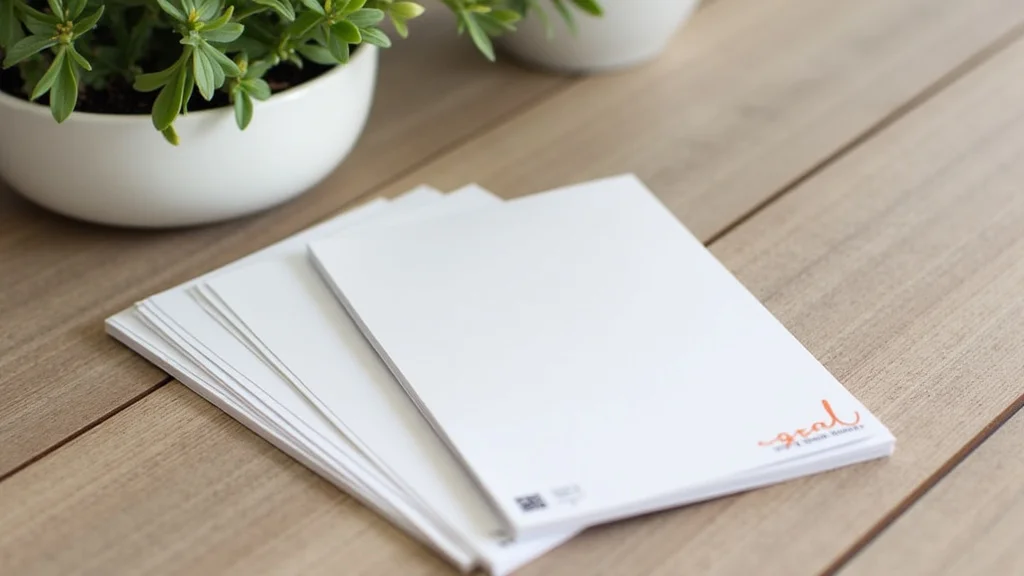
Selecting the correct cardstock is the first, and possibly the most critical, step toward a successful print. Different weights, finishes, and types can impact your prints’ final look. You’ll want to select a cardstock that fits your specific needs. Selecting the right cardstock can be compared to choosing the right canvas for an artist. The canvas supports the artist’s work and brings it to life. Similarly, your cardstock supports your printing goals, whether it’s for photos, cards, or other projects.
Paper Weight and Thickness
Paper weight, measured in pounds (lb) or grams per square meter (gsm), indicates the cardstock’s thickness and sturdiness. Heavier cardstock offers a more premium feel, while lighter options are more budget-friendly. For general photo printing, a weight between 60lb and 80lb (160gsm to 220gsm) is often a good starting point. This range balances thickness with printer compatibility. If you’re printing greeting cards or items that require more rigidity, like invitations, consider cardstock over 80lb (220gsm). This will provide more resilience. Heavier cardstock, however, may require a printer capable of handling it, so always check your printer’s specifications.
- 60lb-80lb (160gsm-220gsm): A good general-purpose cardstock for photos and standard projects.
- Over 80lb (220gsm): Best for cards, invitations, or projects that need extra stiffness.
- Under 60lb (160gsm): Can be used, but the prints may feel flimsy and are generally not recommended for 4×6 printing.
Here’s an example: if you want to make business cards, choose a heavier cardstock for durability and a professional appearance. If you are printing personal photos, a lighter, but quality, cardstock would be sufficient. Using the correct weight ensures your prints are not only visually appealing but also long-lasting. If you are unsure, start with a medium weight to find out what works best for you.
Paper Finishes
The finish of your cardstock impacts how your prints will look. Several options are available, each offering a distinct aesthetic. Glossy cardstock provides vibrant colors and a reflective surface, making it excellent for photos where you want the colors to pop. Matte cardstock offers a non-reflective surface, which is ideal for text-heavy projects. Satin cardstock provides a subtle sheen, falling between matte and glossy, and is a great choice for various applications. Uncoated cardstock is a basic, without the finish, and is often used for writing on. Each finish highlights a different aspect of your print. Choosing the right one allows you to tailor your prints to your needs.
- Glossy: Enhances colors, ideal for photos.
- Matte: Non-reflective, suitable for text and professional documents.
- Satin: A mix, good for diverse purposes.
- Uncoated: Great for writing.
For example, if you are making invitations, a satin or glossy finish can elevate the visual appeal. For art prints, matte cardstock might be preferred to avoid glare and keep the focus on the artwork. If the cardstock is glossy, you will want to avoid touching the surface to prevent fingerprints. Glossy cardstock is also prone to scratching, which you should be aware of. Satin provides an elegant look. Matte is great for a more subtle look. The choice of finish, like the choice of paper weight, is directly related to the final look of your prints.
Cardstock Types
Beyond weight and finish, the specific type of cardstock can also affect your prints. Photo cardstock is specifically designed for printing photos and typically has a glossy or satin finish. Specialty cardstock includes options like textured paper, linen paper, or metallic paper, which can add a unique touch to your prints. Consider the project when picking your cardstock. Each type offers a different set of properties and results. It’s best to explore several options to determine which type and texture are your favorite. This exploration provides the ability to explore different textures and find the best cardstock for you.
- Photo Cardstock: Designed for vibrant, high-quality photos.
- Textured Paper: Adds tactile appeal to your prints.
- Linen Paper: Provides a classic, textured feel.
- Metallic Paper: Adds a shimmering effect.
For instance, for wedding invitations, you might want to use textured or linen paper to give a high-quality feel. For promotional materials, metallic paper could be used to draw attention. For greeting cards, photo cardstock provides the best quality for the image. If you plan to sell your work, using high-quality cardstock might increase the value. Selecting the proper cardstock type can transform a basic print into a refined piece. Try out the different options to see what looks the best for your needs.
Printer Settings for Printing 4×6 Cardstock
Adjusting your printer settings correctly ensures quality prints every time. Incorrect settings can lead to issues such as blurry images, incorrect colors, or paper jams. You will want to select the right paper size and print quality settings to make sure your work looks its best. Paying attention to these settings is crucial. This will help you get the most out of your printing 4×6 cardstock efforts.
Paper Size and Type Selection
Selecting the proper paper size and type within your printer settings is the initial step toward successful prints. Ensure your printer is set to “4×6” or “4×6 inch” in the paper size options. If your printer offers multiple paper type settings, select the one that corresponds to the cardstock you are using, like “photo paper”, “glossy paper”, or “cardstock”. This tells the printer how to handle the paper and adjust its settings accordingly. Failure to do so can result in inaccurate color reproduction or paper feed problems. Ensure the settings are correct for the quality you expect.
- Paper Size: Select “4×6” or “4×6 inch” in your printer settings.
- Paper Type: Choose the option that matches your cardstock finish (e.g., “photo paper”, “matte”).
For instance, if you are printing photos on glossy 4×6 cardstock, choose the “4×6” paper size and the “photo paper – glossy” option. If you select the incorrect paper type, such as plain paper, the printer might use less ink or set the temperature incorrectly, resulting in colors that are not accurate. Selecting the right paper type is crucial for your work. When you choose the right paper size, you are telling the printer what the size should be so that it can accommodate the print. Verify these settings before starting each print job. This ensures that you get the best quality print every time.
Print Quality and Resolution
Print quality and resolution settings directly impact the clarity and detail of your prints. Most printers offer various quality settings, from draft to best quality. For printing 4×6 cardstock, you should select a “high” or “best” quality setting. This will use more ink but will provide a print with more detail and color accuracy. Also, check the resolution settings. Resolution is measured in dots per inch (DPI). A higher DPI, typically 300 DPI or higher, ensures sharper and more detailed images. This level is essential if you want your photos to look crisp and clean.
- Print Quality: Choose “high” or “best” in your printer settings.
- Resolution: Ensure it is set to 300 DPI or higher.
For example, when printing a photo that will be displayed or given as a gift, use the highest quality and resolution to ensure the image appears clear and vibrant. If you are printing a draft copy, you can get away with the lower settings. If you’re not concerned about the output, then you can use the draft option, but otherwise, always use the highest settings. Remember that these settings may use more ink. They are important in producing a professional-looking result. Prioritize high-quality settings when you print photographs or other important projects.
Color Management
Color management is the process of ensuring that the colors you see on your screen match the colors printed on your cardstock. Proper color management is critical. It can greatly improve the accuracy of your prints. Within your printer settings, you’ll find color management options. Make sure the printer’s color profiles are set correctly. Select the color profile that matches your printer and the type of cardstock you are using. If you have a custom color profile for your specific paper, use it. Without proper color management, your prints may appear dull, inaccurate, or have color casts. Calibration and proper setting configurations help in achieving color consistency and proper prints.
- Color Profile: Select the right profile for your printer and paper.
- Color Mode: Choose sRGB or Adobe RGB based on your image.
For example, if you edit your photos in Adobe Photoshop, you can often select your color profile in the print settings. If you don’t use the correct settings, the colors in your prints might look different from what you see on your screen. Using the correct profile ensures the colors are consistent. This setting is important for creating work that shows the way you want it. This ensures that the images you see on the screen match the final printed product. By utilizing color management, you can be sure of the colors you see in your final prints.
Troubleshooting Common Printing Issues
Even with careful planning, things can sometimes go wrong when printing. Knowing how to troubleshoot common issues can save you time and frustration. From paper jams to ink issues, knowing what to do helps. This will help you quickly fix and get back to creating beautiful prints. Let’s look at some ways to solve some common problems in printing.
Paper Jams
Paper jams are one of the most frustrating problems when printing 4×6 cardstock. They can happen when the cardstock is too thick, too thin, or if the paper is not loaded correctly. To handle a jam, turn off the printer and unplug it. Carefully remove any visible paper, pulling gently in the direction of the paper path. Check for any small pieces of paper stuck inside the printer. Use a flashlight if needed. Ensure that the cardstock is loaded properly in the paper tray. It must be aligned with the guides, and the correct paper size is selected in your printer settings. If jams occur frequently, consider adjusting your paper settings or trying a different type of cardstock.
- Turn Off and Unplug: Before trying anything, turn off and unplug the printer.
- Carefully Remove Paper: Pull paper gently in the paper path direction.
- Check for Small Pieces: Use a flashlight to make sure all paper is gone.
- Verify Paper Loading: Ensure cardstock is properly loaded and aligned in the tray.
If you’re continually getting paper jams, it might be due to the type of cardstock you’re using. Make sure you use cardstock that is compatible with your printer. This means you should check your printer’s specifications before you use different types of cardstock. For example, if you’re trying to print photos on extremely thick cardstock, your printer might not be equipped to handle it. You might need to change your choice of cardstock. Also, cleaning your printer’s rollers can reduce paper jams. This can be done with a lint-free cloth or a cleaning kit designed for printers. Regular maintenance is often helpful.
Ink Issues and Print Quality Problems
Ink issues, such as streaks, faded colors, or incomplete prints, can ruin your output. Check your ink levels regularly, and replace cartridges when they are low. Run the printer’s cleaning cycle to clear any clogged print heads. This will remove dried ink that can disrupt the printing process. Ensure the printer settings are correct for the type of cardstock. High-quality and appropriate print settings are essential. Adjusting these settings can impact print quality. Make sure your printer is in a stable location, away from direct sunlight and heat, to prevent ink from drying out. If you are using a new type of ink, use the right settings for that kind of ink.
- Check Ink Levels: Ensure your ink cartridges are not empty.
- Clean Print Heads: Run the printer’s cleaning cycle.
- Verify Settings: Ensure correct paper type and print quality settings.
- Store Properly: Keep your printer in a stable environment.
If you have streaks or faded colors, this is typically an ink issue. Make sure your printer’s print heads are clean and unclogged. Run a print head cleaning cycle or, if available, align the print heads. These features are usually available in the printer’s settings or maintenance menu. Incomplete prints or blank pages may mean your printer is not receiving enough ink. Replacing the ink cartridge may solve this issue. Always use the right kind of ink for your printer. Also, store your ink and printer cartridges correctly to keep them working well. If you are having print quality problems, replace your cartridges.
Color and Image Issues
If your prints have incorrect colors or the image looks distorted, the problem could be due to several factors. Check that you’ve selected the correct color profile for your printer and cardstock in the print settings. Select the color profile that matches your printer and the type of cardstock you are using. Make sure the original image has the correct resolution. Low-resolution images will look pixelated or blurry. Ensure that the image is set to the right dimensions before printing. Image editing software can help with this. If you are printing from a specific program, make sure that it’s set up correctly for color management.
- Color Profile: Verify you’ve selected the correct profile for your printer.
- Image Resolution: Make sure the image has sufficient resolution.
- Image Dimensions: Double-check image dimensions before printing.
- Software Settings: Check the program’s color management settings.
For example, if your print appears more red than the original, there may be a problem with the color profile. If you’re having color issues, look at your printer and its settings. Make sure everything is configured the way you expect. Poor image quality may be related to the image itself. Make sure your images are clear before printing. You might need to re-edit your images. You can do this by using a different program for image editing. By checking these points, you can fix issues and improve your prints.
Applications of Printing 4×6 Cardstock
Printing 4×6 cardstock has many uses, making it a versatile medium for various projects. The standard size is perfect for everything from photos to invitations. By knowing the potential uses for 4×6 cardstock, you can maximize your creativity. Here’s a look at some popular applications.
Photo Prints and Albums
The most common use of 4×6 cardstock is for photo prints. This size is standard for photo albums, frames, and wallets. Printing your photos at home allows you to have your memories readily available. You can print them as often as you want. It also enables you to create customized photo albums and gifts. Home printing also offers the flexibility to print specific photos without having to order them in bulk. This offers a more personal way of documenting your memories.
- Photo Albums: Standard size for albums.
- Frames: Fits most standard 4×6 frames.
- Wallet Prints: Perfect size for wallets.
- Personalized Gifts: Great for customized presents.
For example, you could print 4×6 photos from a family vacation to add to a scrapbook. You can create personalized albums for gifts or print wallet-sized photos to share with friends and family. This size is easy to handle, store, and display, which makes it perfect for personal projects. Printing photos at home allows you to manage your photo collection. You can control the quantity of photos and customize them. You can be creative with photos and add them to scrapbooks. This helps you to have all of your memories.
Greeting Cards and Invitations
4×6 cardstock is also excellent for creating greeting cards and invitations. The size is big enough to showcase your design. It also leaves plenty of space for your text. You can design your cards and invitations using design software. You can then print them at home, saving you time and money. This can be great for birthdays, holidays, and special events. Printing your cards allows you to personalize each one. You can also print small batches of cards or invitations to reduce waste.
- Birthday Cards: Customize birthday messages.
- Holiday Cards: Personalize holiday greetings.
- Invitations: Design invites for parties.
- Thank You Notes: Great for sending thank you notes.
For instance, design and print custom birthday cards for family and friends. You can also create personalized invitations for a wedding or a graduation ceremony. By using design software, you can create professional-looking cards. This offers a creative and cost-effective method of creating your invitations. You can also print thank you notes to give your cards a personal touch. The use of 4×6 cardstock lets you show your creative side.
Craft Projects and DIY Projects
Beyond photos and cards, 4×6 cardstock can be used for various craft projects. It is a great size for creating small artworks. You can use it to create labels and tags for gifts. The size is also great for making place cards for events. The size of the cardstock makes it easy to handle and easy to work with in various crafts. It is a versatile medium that allows for creativity and self-expression. It can also be adapted to many different types of projects.
- Small Artworks: Great for creating small art pieces.
- Labels and Tags: Useful for gift tags.
- Place Cards: Useful for labeling place settings.
- Custom Stickers: Create stickers for various uses.
For example, you can create small paintings or drawings for your walls. You can print custom labels for your handmade goods. You can also make place cards for a dinner party or a wedding. Another idea is to make custom stickers that you can use on your products. The adaptability of 4×6 cardstock makes it a good choice for people of all skills and interests. Cardstock enables a wide range of projects and gives you the opportunity to create what you desire.
Myth Debunking Section
Myth 1: Any Printer Can Handle 4×6 Cardstock
Many people believe that any home printer can readily print on 4×6 cardstock without issue. However, this is not true. While most modern printers are designed to handle 4×6 paper, the type and weight of cardstock can be problematic. Older printers might struggle with heavier cardstock. Also, some budget printers may not offer the best quality or have the right settings for cardstock. Always check your printer’s specifications to make sure it supports the cardstock you intend to use. This is crucial for getting great prints.
Myth 2: Glossy Cardstock Always Produces the Best Photo Quality
While glossy cardstock provides vibrant colors, it’s not always the best choice for photos. Although glossy cardstock enhances color, it can also create glare and reflect light. This can make it difficult to view your photos in bright settings. Matte cardstock, on the other hand, absorbs light and gives a softer appearance. It is better for displaying photos in areas with direct sunlight. The “best” type depends on the specific use and the kind of light. Choose the cardstock that suits your desired presentation and viewing conditions.
Myth 3: High DPI Always Equals High-Quality Prints
Higher DPI is important, but it’s not the only factor in great prints. While a 300 DPI or higher resolution is beneficial for detail, other variables such as your printer’s ink quality, the type of paper, and the printer settings are also important. Even with a high DPI, a poor-quality printer or incorrect settings can produce unsatisfactory prints. The quality also depends on the image. Make sure the image quality is also high. All variables need to work together to get professional-quality prints.
Myth 4: Pre-set Printer Settings Are Always the Best Option
Many assume that using the pre-set printer settings will produce the best results automatically. Pre-sets are useful, but you can sometimes get better prints by adjusting. Customizing your settings based on the type of cardstock and the project improves print quality. Adjusting these settings, such as color management, paper type, and quality, can lead to better prints. For example, selecting “photo paper” when using photo cardstock will produce better results than using plain paper.
Myth 5: You Must Use Special Ink for 4×6 Cardstock Printing
You do not always need special ink. While some premium cardstock papers may benefit from specific ink types, standard ink cartridges can usually be used on your 4×6 cardstock. The quality of your prints comes down to your cardstock, your printer, and its settings. Instead of special inks, consider the quality of your printer and the type of ink you use. If you have a professional photo printer, it may require specific inks. Always refer to your printer’s manual and the cardstock instructions.
Frequently Asked Questions
Question: Can I print on both sides of 4×6 cardstock?
Answer: Yes, you can print on both sides, but it depends on your printer and cardstock. Check your printer’s manual for instructions on duplex (double-sided) printing. Be sure your cardstock is compatible with double-sided printing, and avoid very thick or textured papers.
Question: What is the best way to store 4×6 cardstock?
Answer: Store your cardstock in a cool, dry place. Keep it away from direct sunlight and humidity. For best results, keep the cardstock in its original packaging until you’re ready to use it. This will prevent it from getting damaged or absorbing moisture.
Question: How do I prevent paper jams when printing 4×6 cardstock?
Answer: Ensure that the cardstock is loaded properly in the paper tray, aligning the edges with the guides. Use the correct paper type setting in your printer settings. Avoid using cardstock that is too thick or damaged. Regularly clean the printer rollers to prevent paper feed problems.
Question: What do I do if my prints have faded colors?
Answer: If your prints have faded colors, check your ink levels and replace any empty cartridges. Run your printer’s cleaning cycle to clear any clogged print heads. Also, make sure that the color settings and profile are correct for the cardstock and that your original image has accurate colors.
Question: What is the best resolution for 4×6 photo printing?
Answer: For 4×6 photo prints, aim for at least 300 DPI (dots per inch) resolution. This gives you sharp, detailed prints. Higher resolutions will offer even more detail. Make sure that the image file has a resolution high enough for printing at that size.
Final Thoughts
Creating beautiful prints on 4×6 cardstock isn’t as complicated as it might seem. You can get quality prints at home with some planning. This guide has covered paper selection, print settings, and common problems, providing a good base. By understanding the options and your printer’s specifications, you’ll be able to print photos, invitations, and crafts with ease. You now have the knowledge and tools needed to print what you want. Don’t hesitate to explore different paper types and settings. Experimentation is the key to mastering this craft. Enjoy the process of creating prints that match your vision. Happy printing!