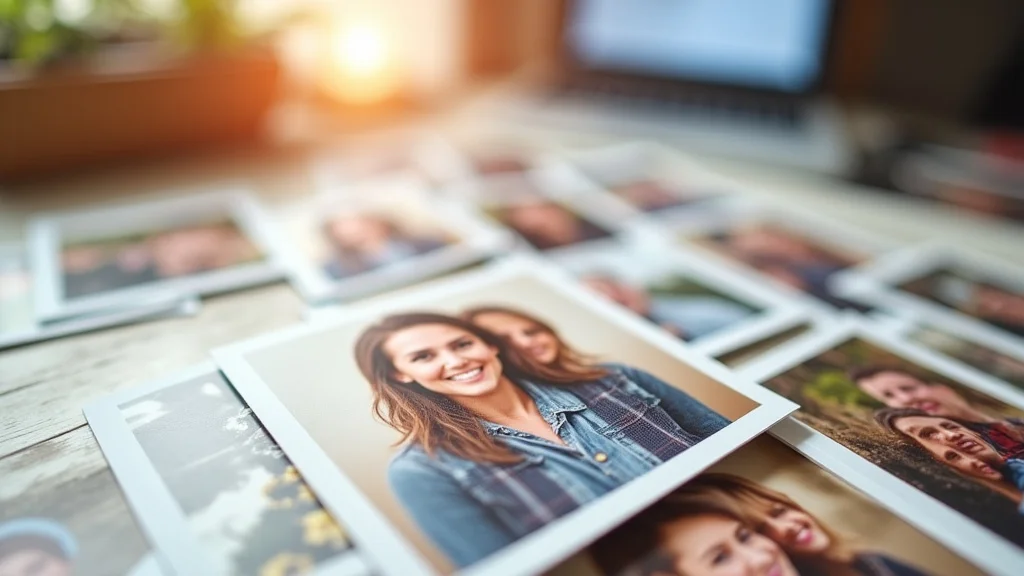
Remember that stack of photos from your last vacation? You know, the ones that are still trapped on your phone? Wouldn’t it be great to hold those memories in your hands? This guide will show you exactly how to get those precious moments off your screen and onto paper by printing 3×5 photos. Whether you’re a seasoned photographer or just starting out, we’ll cover everything from choosing the right printer to getting the perfect color balance. You’ll gain practical knowledge that makes printing 3×5 photos easy and enjoyable, turning your digital memories into tangible keepsakes. Get ready to transform your photos from pixels to physical prints!
Key Takeaways
- Learn the different methods for printing 3×5 photos, from home printers to online services.
- Discover the best paper types for 3×5 prints, ensuring your photos look their best.
- Get tips on image resolution and how it impacts the quality of your printed photos.
- Find out how to choose the right printer for your 3×5 photo printing needs.
- Explore how to optimize your images for the 3×5 format to achieve great results.
- Learn how to troubleshoot common printing issues, saving you time and frustration.
Getting Started With 3×5 Photo Printing
The beauty of a 3×5 print lies in its versatility. It’s the perfect size for wallets, scrapbooks, and even small picture frames. It’s also a more economical size for printing many images, allowing you to quickly create a collection of memories. But where do you begin? The good news is, printing 3×5 photos is easier than ever. You have several options at your fingertips, ranging from printing at home to using online services or visiting a local photo lab. Each method has its own advantages, so let’s explore your options. This will help you select the best approach for your individual needs and the type of prints you want to achieve.
Home Printing Advantages and Disadvantages
Printing your photos at home offers convenience and control. You can print anytime, and you can experiment with different settings and paper types to achieve the look you want. However, home printing also has some drawbacks. The initial cost of a printer can be significant, and you’ll need to invest in ink and paper regularly. Also, unless you have a high-quality photo printer, the results may not be as professional as those from a dedicated photo lab. Moreover, the colors might not be as vibrant, and the prints might fade more quickly over time if you don’t use archival-quality materials. Nonetheless, the ability to print on-demand makes home printing a popular choice for many.
- Convenience: Print photos whenever you want, without leaving your home.
- Control: Adjust print settings and experiment with different paper types.
- Cost: Initial printer costs, and ongoing expenses for ink and paper.
- Quality: May not match the quality of professional photo labs unless you have a high-end printer.
- Maintenance: Printers require cleaning and occasional maintenance.
Online Photo Printing Services
Online photo printing services offer a convenient way to print your photos without the hassle of buying and maintaining a printer. You upload your images to their website, choose your desired size and paper type, and they ship the prints directly to your door. These services typically offer a wide range of options, including different paper finishes and custom sizes. The quality is often very good, as these services use professional-grade equipment. The cost per print is usually lower than home printing, especially for larger quantities. However, you’ll need to wait for your prints to arrive, which might not be ideal if you need them urgently. It’s also wise to research customer reviews to ensure the service has a good reputation for print quality and customer satisfaction.
- Convenience: Upload and order prints from the comfort of your home.
- Quality: Professional-grade equipment often results in excellent prints.
- Cost: Generally more cost-effective than home printing, especially for bulk orders.
- Shipping: Requires waiting for the prints to be delivered.
- Options: Many offer various paper types, sizes, and additional services.
Local Photo Labs and Retail Stores
Local photo labs and retail stores provide another option for printing your 3×5 photos. These locations often have high-quality printers and knowledgeable staff who can help you with your printing needs. You can typically walk in, upload your photos, and have them printed on the spot. This option is great for those who need prints quickly or want to consult with an expert. The cost per print may be slightly higher than online services, but you gain the benefit of immediate access to your photos. Make sure to check the lab’s equipment and ask to see sample prints before committing to a large order. A good rapport with your local photo lab can prove beneficial for ongoing photography projects.
- Speed: Get prints quickly, often within minutes or hours.
- Expertise: Staff can provide assistance and advice on print settings.
- Quality: Professional-grade equipment usually ensures high-quality prints.
- Cost: May be slightly more expensive than online services.
- Accessibility: Requires a physical visit to the store or lab.
Choosing the Right Printer for 3×5 Photo Printing
If you decide to print your 3×5 photos at home, selecting the right printer is critical. Not all printers are created equal when it comes to photo quality. You’ll need a printer designed for photo printing, ideally one with a high resolution and a range of color cartridges. Researching before you invest in any printer will help you find the best value for your printing needs. This decision impacts not only the initial cost but also the ongoing expense of ink and paper. A good printer will provide you with stunning prints that you can treasure for years to come. Consider your budget, the frequency of your printing, and the quality you desire to ensure your photos truly shine.
Inkjet Printers: The Basics
Inkjet printers are the most common type of printers used for home photo printing. They work by spraying tiny droplets of ink onto paper. They can produce high-quality prints with vibrant colors and fine detail. When looking for a photo printer, consider one that uses individual ink cartridges for each color. This will allow you to replace only the colors you need, saving you money. Also, make sure the printer has a high resolution, measured in dots per inch (DPI). The higher the DPI, the more detail your prints will have. However, inkjet printers have their drawbacks; ink can be expensive, and prints can be susceptible to fading over time if you don’t use archival-quality ink and paper.
- Resolution: Measured in DPI; higher DPI means more detail in prints.
- Ink Cartridges: Individual cartridges save money by replacing colors as needed.
- Color Accuracy: Achieves a wide range of colors.
- Print Speed: Generally slower than laser printers for photo printing.
- Cost of Ink: Ink cartridges can be expensive over time.
Laser Printers for Photo Printing
Laser printers use a laser beam to create an image on a drum, which then transfers toner (a fine powder) onto the paper. While laser printers are known for their speed and efficiency, they have traditionally not been the best choice for photo printing. However, advanced laser printers are improving and can now produce prints that rival inkjet printers in quality. Laser printers often use a CMYK (Cyan, Magenta, Yellow, Key/Black) color model, which can be less effective at accurately reproducing photographic colors than the more complex color models used by some inkjet printers. The initial cost of a laser printer is often higher, but the cost per print can be lower over time because toner cartridges tend to last longer. Consider your budget and your primary use when choosing between laser and inkjet.
- Speed: Generally faster than inkjet printers, especially for text.
- Toner vs. Ink: Toner cartridges typically last longer than ink cartridges.
- Cost: Higher initial cost, but can be cheaper per print in the long run.
- Photo Quality: Can be less accurate than inkjet printers for photographic colors.
- Best Use: Excellent for printing text documents and graphics.
Key Features to Look For in a Photo Printer
When choosing a printer for printing 3×5 photos, look for features that enhance photo quality and usability. The printer’s resolution is a primary factor; the higher the DPI (dots per inch), the better the detail. Also, look for a printer that supports borderless printing; this lets you print your photos to the edge of the paper without white borders. The number of ink cartridges can also impact the quality; printers with more cartridges (such as those using six or more colors) can produce a wider range of colors and more accurate tones. Other important features include the ability to print directly from memory cards or your mobile device and the ease of use of the printer’s software.
- High Resolution: Ensures sharp and detailed prints (aim for at least 600 DPI).
- Borderless Printing: Allows for edge-to-edge printing without white borders.
- Multiple Ink Cartridges: Offers a wider color gamut and more accurate color reproduction.
- Connectivity Options: Supports Wi-Fi, USB, and memory card readers.
- Paper Handling: Ensure it can handle 3×5 photo paper.
Image Resolution and Quality
The resolution of your images is critical for the quality of your 3×5 prints. Resolution refers to the number of pixels in your image. A higher resolution image has more pixels, which means it will have more detail. When you print, the printer takes the pixels in your image and converts them into tiny dots on the paper. If the resolution is too low, the dots will be too large, and the image will look blurry or pixelated. The best image resolution for a 3×5 print is generally 300 DPI (dots per inch). This means that for every inch of your print, there will be 300 dots of ink. However, the image resolution needs to be considered before you print, and it can also be adjusted.
Understanding DPI and PPI
DPI (dots per inch) and PPI (pixels per inch) are related but distinct concepts. DPI refers to the number of ink dots the printer puts on paper, while PPI refers to the number of pixels in an image. When you’re preparing your images for printing 3×5 photos, understanding both is important. The ideal resolution for a 3×5 print at 300 DPI would be 900 x 1500 pixels. To avoid blurry results, make sure your photos are high-resolution, or upsample (increase the pixel count) before printing, if needed. Keep in mind that upsampling can sometimes reduce image quality; so, it’s best to start with the highest resolution original image possible.
- DPI: Dots per inch; measures the printer’s output resolution.
- PPI: Pixels per inch; measures the image’s input resolution.
- Relationship: DPI in printing is based on the image’s PPI.
- Image Quality: Higher PPI and DPI generally result in higher quality prints.
- File Size: Higher PPI images have larger file sizes.
Checking and Adjusting Image Resolution
Before printing, it’s essential to check the resolution of your images. Most photo editing software, such as Adobe Photoshop or GIMP, allows you to view and adjust the image resolution. Open your image in the software and look for the “Image Size” or “Resolution” option. This will show you the current resolution (PPI) and the dimensions of the image. If the resolution is too low, you can often increase it using the software’s “Resample” or “Resize” feature. Be aware that increasing the resolution often comes at a cost, however. Consider the impact it will have on your photo’s overall quality. Ensure that you don’t over-resample, as this can introduce artifacts and noise, resulting in a less detailed print. It’s often better to start with a high-resolution image.
- Open Image in Software: Use photo editing software like Photoshop or GIMP.
- Find Image Size: Locate “Image Size” or “Resolution” in the menu.
- Check Resolution: View the current PPI and image dimensions.
- Adjust Resolution: Increase resolution if needed, but be mindful of the impact.
- Resample Options: Use resample features to change image dimensions while adjusting resolution.
Impact of Resolution on Print Quality
The resolution of your image directly impacts the quality of your 3×5 prints. A low-resolution image will appear pixelated, with visible individual squares, when printed at this size. The detail will be lost, and the print will look blurry. On the other hand, a high-resolution image will look sharp and detailed, with fine lines and a smooth appearance. The difference in quality can be dramatic, especially for photos with intricate details. If you’re printing from a mobile phone, be sure to use the highest resolution setting available. Remember, it’s always better to start with a higher resolution image and downscale, if necessary, rather than trying to increase the resolution of a low-resolution image.
Consider the following examples:
- Low Resolution: A 72 PPI image, when printed as a 3×5, would likely appear pixelated and blurry.
- Medium Resolution: A 150 PPI image may be acceptable, but could still lack fine detail.
- High Resolution: A 300 PPI image will offer optimal sharpness and detail for a 3×5 print.
Paper Types for 3×5 Prints
The type of paper you use for your 3×5 prints has a large impact on the final result. Different papers are designed to work with different ink types and have different surfaces and finishes. Choosing the right paper will ensure your prints look their best and last for years to come. From glossy to matte, the paper type you select affects the color saturation, sharpness, and overall look and feel of your photos. This will not only impact how your photos look, but it will affect how well they last over time.
Glossy Photo Paper
Glossy photo paper is a popular choice for 3×5 prints because of its shiny, reflective surface. It enhances the colors and contrast in your photos, making them appear more vibrant and detailed. Glossy paper is excellent for photos with bright colors, such as landscapes, portraits, and travel photos. The downside is that glossy paper can be prone to fingerprints and glare. It may also show scratches more easily. However, many people prefer its polished look. Choose glossy paper if you want your photos to have a bright, eye-catching appearance. Remember that the reflective surface will make the paper harder to view in direct light.
- Vibrant Colors: Enhances color saturation and contrast.
- Sharpness: Creates a detailed and clear image.
- Reflective Surface: Prone to fingerprints and glare.
- Best For: Portraits, landscapes, and photos with bright colors.
- Cost: Usually slightly more expensive than matte paper.
Matte Photo Paper
Matte photo paper has a non-reflective surface, which is ideal if you want prints that are easy to view in any lighting conditions. It offers a more understated and elegant look. Matte paper produces prints with a softer appearance, making it a good choice for black-and-white photos, portraits, and photos with a vintage aesthetic. It’s also less prone to fingerprints and scratches. Matte paper will not show glare. However, colors may not appear as vibrant as on glossy paper. If you’re looking for a classic, sophisticated look, and if you plan to share prints with people who don’t want to worry about fingerprints or glare, then matte paper may be the best choice.
- Non-Reflective Surface: Reduces glare and fingerprints.
- Softer Appearance: Creates a more subtle, elegant look.
- Durability: Less prone to scratches.
- Best For: Black-and-white photos, portraits, and vintage aesthetics.
- Color: Colors may appear less vibrant than on glossy paper.
Other Paper Options
Besides glossy and matte, other paper options offer unique characteristics and can enhance your 3×5 prints. Semi-gloss or satin paper offers a balance between the reflectivity of glossy paper and the non-reflective quality of matte paper. It provides a subtle sheen that enhances colors without the extreme glare. Metallic paper has a pearlescent finish that adds a unique, shimmering effect to your prints, making them ideal for portraits and special occasions. Fine art paper, such as watercolor or textured paper, adds a unique feel to your prints, making them a great choice for artistic photos or special gifts. When you choose the best paper for your images, think about the final use, along with the look and feel you want to achieve.
- Semi-Gloss/Satin: Balances glossy and matte properties; offers a subtle sheen.
- Metallic: Adds a pearlescent, shimmering effect for portraits and special occasions.
- Fine Art: Features textured surfaces like watercolor paper.
- Archival: Designed to preserve your photos over a long time.
- Considerations: Think about your photo’s subject, lighting, and intended use.
Optimizing Images for 3×5 Printing
Optimizing your images for 3×5 printing can make a big difference in the final result. There are several adjustments you can make to your images to ensure they look their best when printed at this size. This includes adjusting the aspect ratio, color, and contrast. In addition, you may have to deal with the limitations of the 3×5 print size. By making adjustments before you print, you can prevent unwanted surprises and ensure your photos look great. Good image optimization can turn a nice photo into a stunning print.
Aspect Ratio Adjustments
The aspect ratio of your image is the ratio of its width to its height. A standard 3×5 print has an aspect ratio of 3:5, which means the width is 3 units for every 5 units of height. If your original image has a different aspect ratio, you’ll need to adjust it to fit the 3×5 format. You have several choices: you can crop the image to fit the 3:5 ratio, leaving some of the original image out, or you can add borders to the top and bottom or sides of the image to fill the space. Consider what part of the photo is most important to preserve, and crop accordingly. Remember, it’s better to lose some of the photo than to distort it by stretching or squeezing it to fit the format.
- Understand Aspect Ratio: It is the ratio of width to height.
- 3×5 Aspect Ratio: 3:5 is the aspect ratio of 3×5 prints.
- Cropping: Crop the image to fit the 3:5 ratio.
- Adding Borders: Add borders to fill space.
- Distortion: Avoid stretching or squeezing to fit.
Color Correction and Enhancements
Color correction and enhancement are essential steps for optimizing your images for printing 3×5 photos. Even if your photos look great on your screen, they may not translate perfectly to paper. The colors of your screen might be calibrated differently than your printer’s output. Use photo editing software to adjust the color balance, contrast, and saturation of your images. Often, a slight adjustment can make a big difference in the final print quality. Make sure your photos have a high-quality color profile. Pay close attention to the highlights, shadows, and mid-tones, making sure all three are well-balanced. Then, do some test prints to check the colors before you print a large batch.
- Color Balance: Adjust overall color tones.
- Contrast: Enhance the difference between light and dark areas.
- Saturation: Increase or decrease color intensity.
- Test Prints: Print a small batch before printing a large number.
- Software: Use photo editing software for adjustments.
Final Preview and Proofing
Before you print your 3×5 photos, always do a final preview and proof. This involves looking at the image in your printing software to see how it will appear on the paper. Many programs offer a “soft proofing” feature that simulates what the print will look like, allowing you to fine-tune the color and contrast. You can make final adjustments based on your preview. Make a test print of a small batch of your photos and inspect them carefully, paying attention to colors, details, and overall appearance. Once you’re satisfied, go ahead and print the full set. Good proofing can save you time and money and guarantee your final prints are perfect.
- Preview in Software: See how the image will appear when printed.
- Soft Proofing: Simulate the print’s appearance.
- Color and Contrast: Adjust these settings.
- Test Print: Print a small number for final adjustments.
- Check Details: Check colors, details, and overall appearance.
Troubleshooting Common Printing Issues
Even with careful preparation, you may encounter some issues when printing 3×5 photos. These problems can range from blurry images to incorrect colors. Being prepared to handle these problems will help you get the best possible results. Learn how to address these common challenges and save yourself frustration and wasted paper and ink. With a little troubleshooting know-how, you can resolve problems and enjoy your photos.
Blurry or Pixelated Prints
Blurry or pixelated prints are a common issue that can ruin your photos. This usually happens because the image resolution is too low for the print size. Make sure your image resolution is adequate, typically 300 DPI for a 3×5 print, before printing. Double-check your printer settings to ensure that the print quality is set to “best” or “photo.” It’s also wise to check your printer’s nozzle check, which verifies that all the print nozzles are working correctly. Also, make sure that your paper is compatible with your printer and that you have loaded the paper correctly. Check your software for errors. If the image continues to be blurry, try printing a smaller size. This will make it easier to fix any quality issues before printing a full batch.
- Resolution: Ensure the image resolution is high enough (300 DPI).
- Print Settings: Select the highest quality setting.
- Nozzle Check: Check that all print nozzles are functioning.
- Paper: Use paper compatible with your printer.
- Software: Check for errors or incorrect settings.
Incorrect Colors or Color Casts
Incorrect colors or color casts can make your photos look unnatural. This issue often results from improper color calibration or settings. Begin by calibrating your printer using the software that came with your printer. Then, in the printer settings, select the correct color profile for your paper type. You can often choose the paper type from a drop-down menu in your printing software. In your photo editing software, double-check that your color profile is correct. Another option is to do a test print of the image and compare it to the original. This will show how well your colors are translating from screen to print. If you see significant color differences, adjust your color settings, or contact your photo printer for assistance.
- Printer Calibration: Calibrate your printer using its software.
- Color Profile: Choose the correct profile for your paper type.
- Software: Check and adjust the color profile in your editing software.
- Test Prints: Print a sample and compare it to the original.
- Assistance: Contact technical support if issues persist.
Paper Feed and Jamming Problems
Paper feed and jamming problems can be frustrating. These issues usually result from using the wrong type of paper, loading the paper incorrectly, or a problem with your printer’s mechanical components. Ensure you’re using paper compatible with your printer and that it is designed for photo printing. Always load the paper correctly, according to your printer’s manual. Make sure the paper is flat and that the paper tray isn’t overloaded. Examine your printer for debris or obstructions. If paper jams continue, try cleaning the printer rollers or contacting your manufacturer for support.
- Paper Type: Use compatible photo paper.
- Loading: Load paper correctly according to the manual.
- Paper Condition: Use flat, unbent paper.
- Tray: Do not overload the paper tray.
- Maintenance: Clean or repair printer rollers.
Common Myths Debunked
Myth 1: Any Printer Is Fine for Photo Printing
Many people believe that any printer can produce high-quality photo prints. That is not true. While a standard printer can print text and basic graphics, it may not produce the quality you want for your photos. Photo printers are designed for this. They often have higher resolutions, more color cartridges, and other features that enhance the appearance of your prints. If you want high-quality prints, look for a dedicated photo printer, not just a general-purpose one.
Myth 2: Glossy Paper Always Produces the Best Results
It is often thought that glossy paper is the best choice for all photos. However, it’s essential to understand that while glossy paper does enhance color and contrast, it’s not the best choice for all images. Matte paper, with its non-reflective surface, is more suited for black-and-white photos, portraits, and photos displayed in environments with strong lighting. It provides a more sophisticated look. Choose the paper that best fits the subject and how you want the photo to look.
Myth 3: High DPI Always Guarantees Perfect Prints
Although a high DPI is critical for print quality, it does not guarantee perfect prints. Other factors, like the image resolution, color calibration, and printer quality, all play a role. If your source image is low resolution, a high DPI printer won’t make it look better. Similarly, if your printer isn’t calibrated correctly, or the paper isn’t compatible, the prints won’t be optimal. The goal is to work with the best settings and tools to reach the maximum print quality.
Myth 4: Inkjet Printers Are Always Better than Laser Printers for Photos
The idea that inkjet printers are always better than laser printers for photos is an outdated one. While inkjet printers have been the standard for photo printing, laser printer technology is catching up. Modern, high-end laser printers can now produce high-quality photo prints that are very close to inkjet prints in quality. Laser printers also offer benefits such as speed and efficiency. The “best” choice depends on your needs. Consider your budget, volume of printing, and the type of prints you want to achieve.
Myth 5: You Can’t Fix a Poorly Printed Photo
Many assume that a poorly printed photo is beyond repair. Sometimes, however, you can improve the appearance of a bad print. Try fixing a badly printed photo by adjusting settings in your photo editing software, reprinting, or adjusting the quality settings of your printer. For example, some minor color imbalances can be fixed in a photo editor. If the color or quality problems still persist, explore other paper types or color profiles. While some damage might not be fixable, you can often improve the results.
Frequently Asked Questions
Question: What is the best resolution for 3×5 prints?
Answer: The ideal resolution for 3×5 prints is 300 DPI, which translates to an image size of 900 x 1500 pixels.
Question: What type of paper should I use for 3×5 photos?
Answer: Glossy photo paper is a popular choice for vibrant colors and detail, while matte paper is better for a non-reflective, softer appearance.
Question: Can I print 3×5 photos on any printer?
Answer: While you can print on any printer, photo printers are better suited because of their higher resolution and features.
Question: How do I adjust the aspect ratio of my photos for 3×5 printing?
Answer: You can crop the image or add borders to fit the 3:5 aspect ratio of a 3×5 print.
Question: What should I do if my prints are blurry?
Answer: Ensure your image resolution is adequate (300 DPI) and that your printer settings are set to high quality.
Final Thoughts
Mastering the art of printing 3×5 photos opens a world of opportunities. From the convenience of printing at home to the quality of professional services, you now have the knowledge to create stunning physical prints. Remember that the right printer and the correct paper can bring your photos to life. By understanding image resolution and optimizing your photos, you’ll ensure sharp, vibrant prints. Also, you have the know-how to handle common printing issues. Now it is time to start creating those beautiful 3×5 prints. Grab your favorite photos, experiment with different settings, and start transforming your digital memories into keepsakes.