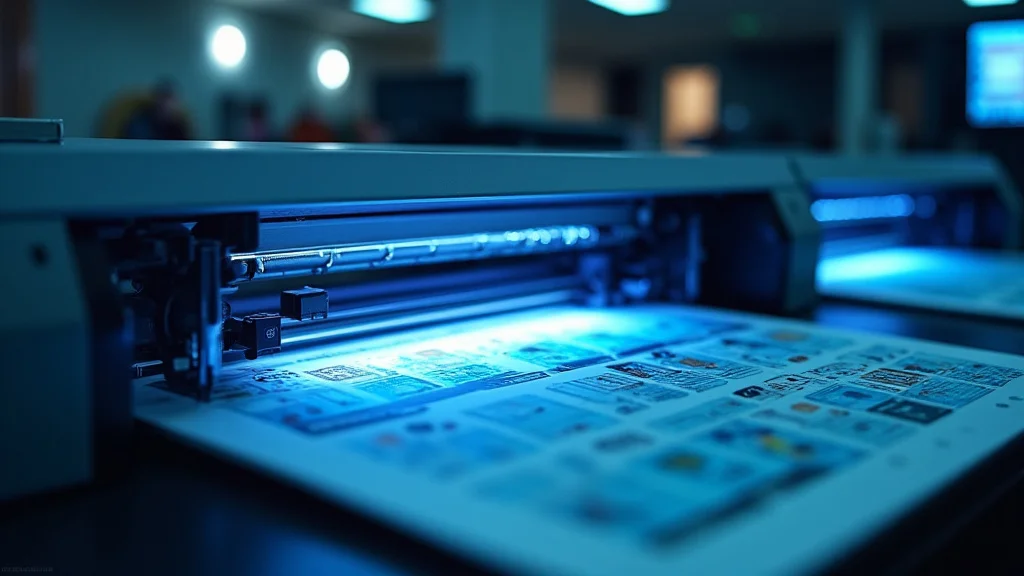
Remember that time you needed wedding invitations and the print quality was awful? Or how about those brochures for your business that looked dull and unprofessional? Choosing the right printing company can be the difference between making a lasting impression and fading into the background. This guide explores everything you need to know about print services. You’ll gain a solid grasp of different print technologies, paper types, and how to select the best printing company for your needs, increasing your knowledge and reducing frustration.
Key Takeaways
- Discover various printing technologies and their suitable applications.
- Learn about different paper types and their impact on your printed materials.
- Understand the importance of design and file preparation for optimal print results.
- Explore factors to consider when choosing a printing company.
- Gain insights into post-press processes, like binding and finishing.
- Explore how to make informed decisions for your print projects.
Exploring Printing Technologies
The print industry relies on several different technologies to bring your ideas to life. Each method has specific advantages, making it suited for various types of projects, and understanding these differences will assist you in making informed choices. The method chosen by your printing company can vastly affect the look, feel, and price of your final product. From simple flyers to elaborate packaging, the right technology ensures quality.
Offset Printing: The Workhorse
Offset printing remains a standard for high-volume jobs because of its efficiency and cost-effectiveness. This method transfers ink from a plate to a rubber blanket, which then rolls the ink onto the paper. It is a time-tested process that offers excellent results for large print runs, like books, magazines, and marketing materials. This technique is especially advantageous when printing projects require color accuracy and detail.
- High-Volume Printing: Offset printing excels in producing large quantities of printed materials, making it ideal for bulk orders. This efficiency lowers the cost per unit, which benefits businesses that need a large number of copies.
- Superior Image Quality: Offset printing provides exceptional color accuracy and detail. The plates used in the process can capture fine lines and small text with great clarity. This high level of detail is critical for projects where image quality is important.
- Cost-Effective for Large Runs: While setup costs for offset printing may be higher than those of digital methods, the cost per unit decreases significantly as the print run increases. This makes it a cost-effective option for large print volumes.
- Versatility in Paper Types: Offset printing can handle a broad selection of paper types, from thin newsprint to heavy cardstock. This flexibility allows for various projects.
The speed of offset printing comes from its automated nature. Once the plates are set, the presses can run at high speeds, churning out thousands of prints per hour. This speed translates to faster turnaround times, which is important for projects with tight deadlines. The method works well for those with consistent volume needs.
The ink lays down on the paper evenly, which results in rich colors and sharp images. This consistency ensures that the final product looks professional and eye-catching. The ability to reproduce a wide range of colors is another strong suit.
The initial investment in plates and setup costs is spread across all of the prints, which lowers the cost per piece as the number of prints rises. This makes offset printing a good option when you require many copies, such as for catalogs, brochures, or marketing materials.
Different paper types impact how colors appear and how the product feels. Offset printing easily adapts to accommodate these different surfaces. The ability to use specialized papers also gives more options for creating a unique look and feel.
Digital Printing: Speed and Flexibility
Digital printing is ideally suited for short runs, variable data printing, and jobs needing fast turnaround times. Digital printers directly apply ink or toner to paper from a digital file. This removes the need for printing plates, which reduces setup time and cost. The method’s ability to print on-demand makes it useful for personalized prints, proofing, and projects with variable data like names or addresses.
- On-Demand Printing: One key benefit of digital printing is the ability to print materials as needed. This helps to reduce waste and eliminates the need for large print runs.
- Variable Data Printing: Digital printing is perfect for personalizing printed materials. This involves customizing each print with information specific to the recipient.
- Fast Turnaround Times: Digital printing often means quick turnaround times. Because setup is minimal, digital jobs can be printed very quickly.
- Cost-Effective for Short Runs: Digital printing removes the need for printing plates, which cuts down on setup costs, making it a good selection for shorter runs.
This on-demand approach is beneficial for businesses that need to adjust marketing materials. It allows for revisions and updates, which keeps messaging fresh and tailored. The capacity to print only what is required is a solid money-saver.
Variable data printing has become common in direct mail campaigns, where each piece is unique and personalized. This personalization helps increase engagement and response rates, making it an extremely effective marketing tool. It has changed the way businesses connect with their customers.
The fast turnaround times of digital printing are beneficial for projects with strict deadlines. This efficiency allows for faster revisions and quicker delivery. For those needing print products right away, digital printing is a good selection.
When the print volume is small, the setup costs of offset printing can make the project more expensive overall. Digital printing overcomes this barrier and provides a reasonable option for projects with small order sizes, such as business cards and promotional flyers.
Specialty Printing Techniques
Beyond offset and digital, various specialty methods can add a distinct touch to your project. These include screen printing, which is excellent for bold colors and textured effects, and letterpress, which provides a classic, embossed look. These specialized techniques are great for creating luxury packaging, custom stationary, and unique marketing materials.
- Screen Printing: Screen printing uses a mesh screen to transfer ink onto a surface. It is very effective for printing on various materials, like fabric, paper, and plastic.
- Letterpress Printing: Letterpress creates a unique textured effect by pressing raised letters or designs into paper. It produces a luxurious, tactile feel.
- Foil Stamping: Foil stamping involves applying metallic or colored foil to a surface using heat and pressure. It gives a shiny, luxurious finish.
- Embossing and Debossing: Embossing and debossing create raised and recessed designs on paper. Embossing raises the paper, while debossing creates a depressed area.
It’s often utilized for printing t-shirts, posters, and other items where bold colors and thick ink layers are important. The technique can also handle unusual substrates like wood or metal. Screen printing produces durable prints resistant to fading and wear.
Letterpress is regularly used for high-end business cards, invitations, and stationery. The imprint creates a subtle but important detail that sets products apart. It gives printed materials a high-quality feel.
This is regularly used for enhancing book covers, packaging, and business cards. The process adds elegance and catches the eye, making items look elegant and visually appealing. Foil stamping is excellent for drawing attention to specific design elements.
These techniques add dimension and texture to printed materials, making them unique. Embossing is often used for logos, creating a sensory experience that elevates your brand identity. It’s often used on packaging and stationery.
Selecting the Right Paper and Materials
The choice of paper impacts your print job’s overall look, feel, and durability. Different paper types provide different visual and tactile experiences. From the texture and weight to the finish and thickness, selecting the correct paper is important for achieving the results you desire. Beyond paper, other materials like cardstock, vinyl, and canvas can broaden your options.
Paper Types and Their Characteristics
Understanding the properties of different paper types is important for making smart choices. Each type offers specific characteristics that suit various project types. The correct selection of paper can enhance the visual appeal, tactile experience, and lifespan of your printed materials.
- Coated Paper: Coated paper has a special coating that improves ink holdout and color reproduction. It’s common in brochures, magazines, and marketing materials.
- Uncoated Paper: Uncoated paper lacks a coating, giving it a natural feel. It is frequently used for stationary, envelopes, and certain book pages.
- Specialty Paper: Beyond standard paper types, many specialty options enhance your print projects. These include textured papers, which offer tactile experiences, and metallic papers that give a unique metallic sheen.
- Paper Weight and Thickness: Paper weight is measured in pounds (lb) or grams per square meter (gsm). It impacts the thickness and sturdiness of the paper.
This coating makes the surface less absorbent, which helps colors appear more vivid and details sharper. Coated paper comes in various finishes, including gloss, matte, and silk, which provide different visual and tactile properties. The coating adds smoothness, which helps colors pop.
Uncoated paper absorbs ink more readily, which makes it good for writing and marking. Its textured surface can give a more classic or rustic look. While colors may appear less vivid compared to coated paper, uncoated options are excellent for projects where a natural look and feel are wanted.
Specialty paper provides distinct visual effects that make your materials memorable. Textured papers can add sophistication to business cards and invitations. Metallic papers can be used to capture attention on packaging and promotional materials. These selections permit you to set your materials apart from the competition.
Paper weight affects how your materials look and feel. Thicker paper is more durable, making it good for business cards and covers. Lighter paper is often used for letterheads or flyers. The correct weight enhances the quality of your printed products. The paper you pick should match your project’s function.
Choosing the Right Finish
The paper finish impacts the look and feel of your printed materials. Finishes impact how colors appear, how the paper reflects light, and its overall tactile properties. Choices will depend on the needs of your project. Each finish creates a distinct aesthetic, enabling you to highlight important elements.
- Gloss: Gloss paper has a shiny surface that increases the vibrancy of colors and enhances the look of images. It is commonly used for promotional materials like brochures, flyers, and catalogs.
- Matte: Matte paper provides a non-reflective, flat surface that makes printed items readable and classy. It’s perfect for projects like books, newsletters, and business cards.
- Silk: Silk paper is a mix of gloss and matte, giving a smooth surface and good color reproduction with reduced glare. It provides a balance between gloss and matte options.
- Other Finishes: Other options include specialty finishes like linen, which simulates the feel of fabric, and textured finishes, which add unique tactile experiences.
The glossy finish reflects light, which makes colors appear richer and more saturated. Gloss papers often draw the eye. However, they may create glare under some lighting conditions. Gloss provides a professional appearance and can make graphics pop.
The matte finish is ideal when readability is important, as it does not reflect light. Matte paper gives a refined appearance and adds a high-quality feel. It’s often favored for projects that require a sophisticated look without glare.
The silk finish is suitable for a wide variety of print projects. It has a slight sheen that enhances colors without the strong glare of a gloss finish. It offers a premium feel and provides excellent image quality.
These finishes add a premium feel to your prints and improve their aesthetic appeal. These finishes are used in high-end projects where distinctive, tactile characteristics are required. Special finishes add depth and visual appeal.
Material Selection Beyond Paper
While paper is a standard, other materials add versatility to your print projects. The material chosen influences the functionality, durability, and aesthetics of your materials. Different applications are suited to different material choices, from adhesive options to specialized canvases.
- Cardstock: Cardstock is a heavier paper used for business cards, postcards, and invitations, which provides strength and a more premium feel.
- Vinyl: Vinyl is a durable, waterproof material used for signs, banners, and stickers. It is great for outdoor use.
- Canvas: Canvas is a material that is often used for art prints and photo reproductions. It has a textured surface that gives prints an authentic look.
- Adhesive Materials: Adhesive materials like stickers, labels, and decals are used for various applications, like branding, product labeling, and promotions.
It’s stronger and more durable than standard paper, which makes it good for items that need to last. The variety of finishes and weights provides many options. Cardstock adds a professional look.
Vinyl’s resistance to weather conditions and wear makes it ideal for projects needing long-term resilience. Vinyl is also flexible and adaptable, so it can be applied to various surfaces. It’s often used for advertising.
The canvas provides a unique, artistic finish that is popular for galleries and displays. The texture improves visual depth and gives prints a unique feel. Canvas is a solid choice for prints that feel special.
These materials offer strong adhesion, making them appropriate for a variety of surfaces. They come in many sizes, forms, and finishes, allowing for custom applications. The adhesive adds versatility to your print projects.
File Preparation and Design
How your files are set up directly affects the quality of your print job. Correct file prep and design are critical for getting the results you need. These include aspects like color modes, image resolution, and proper bleeds. Clear prep ensures your project will look as intended, helping avoid delays and expensive mistakes.
Color Modes: CMYK vs. RGB
Color mode selections are a critical aspect of file prep. The color model determines how colors are reproduced in your prints. The choice of CMYK or RGB affects how the colors will look and the accuracy of the finished product. Color mode selection is critical for achieving your design goals.
- CMYK: CMYK, which stands for cyan, magenta, yellow, and key (black), is used for the printing process. It’s a subtractive color model that combines these colors to create the entire spectrum.
- RGB: RGB, which stands for red, green, and blue, is used in digital displays, such as monitors and screens. It’s an additive color model, which means that the colors are created by combining light.
- Color Conversion: When preparing your design for print, you must convert it to CMYK. Most design software can do this.
- Color Matching Systems: For special color accuracy, consider Pantone Matching System (PMS) colors. PMS provides a standardized color matching system, which makes it easy to specify exact colors.
Printing companies use CMYK to produce colors by blending inks on paper. When converting your files to CMYK, you are making sure the colors will accurately match the printed output. This prevents surprising color shifts.
Using the RGB color mode can result in color shifts when printing. Colors can appear different on the screen compared to the final printed product. It’s critical to convert your design to CMYK for accurate color reproduction during printing.
When you convert, you are making sure that the colors you see on your screen will closely match the final printed product. Conversion is an important step to prevent unexpected color results and ensure your design’s look.
This allows for consistency across various print runs and printers. Using PMS ensures that the colors in your prints are consistently produced. PMS is especially beneficial for branding when color accuracy is required.
Resolution and Image Quality
Image resolution and quality are essential for obtaining sharp, detailed prints. The resolution affects how clear your images appear on the printed output. A high resolution ensures that the details and lines remain crisp, even after the printing process. Proper resolution is essential for professional results.
- Resolution Requirements: The recommended resolution for print is 300 dots per inch (DPI). This means that for every inch of your image, the printing company will print 300 dots, which is a high level of detail.
- Image Types: You will generally use two primary image types for printing: raster images and vector images. Raster images use a grid of pixels, while vector images use mathematical equations.
- Vector Graphics: Vector graphics are created using paths, lines, and curves, which allows for scaling without loss of quality. These graphics are commonly used for logos and illustrations.
- Raster Images: Raster images are composed of a grid of pixels and are resolution dependent. Photos and detailed images are usually raster images.
Images should have enough pixels to maintain quality when printed. The resolution assures that details are not lost and that the final print is clear and sharp. High resolution also avoids pixelation.
Raster images, like those from photos, are resolution dependent, which means that their quality decreases if you enlarge them. Vector images, such as logos, are resolution independent and will stay sharp at any size. Picking the proper image type helps retain image quality.
Vector graphics guarantee that details and lines stay sharp at any size. This is perfect for graphics like logos that will be used in many different sizes. Vector graphics are ideal for achieving professional quality.
Raster images will lose some quality when enlarged, so it is necessary to make sure they are a high enough resolution when preparing files for print. The higher resolution of raster images assures that details are clear and the printed product is clear.
Bleeds, Margins, and Safety Zones
Bleeds, margins, and safe zones are essential for getting professional print results. These components make sure that your design elements appear correctly on the final product. Setting these parameters guarantees that no essential content is cut off and that the design looks polished. Correct setup prevents errors during the printing process.
- Bleed: Bleed is an extension of the design beyond the edge of the finished print. It ensures that colors or images extend all the way to the edge without a white border.
- Margins and Safe Zones: Margins are the area within the document that you keep free of essential design elements to avoid them being cut off. The safe zone is within the margins.
- File Format: When exporting your files for print, use print-ready formats, like PDF/X-1a, which is designed for printing. These formats keep all your design details intact.
- Proofreading and Review: Before submitting your files, carefully proofread the design and text, and review them for errors. This can help you catch any errors before the printing starts.
When cutting, minor shifts can occur, so the bleed gives some room for error, guaranteeing that the design reaches the edge. Without a bleed, there may be unwanted white edges. Bleed is important for a polished, finished look.
Margins make sure that the text and other important information are placed safely away from the edges. When setting up your design, remember these zones to avoid any information being cut off. Correct placement is important to protect the contents.
PDF/X-1a embeds the fonts, colors, and images, which guarantees that all parts of your design render properly. Proper formats guarantee compatibility with the printing company’s equipment. The right file format reduces the chance of errors.
Review the layout, and confirm that all parts of the design are in place. Proper proofing and review catch problems early on. A review ensures accuracy and quality.
Choosing a Printing Company
Selecting the right printing company is essential for the success of your project. The right selection helps ensure that your print project is completed well, on time, and within budget. Various considerations, like equipment, services, and reputation, should be evaluated to get the best results.
Assessing Capabilities and Services
When choosing a printing company, consider its capabilities and the services it offers. These factors will assist you in determining if the provider can meet your project requirements. Check their services to make sure they match your requirements. Evaluating these criteria ensures a well-matched partnership.
- Printing Technologies: Ensure that the printing company has the required equipment to perform your print project. This could include offset, digital, or specialty printing.
- Finishing Services: Think about the services the company offers, such as cutting, binding, and folding. These are important for completing your project.
- Design and Prepress Services: Some printing companies provide design and prepress services, which is useful if you require assistance with file prep.
- Capacity and Turnaround Time: Review the print company’s capacity and turnaround times. Make sure they can meet your deadlines, especially when working on a project with strict deadlines.
Consider the types of jobs you usually do and select a company that is suited to your needs. This helps ensure that the company has the capacity to produce quality results, which matches your requirements. A wide variety of services is useful.
If you require specialized finishing, confirm that the printing company offers these options. Finishing services are important to give your final product a professional look and feel. Having all these services ensures a smoother production process.
If you don’t have a designer, confirm if the company can help with design or file preparation. These services can improve the overall quality of your project and save time. These additional services give a lot of help.
Confirm that the company can handle the volume of your project. Fast turnaround times are important for projects. A solid capacity helps meet your schedule.
Evaluating Quality and Reputation
The quality and reputation of the printing company should be top considerations. Assessing the quality of the company’s work, their customer service, and their reputation are important factors. These aspects assist you in determining if the printer will meet your quality standards and provide a great customer experience.
- Portfolio and Samples: Request to view the print company’s portfolio and samples. This allows you to evaluate their work quality and see if their style matches your needs.
- Client Reviews and Testimonials: Look at client reviews and testimonials to learn about their reputation and customer service. Reading feedback gives you information about their reliability and customer satisfaction.
- Quality Control Process: Inquire about the company’s quality control process to find out how they ensure the print quality. A thorough process helps minimize defects.
- Sustainability Practices: If it’s a priority for you, inquire about the company’s sustainability practices. This helps you select an environmentally-conscious provider.
See examples of projects similar to yours and evaluate the print quality, color accuracy, and finishing. The portfolio provides insight into their expertise. A sample shows their quality and expertise.
Seek information on their turnaround times, communication, and their ability to solve issues. Positive reviews show a strong reputation. Testimonials give you helpful insights into customer experiences.
Ask about proofing procedures, inspection protocols, and measures to manage color accuracy. Companies with good quality control are committed to delivering high-quality print. Quality control ensures you get great results.
Search for a company that uses eco-friendly materials and methods. The sustainable practices reflect their responsibility. Sustainable practices align with responsible production.
Comparing Costs and Quotes
Comparing costs and quotes from various printing companies will help you budget for your print project. This process assists you in getting competitive pricing while ensuring you get the best value for your money. Understanding the price structure and what is included in each quote is also important.
- Requesting Quotes: Request quotes from multiple printing companies. Clearly specify your project requirements, including the print job’s details, such as size, quantity, paper type, and finishing options.
- Understanding Pricing Structure: Understand the pricing structure of each quote. Several cost elements, such as setup costs, the cost per unit, and finishing charges, are involved.
- Comparing Apples to Apples: Compare quotes on a similar basis, ensuring that all quotes include the same services and options. This permits you to make an accurate comparison.
- Hidden Costs and Extras: Be aware of any hidden costs or extra charges that may not be shown in the initial quote. Inquire about possible extra fees.
Give all the necessary information to ensure that each quote is accurate. This gives you a clear idea of the pricing of your project. Accurate estimates will make sure that the bids are appropriate.
Understand how each company determines its costs and make sure you understand the cost structure. Understanding the pricing prevents surprises later. A good understanding ensures transparency.
Focus on comparing the overall cost, quality, and turnaround times. The goal is to compare quotes efficiently. Ensure that you compare all things. That is the only way to pick the proper solution.
Confirm if charges like shipping, design modifications, or special finishing processes are extra. Knowing the added charges permits you to manage your budget and prevent surprises. Knowing the hidden charges is essential.
Post-Press Processes and Finishing Options
Post-press processes are important for completing your print projects and providing them with a finished look. These procedures turn printed sheets into functional products that are ready for use. From cutting and folding to binding and special finishes, post-press processes increase the usefulness and aesthetics of your print materials.
Cutting, Folding, and Binding
Cutting, folding, and binding are vital for preparing your printed materials for their intended purpose. These procedures change the size, form, and overall structure of your prints. Accurate cutting, precise folding, and reliable binding guarantee that your materials look professional and work well.
- Cutting and Trimming: Cutting and trimming are used to provide the desired shape and size for printed materials. This gives them a clean, professional edge.
- Folding: Folding is the procedure of bending printed sheets to produce the desired format. The method selected relies on the product’s type.
- Binding: Binding is the process of putting pages together to create books, magazines, and other bound products. This is key for creating long-lasting, easy-to-use publications.
- Finishing Touches: Include finishing touches like rounded corners, which can add refinement. They make the finished product stand out and make it more appealing.
Using these processes guarantees that the edges are accurate and clean. These steps include guillotine cutting, die-cutting, and custom cutting to suit your project’s needs. The clean edges improve appearance.
Many folding styles are available, including half-folds, tri-folds, and gate-folds, which are used to generate brochures, pamphlets, and leaflets. Folding is critical for creating a user-friendly and aesthetically pleasing product. The proper fold enhances usability.
Several binding techniques are available, including saddle stitching, perfect binding, and wire-o binding. Each method provides different advantages in terms of functionality and aesthetics. Binding is essential for creating durable products.
The finishes improve the overall look and feel of your products. These finishing touches add depth and make them appealing to the touch. These are the details.
Special Finishing Techniques
Special finishing techniques add unique visual and tactile elements, which increase the appeal of your printed materials. These finishes add a premium touch, which makes your products memorable. Special finishing is a valuable method for making your projects stand out.
- UV Coating: UV coating applies a clear coat to the print surface, which increases durability, and gives the printed products a high-gloss finish. This is ideal for flyers and postcards.
- Spot UV: Spot UV uses UV coating in certain areas of the design to highlight details. The technique increases visual interest and adds texture.
- Foil Stamping: Foil stamping involves applying metallic or colored foil to a surface to add a shiny effect. It’s often used for packaging, business cards, and invitations.
- Embossing and Debossing: Embossing and debossing create raised and recessed designs on paper, which add dimension and a tactile feel. Embossing raises the surface, and debossing presses the surface.
The coating offers resistance to moisture and wear, and the glossy finish increases the colors and makes images vibrant. UV coating is a great way to improve and safeguard the print. The UV coating protects and adds visual interest.
This is regularly used to highlight logos, images, or important design elements. Spot UV produces a tactile feel. This gives your design a sophisticated look. Spot UV is effective for highlighting key features.
This gives a luxurious look and texture. This creates an elegant appeal, perfect for high-end projects. Foil stamping increases visual appeal and makes your products stand out. Foil stamping gives an elegant look.
Embossing gives a distinctive texture that is useful for logos. Debossing provides a recessed effect, which gives a sophisticated look. Embossing and debossing make your products memorable.
Packaging and Shipping
Proper packaging and shipping are critical to make sure your prints arrive in good condition. These last steps guarantee that your final product arrives safely, on time, and prepared for distribution. Correct packaging and shipping reduce the risk of damage and add to the overall client experience.
- Packaging Materials: Proper packaging protects your printed products. Use packaging materials like cardboard boxes, bubble wrap, and protective inserts to guard against damage.
- Shipping Methods: When choosing shipping, consider the speed, expense, and requirements. Methods are usually used according to your budget and needs.
- Labeling and Tracking: Use clear labeling with the recipient’s information and your return address. Provide tracking information so your clients can track their packages.
- Insurance and Protection: Buy shipping insurance, especially for high-value print jobs, which can provide protection. Insurance may protect you against loss or damage.
Select packaging that matches the product’s size and weight. Make sure that the packaging offers enough padding to stop scratches, bending, and other damage during shipping. Properly packaged products are ready for transport.
Shipping methods range from ground shipping to overnight delivery. Consider the weight, dimensions, and value of the printed items when selecting. The method you pick affects your customer’s experience.
Clear labeling guarantees that the packages are sent to the proper addresses. Tracking information allows clients to monitor their shipments and to keep up to date. Tracking guarantees prompt delivery.
Shipping insurance provides peace of mind. Check the terms and conditions and make sure that you know the specifics of your coverage. Insurance can protect your investment.
Common Myths Debunked
Myth 1: All printing companies offer the same quality.
The quality of print can vary widely between different printing companies. This depends on several factors, like the equipment used, the quality of materials, and the experience and ability of the staff. A great printing company invests in good equipment, follows strict quality control procedures, and employs trained experts.
Myth 2: Digital printing is always cheaper than offset printing.
While digital printing can be more cost-effective for small print runs, offset printing may be more economical for large orders. Offset printing’s per-unit cost drops significantly with larger volumes, making it useful for high-volume jobs like books, magazines, and marketing materials. Compare costs based on your project requirements.
Myth 3: More paper weight always means better quality.
The quality of your printed products is not only defined by the paper weight. While heavier paper can give a premium feel, the paper type, finish, and the printing quality also affect how your material looks. Choose the paper that suits your project’s needs. Don’t make decisions based only on paper weight.
Myth 4: Proofreading isn’t important for small print jobs.
Proofreading is always important, no matter the size of the project. Errors in any of your materials, from flyers to brochures, can ruin your professionalism. Carefully review everything before printing. A good proofing practice helps avoid errors. It protects the integrity of your material.
Myth 5: You don’t need a designer to work with a printing company.
A designer’s expertise is useful for optimizing your print project. A designer understands file preparation, color modes, and design. Working with a designer can help you get the best print quality. The right design makes your print more attractive.
Frequently Asked Questions
Question: What is the difference between CMYK and RGB?
Answer: CMYK is a color model for printing, using cyan, magenta, yellow, and black. RGB is for digital displays, using red, green, and blue. Your design should be in CMYK for correct printing.
Question: What resolution is required for print?
Answer: The standard resolution for images for print is 300 DPI (dots per inch). This ensures that details remain clear and sharp.
Question: What is bleed?
Answer: Bleed is when your design extends past the edge of the finished print. This makes sure that there are no white borders and that the colors go to the edge.
Question: What is the best file format for print?
Answer: PDF/X-1a is a common, print-ready file format that keeps all your design components in place, including fonts, colors, and graphics.
Question: How do I select the right printing company?
Answer: You can select the right printing company by considering their capabilities, their quality of work, and their pricing. Also, assess their client reviews.
Final Thoughts
Selecting the right printing company is more than just choosing a service; it’s about choosing a partner who understands your vision and can help bring it to life. From choosing the correct paper to file prep and completing your print job, every step is important. By understanding these aspects and doing your research, you are empowered to make informed decisions that match your project goals. Take the time to select a printing company that provides quality, service, and meets your requirements. This increases the chances of successful outcomes and leaves a good impression. Begin your print project with confidence and watch your ideas come alive.