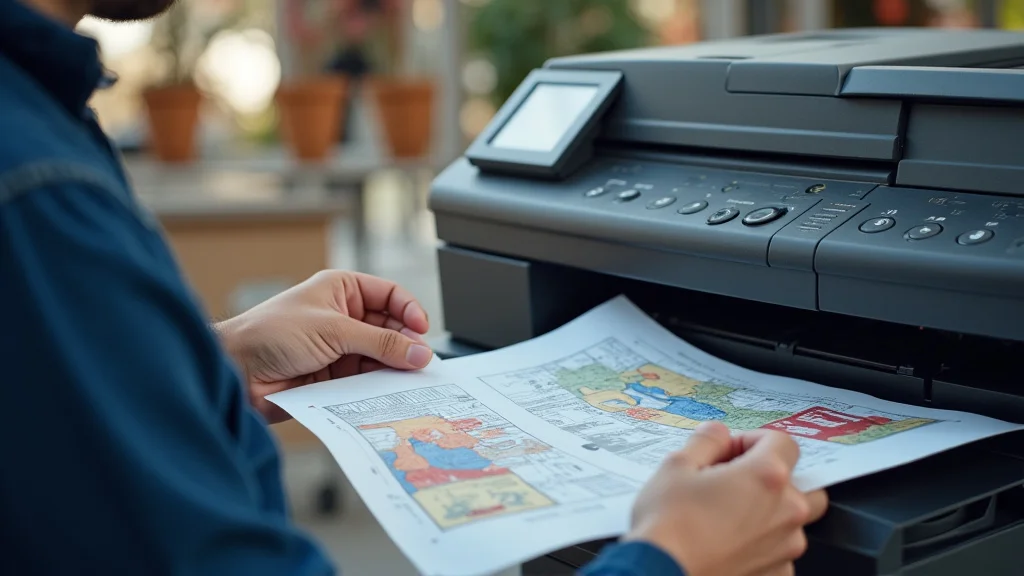
Guide to Direct-to-Garment T-Printing: A Comprehensive Overview
Remember that band t-shirt you wore constantly in high school? The one with the faded logo and that perfect, worn-in feel? That was likely created using t-printing, a process that has revolutionized the way we personalize apparel. This guide will explore the ins and outs of t-printing, from the basic concepts to the advanced techniques, helping you decide if this method fits your needs. You’ll gain valuable insights into choosing the right equipment, the best applications, and how to troubleshoot common issues. This exploration will enhance your knowledge and practical skills.
Key Takeaways
- Understand the fundamental workings of direct-to-garment (DTG) t-printing.
- Learn about the necessary equipment and supplies for DTG projects.
- Discover the benefits and potential drawbacks of DTG t-printing compared to other methods.
- Explore how to optimize designs and prepare garments for printing.
- Gain knowledge about the proper maintenance of DTG printers.
- Examine real-world examples and practical applications of DTG.
Basics of Direct-to-Garment (DTG) T-Printing
Direct-to-garment (DTG) t-printing is like having a giant inkjet printer for your clothes. Instead of printing on paper, it prints directly onto fabric. This allows for detailed, full-color designs, even complex photographs, to be easily transferred to t-shirts, hoodies, and other garments. Unlike traditional screen printing, DTG doesn’t require screens or stencils, making it ideal for small orders and personalized items. It’s a quick, efficient process that produces high-quality results.
How DTG Printing Works
The core process involves several critical steps. Initially, the garment is pretreated, especially for dark fabrics. This treatment helps the ink bond to the fibers. The garment is then placed on the printer’s platen, the flat surface where the shirt sits. The design is sent from a computer to the printer, which uses specialized inkjet technology to spray the ink directly onto the fabric. Finally, the printed garment is cured, usually with a heat press or tunnel dryer, to set the ink and ensure durability. The entire operation is done with care and attention to ensure the best possible results.
- Pretreatment: This step prepares the fabric for printing, especially for dark-colored garments. Pretreatment helps the ink adhere to the fibers, preventing fading and improving the print’s vibrancy. Without pretreatment, the ink might not bond properly, leading to a dull or washed-out appearance.
- Platen Loading: The garment is carefully positioned and secured onto the printer’s platen. This ensures the design is printed accurately and consistently. The platen holds the fabric flat and stable during the printing process.
- Inkjet Printing: Specialized inkjet printers spray the ink directly onto the garment. These printers use tiny nozzles to precisely deposit ink droplets, creating the design. The printers use specialized inks designed to adhere to fabric.
- Curing: Once printed, the garment needs to be cured. This is usually done using a heat press or a tunnel dryer. The heat sets the ink, making it permanent and washable. Without curing, the design would wash away.
Ink Types Used in DTG
The inks employed are a critical component of DTG. They’re formulated to bond with fabric fibers. The most common type is water-based pigment inks, which offer excellent color vibrancy and a soft feel. Other types include reactive dye inks, which are often used for cotton garments, and disperse dye inks, mainly for synthetic fabrics. Choosing the appropriate ink is critical for color accuracy, wash durability, and the overall look and feel of the finished product. Each ink type has pros and cons.
- Water-Based Pigment Inks: These are the most common inks in DTG, offering good color and a soft feel. They are designed to penetrate the fibers of the fabric. Water-based pigment inks are ideal for cotton and other natural fibers, providing a comfortable feel on the skin.
- Reactive Dye Inks: These inks bond chemically with the fabric fibers. They offer excellent wash fastness and bright colors, especially on cotton. Reactive dyes are more expensive than pigment inks, but offer outstanding results.
- Disperse Dye Inks: Mostly used for synthetic materials, these inks require heat to transfer the color onto the fabric. The high temperatures involved mean the fabrics must be resistant to such. This ink type is suitable for polyester blends and other synthetic fabrics.
Equipment and Supplies
The equipment needed for DTG includes the printer, pretreatment machine, heat press or dryer, and necessary software. You’ll also need a supply of blank garments, the appropriate inks, pretreatment solutions, cleaning supplies, and potentially other accessories. The choice of equipment will depend on the scale of your operation and the volume of printing you plan to do. A reliable printer is the heart of the setup.
- DTG Printer: This is the main piece of equipment, responsible for printing the designs. There is a broad range of models available, from entry-level printers to high-production machines. Key features to consider include print area size, print speed, resolution, and cost.
- Pretreatment Machine: This machine sprays a pretreatment solution onto the garments. This is critical for ink adhesion, especially on dark fabrics. Manual sprayers can be used, but automated systems are generally more consistent.
- Heat Press or Dryer: This is used to cure the ink, making the print permanent. Heat presses are great for small batches, while tunnel dryers are better for high-volume production.
- Garments: High-quality garments are important for good prints. It’s important to select fabrics that work well with DTG inks, such as cotton, cotton blends, and some polyesters. Consider garment weight, weave, and color.
- Ink and Pretreatment Solution: Using the right ink and pretreatment solution is vital for the print quality and durability. Always use the manufacturer’s recommended products.
Choosing the Right DTG Printer
Selecting the correct printer is a crucial decision for any t-printing business. This choice can significantly impact the quality of prints, the speed of production, and your overall profitability. The market offers a wide variety of printers, each tailored to different needs and budgets. It’s essential to compare printer specifications, such as print resolution (measured in DPI), print speed (in shirts per hour), the maximum print area, and the types of inks they use. Also, consider the cost of ink cartridges, the maintenance requirements, and the availability of technical support.
Print Quality Factors
Several factors affect the print quality. The most critical is the printer’s resolution, measured in dots per inch (DPI). A higher DPI generally results in sharper, more detailed prints. The type of ink and its color accuracy are also important. The ability of the printer to handle different fabrics, and how it handles ink, is another key feature. Maintaining the print heads and regularly calibrating the printer are also important factors that directly affect print quality. The best printer delivers prints that are vivid, durable, and comfortable.
- Print Resolution (DPI): Measured in dots per inch, higher DPI means more detail in the print. Select a printer with a resolution that meets your needs. 1200 DPI offers high-quality prints with intricate details.
- Color Accuracy: The printer’s ability to accurately reproduce colors is key. Assess the printer’s color profiles and its ability to match colors precisely.
- Ink Quality and Type: Different inks perform differently on different fabrics. Ensure the ink works well with your chosen materials. The ink should be fade-resistant and washable.
- Print Head Technology: The print heads determine how efficiently the ink is applied to the fabric. Print head technology directly affects the speed and quality of the prints.
- Pretreatment Consistency: Pretreatment is a critical process. Ensuring consistent application of the pretreatment solution is important for print quality. This can improve ink adhesion.
Print Speed and Production Volume
The print speed is measured in shirts per hour (SPH) and is a key factor when evaluating DTG printers. This is important to determine your production capacity. The print speed directly affects the volume of orders you can fulfill. Consider your order volume to choose the printer that meets your production requirements. Faster printers enable you to fill more orders.
- Print Speed (SPH): Shirts per hour is a key measure of production capacity. Higher speeds mean you can print more garments in less time. Entry-level printers typically handle 20-30 shirts per hour, while high-end industrial models can do several hundred.
- Production Capacity: Your printer’s ability to handle high volumes is vital for your business. Choose a printer with a production capacity that fits your business needs. This will help you manage customer orders efficiently.
- Workflow Automation: Some printers have automation features, such as automatic pretreatment and platen loading. These features speed up the process and reduce labor costs.
- Print Area and Garment Size: The print area determines the maximum size of your designs. Consider the size of garments you plan to print. Make sure the printer supports the garment sizes you need.
- Ink Management and Replenishment: Printers with efficient ink systems reduce downtime. Printers with large ink tanks can reduce the frequency of ink replacement.
Budgeting and Long-Term Costs
Budgeting is about more than just the printer’s initial price tag. The cost of ink, maintenance, and potential repairs are key considerations. A less expensive printer may seem tempting initially, but it could come with higher ink costs or more frequent maintenance issues, which could increase your overall expenses. Create a detailed spreadsheet with all your anticipated costs. Comparing the costs of different printers helps you make a wise decision for the long term.
- Initial Investment: Price of the printer itself, including any software or accessories. Make sure you can afford the initial costs.
- Ink Costs: Calculate the cost of ink per print. Ink costs can add up quickly, so look for printers with efficient ink usage.
- Maintenance Costs: Cleaning, print head replacements, and other maintenance costs should be included in your budget. Proper maintenance is key to extend the life of your printer.
- Warranty and Support: The warranty period and the quality of customer support influence your long-term costs. Good support reduces downtime and keeps your business going.
- Consumables: Factor in the cost of pretreatment solutions, cleaning fluids, and other supplies. Always keep a stock of supplies.
Design and Preparation for DTG T-Printing
Before you send a design to the DTG printer, it’s essential to prepare it properly. This includes optimizing the artwork for fabric, choosing the correct file formats, and understanding the role of color management. Incorrect preparation can lead to disappointing results, such as blurry prints, inaccurate colors, or fading. Take time to master these steps to ensure that your final printed products always meet your standards.
Design Optimization
You can optimize your designs to get the best outcomes. Start by using high-resolution images to maintain clarity. Consider the fabric color, as this will influence the colors and brightness. Experiment with different color profiles to get the correct result. Proper design helps you get high-quality prints and maintain color accuracy.
- Resolution and Image Quality: Use high-resolution images (at least 300 DPI) to ensure sharp prints. Avoid using low-resolution images, as they will appear blurry.
- Color Mode and Profiles: Use the CMYK color mode for DTG printing. This will ensure color accuracy. Explore color profiles that are created for DTG inks.
- Design Size and Placement: Determine the right size and position of your design on the garment. Proper alignment will create professional-looking results.
- Color Matching and Gamut: Understand color gamut limitations. Some colors may not be accurately reproduced. Use color-matching tools to ensure close color matches.
- File Formats: Save your designs in formats suitable for DTG, such as PNG or TIFF, with a transparent background. This will make it easier to print.
Garment Preparation
Preparing the garment is a necessary step that impacts print quality. Select high-quality fabrics suitable for DTG printing, such as cotton or cotton blends. Pretreatment is critical, especially for dark garments. Proper pretreatments allow the ink to bind to the fabric. Be sure that garments are wrinkle-free. Carefully preparing the garment will set the stage for success.
- Fabric Selection: Select fabrics ideal for DTG. Cotton and cotton blends provide the best results. Check the fabric composition and choose garments that are suitable for DTG ink.
- Pretreatment: This is important for ink adhesion and vibrant colors, especially on dark fabrics. Follow the pretreatment guidelines.
- Garment Inspection: Before printing, carefully examine each garment for defects. Make sure the garment is clean and free of imperfections.
- Wrinkle Removal: Use a heat press or iron to remove wrinkles. Make sure the fabric is flat and smooth for printing.
- Platen Loading: Properly load the garment on the platen. This guarantees the correct design alignment.
Color Management and Calibration
Color management is the process of ensuring that the colors you see on your screen match the printed colors. Accurate color management depends on using the right color profiles and calibrating your equipment. Without effective color management, colors may look different than expected. Consistent color results are critical for customer satisfaction. Color calibration helps achieve this.
- Color Profiles: Use color profiles customized for your printer and ink. These profiles help your computer communicate the correct colors to the printer.
- Monitor Calibration: Calibrate your monitor to ensure that you are seeing accurate colors. Proper monitor calibration is essential for previewing your designs.
- Printer Calibration: Regular printer calibration is vital for color accuracy. This process helps the printer produce accurate prints consistently.
- Test Prints: Always make a test print before printing a large order. Test prints help make sure the colors are correct before mass printing.
- Software Settings: Understand the color settings within your design software. These settings will influence how colors are interpreted by the printer.
Maintenance and Troubleshooting of DTG Printers
Regular maintenance is crucial for keeping your DTG printer working correctly. Proper care helps prevent breakdowns and ensures consistent, high-quality prints. Cleaning the print heads, checking ink levels, and monitoring the printer’s performance are all parts of maintaining your printer. Make maintenance part of your daily routine. By doing this you’ll enhance the lifespan of your machine and reduce downtime.
Routine Maintenance Procedures
You can follow a regular maintenance routine for peak performance. Daily cleaning of the print heads is essential. Check and replace ink cartridges regularly, and keep the environment clean. Create a checklist for routine upkeep. Following this routine protects your investment and maintains the quality of your output.
- Print Head Cleaning: Clean the print heads frequently to prevent clogs and ensure proper ink flow. Daily cleaning is recommended for best results.
- Ink Level Monitoring and
- Environment Control: Keep your printing area clean and the temperature and humidity controlled. Dust and extreme temperatures can affect print quality.
- Platen Maintenance: Clean the platen regularly and make sure it is aligned properly. This will maintain correct printing alignment.
- Preventive Measures: Use the printer’s built-in maintenance features. They will help you identify issues early on.
Troubleshooting Common Issues
Even with good care, you may encounter issues. Clogged print heads, ink flow problems, and color inaccuracies are common issues. Identify problems quickly, and know the troubleshooting steps for common issues. Quick troubleshooting can save both time and money. Know how to recognize and address problems.
- Clogged Print Heads: Print head clogs are a typical issue. Follow your printer’s cleaning instructions and also consider a print head flush.
- Ink Flow Problems: Inadequate ink flow causes print defects. Check ink cartridges and ink lines, and perform nozzle checks.
- Color Inaccuracies: Print color mismatches are also common. Recalibrate your color profiles and make test prints.
- Print Quality Issues: Blurriness, banding, or other print defects may occur. Review your design settings and garment preparation.
- Software Issues: Ensure your printer drivers are up-to-date. Reinstall the printer drivers.
Long-Term Care and Best Practices
Following these best practices will extend the lifespan of your printer. Proper storage, following manufacturer’s guidelines, and documenting all maintenance and repairs are vital. A well-cared-for machine ensures a stable investment. Consistent care helps your machine give you years of reliable operation.
- Proper Storage: If you won’t be using your printer for a while, follow storage guidelines. This will prevent ink from drying out and clogging the print heads.
- Manufacturer’s Guidelines: Always read the manufacturer’s instructions. They will provide guidelines for your specific model.
- Documentation: Keep a log of all maintenance and repairs. This will help you find any patterns in printer problems.
- Regular Usage: If possible, print something every few days. This keeps the ink flowing and prevents clogs.
- Professional Servicing: Consider scheduling professional servicing and cleaning as a preventive measure. A professional will address any hidden issues.
Applications and Case Studies of DTG Printing
DTG t-printing is employed in a wide variety of ways. From small businesses and startups to large corporations, the flexibility of DTG makes it an ideal choice for both personal and business use. Its versatility allows for a variety of applications, from custom apparel to promotional products. DTG’s ability to create unique and personalized items is a huge selling point.
Examples of DTG Applications
DTG is suitable for several applications. These vary from personalized gifts to branded merchandise and small-batch apparel. Its versatility makes it a great choice for various projects. DTG’s quick turnaround and cost-effectiveness allow it to be used for many projects.
- Custom T-Shirts: DTG printing is the standard for custom t-shirts. The capacity to print intricate designs and small batches makes it great for individual orders.
- Promotional Merchandise: Businesses often employ DTG printing for promotional items. This could include branded t-shirts, tote bags, and other branded merchandise for campaigns.
- Personalized Gifts: With DTG, you can create one-of-a-kind gifts. Photos, custom artwork, and personal messages can be printed on clothes, adding a personal touch.
- Small-Batch Apparel: DTG is a perfect choice for small-batch clothing lines. Startups and independent designers often select DTG for its affordability and flexibility.
- Art and Design: DTG is favored by artists. They’re able to print their artwork directly onto garments.
Case Studies and Real-World Results
-
Case Study 1: Startup Apparel Brand
A small apparel brand used DTG to launch its online store, offering unique, custom-designed t-shirts. They found DTG’s low minimum order quantities and ease of use to be perfect for testing new designs and fulfilling individual orders. By focusing on print quality and timely delivery, they built a loyal customer base and expanded their product line, using DTG for all their printed apparel needs. -
Case Study 2: Promotional Merchandise for a Local Event
A local event organizer employed DTG to create branded t-shirts and tote bags for their event. DTG allowed them to rapidly create high-quality merchandise with custom designs. This drove engagement and increased revenue. The ability to print only the needed quantities eliminated waste, making it a cost-effective solution. The positive feedback and increased visibility made it a successful venture. -
Case Study 3: Customization for a Corporate Client
A company needed custom t-shirts for a team-building event. DTG was used to print the company logo and individual names on the shirts. DTG allowed for quick turnaround and personalization. The resulting shirts helped boost team morale and created a sense of unity.
Common Myths Debunked
There are many misconceptions about DTG t-printing. These false ideas can stop businesses from using DTG to its full potential. To make good decisions, it’s vital to separate myth from reality.
Myth 1: DTG Printing Is Only Suitable for Small Orders
Reality: DTG is a great choice for smaller runs, but it can also be used for larger orders. While screen printing becomes more cost-effective for extremely high volumes, DTG printers are becoming faster. The speed and quality of DTG printers are making them a competitive option for many businesses.
Myth 2: DTG Prints Always Fade Quickly
Reality: If done properly, DTG prints can be very durable. The lifespan of a print depends on the quality of the ink, the garment’s material, and the curing process. With the correct setup and maintenance, DTG prints can withstand numerous washes and maintain their color vibrancy for years.
Myth 3: DTG Is Only for Cotton Garments
Reality: While cotton is a common choice, DTG can be used on a wide range of materials. Advances in ink technology mean that DTG can be done on blends, and even some synthetic fabrics. While the results can vary, it expands the types of items you can produce.
Myth 4: DTG Is Always More Expensive Than Screen Printing
Reality: DTG’s cost depends on several factors. For small orders or complex designs, DTG is often more cost-effective because of the reduced setup costs. Screen printing is usually cheaper for very large orders. The price difference between the two methods depends on volume and design complexity.
Myth 5: DTG Is Difficult to Learn and Use
Reality: Modern DTG printers are made to be easy to use. Although there is a learning curve, most printers come with user-friendly software. Training and readily available tutorials help people master the process. The simplicity of DTG makes it suitable for both beginners and experienced users.
Frequently Asked Questions
Question: What’s the main difference between DTG and screen printing?
Answer: DTG prints directly onto the fabric, allowing for complex designs and low minimum quantities. Screen printing uses screens and stencils and is more suitable for large quantities.
Question: What types of fabrics are best for DTG?
Answer: Cotton and cotton blends are great, but DTG can also be used on some synthetic fabrics. Pretreatment is key for ensuring ink adhesion.
Question: What is pretreatment?
Answer: Pretreatment is a liquid sprayed on the garment before printing. This aids the ink in binding to the fabric, especially on dark garments.
Question: How do I maintain my DTG printer?
Answer: Regular print head cleaning, ink level checks, and environmental control are important. Follow the manufacturer’s guidelines for your specific model.
Question: What are some common DTG problems?
Answer: Print head clogs, color inaccuracies, and ink flow problems are common. Routine maintenance and following troubleshooting steps can solve most issues.
Final Thoughts
DTG t-printing has changed the apparel industry. This process makes it easier than ever to create personalized and custom-designed clothing. You can use it to create unique t-shirts, promotional merchandise, or even start a small business. DTG provides amazing design flexibility. While there are a few considerations, DTG t-printing offers a great balance of quality, versatility, and efficiency. By exploring the correct equipment, and understanding best practices, you can create attractive, long-lasting prints. Use your new knowledge to start exploring the possibilities.