Remember that time you needed to get something printed at the last minute and the printing request form seemed like a maze? You’re not alone! Many people find the process confusing. This guide breaks down everything you need to know, from filling out the form correctly to understanding the different options available. By the time you’re done, you’ll feel confident about submitting your printing request form and getting your documents printed quickly and easily. This will help you know how to fill your forms correctly, so you can save some time and also prevent errors.
Key Takeaways
- Learn the essential components of a typical printing request form.
- Understand the various print options available, such as paper size and color.
- Discover helpful tips for accurately completing a printing request form.
- Explore common mistakes to avoid when submitting your request.
- Get answers to frequently asked questions about the printing process.
- Gain confidence in managing your printing needs effectively.
Elements of a Printing Request Form
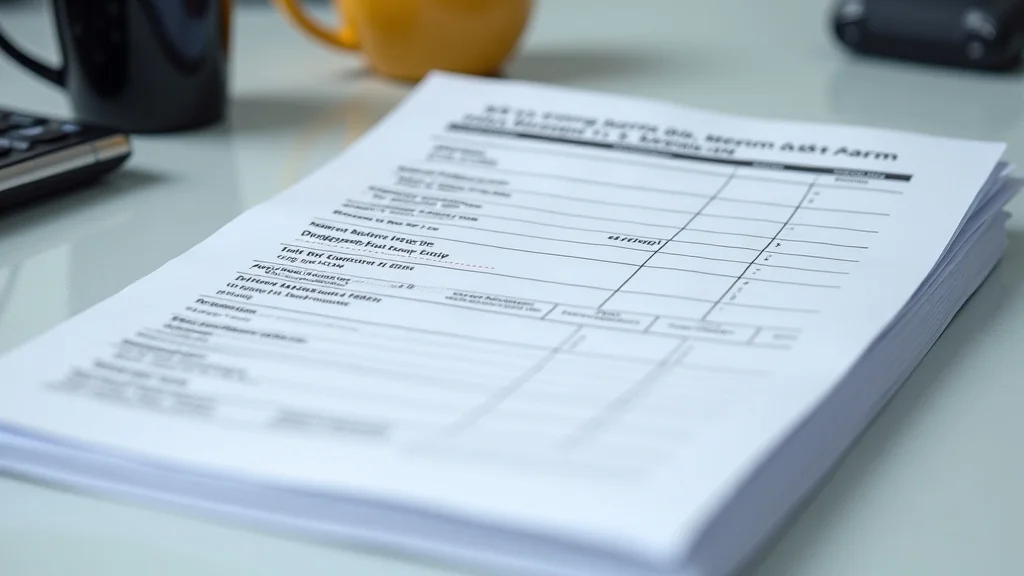
A printing request form is the essential tool that ensures your printing needs are accurately communicated. It acts as a bridge between you and the printing service, ensuring that your documents are printed according to your specifications. Knowing the different parts and how they work will make the whole process much simpler. This will prevent any frustration and ensure a smoother experience.
Essential Information Fields
Every printing request form will ask for basic information to understand your needs. This usually begins with your contact details, like your name, email address, and phone number. Then, you’ll need to specify what you want to print, like the document name or a brief description. The more complete this area is, the better. This information ensures the printers can reach you if there are any questions or issues with your order.
- Contact Information: Include your full name, department (if applicable), phone number, and email. This is how the printing service will reach you.
- Document Title/Description: A short, clear name or description of what you want to print (e.g., “Project Proposal,” “Marketing Flyer”).
- Number of Copies: The exact number of copies you need. This is extremely important, so make sure this is accurate.
- Date Required: When you need the printed materials by. This ensures timely delivery.
Detailed Specifications
Once the basic information is in place, the form needs the specifics. This includes how you want your document printed. This can mean single-sided or double-sided, the paper size you prefer (like standard letter or legal), the color preferences, and if you need any special finishing, like binding or stapling. The more details you give, the more accurate the print job will be.
- Paper Size: Select the size you need (e.g., Letter, Legal, A4, or custom).
- Color or Black and White: Specify whether you need color printing or black and white.
- Single or Double-Sided: State whether you need printing on one or both sides of the paper.
- Finishing Options: Indicate any special needs, like binding (e.g., spiral, saddle stitch), stapling, or hole punching.
File Upload and Submission Details
The final steps involve preparing your document for printing. This usually requires uploading the file in a compatible format, like PDF, DOCX, or PPTX. You might also have the option to describe the file’s content or any specific areas that need attention. After that, you’ll often have a section to review the entire request before submitting it. Always double-check every detail for accuracy. This will prevent mistakes and delays.
- File Upload: Attach your document. PDF is often the preferred format.
- File Format: Clarify the file format if not standard (e.g., a specific version of a DOCX file).
- Special Instructions: Add any specific instructions not covered elsewhere, like printing specific pages or sections.
- Review and Submission: Carefully review all details before submitting.
Understanding Print Options
The various print options can seem a little complicated, but they actually provide you with more control over the finished product. Understanding these choices empowers you to make smarter choices. Let’s explore these choices and clarify what each one means.
Paper Types and Weights
The type and weight of paper impact the final look and feel of your printed materials. There’s standard paper for everyday use, but you have many more options, from glossy paper for photos to heavier cardstock for important documents. Each type gives a different impression.
- Standard Paper: This is typically 20 lb or 24 lb paper, suitable for everyday documents.
- Cardstock: Heavier paper (60 lb and up), great for flyers, business cards, and covers.
- Glossy/Matte Paper: Glossy paper makes images and colors pop, while matte paper offers a more subdued look.
- Specialty Paper: Options include recycled paper, textured paper, or paper with special coatings.
Did you know? According to a recent study by the Environmental Protection Agency, the average office worker uses about 10,000 sheets of paper per year.
Color vs. Black and White
The choice between color and black and white is simple but affects both the cost and the impact of your document. Color printing is often more expensive but provides visuals and design elements. Black and white is fine for text-heavy documents where color is unnecessary. Think carefully about your needs to make the best decision for your project.
- Color Printing: Great for brochures, flyers, and any document where visuals are key.
- Black and White Printing: Best for text-focused documents, like reports and manuscripts, as it’s generally more cost-effective.
- Gray-scale: Printing with shades of gray is an alternative to color or black and white and is often used for images.
Binding and Finishing Techniques
The finishing options make a big difference in how your document looks and functions. Whether you need a simple staple, a spiral binding for easy flipping, or other special finishing touches, like lamination or scoring. Knowing these options will greatly improve the presentation of your documents.
- Stapling: Simple and cost-effective, great for short documents.
- Spiral Binding: Allows pages to lay flat, ideal for reports and presentations.
- Perfect Binding: Used for books and magazines, creates a clean, professional edge.
- Lamination: Protects documents from wear and tear.
Tips for Accurate Printing Requests
Completing a printing request form precisely saves you time, prevents errors, and ensures you get the printing results you desire. Take the time to double-check everything for accuracy. This can prevent costly mistakes and delays.
Double-Checking Details
Accuracy starts with checking every single detail. Before hitting “submit,” take a moment to review all the information you’ve entered. Ensure all of the details match the specifications of the job. This prevents misunderstandings and potential errors. This will help make the process run smoothly.
- Verify Contact Information: Ensure your contact details are current and accurate.
- Confirm Document Details: Double-check the title, description, and number of copies.
- Review Printing Specifications: Ensure paper size, color, and finishing details are correct.
- Examine the File: Open the document file before submission to ensure it is the correct version.
Using Clear and Concise Language
When you’re describing your printing needs, use language that’s easy to understand. Avoid jargon or slang. Keep sentences short and direct. This reduces the risk of confusion. Doing this promotes clear communication. Clear communication guarantees everyone is on the same page.
- Be Specific: Use precise terms.
- Keep it Simple: Avoid overly complex language.
- Use Bullet Points: Organize lists for clarity.
- Proofread: Check for spelling and grammar errors.
Uploading the Right Files
Uploading the correct version of your document is critical. Before uploading, make sure you’re submitting the final version. Consider the file size limits and accepted file types. Take the time to confirm everything. This will reduce unnecessary revisions and ensures a streamlined process.
- Final Version: Always submit the finished version of your document.
- File Type: PDF is often the best choice, as it maintains formatting across devices.
- File Size: Adhere to the file size limits. If your file is too large, compress it.
- File Naming: Give your file a clear and descriptive name for easy identification.
Common Printing Request Form Mistakes
Avoiding common mistakes can save you headaches and guarantee a better result. There are several mistakes people often make when completing a printing request. Understanding these will help you be more aware when you fill out the printing request form.
Incorrect Contact Information
Inaccurate contact information can cause delays or even prevent you from receiving your printed materials. Always double-check your email and phone number. This way, the printing service can reach you with questions or updates. Confirming your information is a simple step. This step will prevent a lot of problems.
Missing or Incomplete Specifications
Failing to provide enough details about your printing needs can lead to errors. Not indicating paper size, color preference, or finishing options can lead to unwanted results. Take your time to clarify all the specifications. This is important to getting exactly what you want.
Submitting the Wrong File Version
Submitting an outdated or incorrect version of your document is a common issue. Always confirm you are uploading the final version. If you upload an older version, the printed materials will have outdated information. You’ll then need to redo the request. Take a few extra moments to prevent this mistake.
A recent survey revealed that around 30% of printing requests have errors due to incomplete or inaccurate information.
Real-Life Examples and Scenarios
Let’s explore some scenarios to show how filling out a printing request form works in different situations. These examples will show you how to apply the information you’ve learned to real-world tasks.
-
Scenario 1: Project Report Printing:
A student needs to print a 20-page project report. They would fill out the form with their name, email, and the report’s title. They would need 2 copies, black and white printing on letter-sized paper, and spiral binding. They would make sure to upload the correct PDF file and submit it before the deadline.
-
Scenario 2: Business Card Order:
A small business owner wants to print new business cards. They will specify their company’s name, their contact details, and the quantity needed. They would choose high-quality cardstock, full-color printing, and any unique finishing touches they want. They will verify everything before submitting.
Case Study 1: Brochure Printing
A marketing team needed to print 500 brochures for a product launch. They made a printing request form. They specified full-color, double-sided printing, glossy paper, and a trifold layout. They uploaded a PDF and gave special instructions. The result was professional brochures, ready for the event.
Case Study 2: Flyer Printing
A local charity needed to print flyers. They asked for 1,000 black and white flyers on standard paper. They provided their contact information, a description of the flyer, and a clear deadline. The printing was done right, and the flyers helped them promote their fundraising campaign.
Frequently Asked Questions
Question: What file formats are usually accepted?
Answer: Common formats include PDF, DOCX, and PPTX. It’s often best to use PDF to maintain your formatting.
Question: How do I know the correct paper size to use?
Answer: Consider the purpose of the document. Letter size is standard for general use. Legal size is used for documents that are longer. A4 is often used internationally. Choose the size that fits your document and is easiest to read.
Question: What if I need to change my printing request form after submission?
Answer: Contact the printing service immediately. They might be able to accommodate changes, but it depends on the stage of the printing process.
Question: How long does it take to get my printing done?
Answer: The turnaround time depends on the project’s size, complexity, and the printing service’s workload. It’s important to include a “Date Required” on your form. Try to submit your requests with plenty of time to avoid any delays.
Question: How can I save money on printing?
Answer: Print in black and white when color is not essential. Use standard paper instead of premium options. Consider double-sided printing to reduce paper usage. Plan your prints and submit them in advance to avoid rush charges.
Common Myths Debunked
There are some common misconceptions about printing request forms and the printing process. Let’s separate fact from fiction. Knowledge is key to getting the best outcomes.
Myth 1: Any file format is acceptable for printing.
Reality: While many formats are accepted, PDF is often the safest choice. PDFs maintain the formatting from the original document.
Myth 2: More copies always equal higher costs.
Reality: While it’s true that printing costs go up as the number of copies increases, printing in bulk can be more cost-effective. Check with your printing service. Discounts may apply for larger quantities.
Myth 3: The printing service will fix any formatting issues.
Reality: It is your responsibility to make sure the file is ready to print. The printing service will print what you provide. Always verify the file before submitting the form.
Myth 4: Rush orders always get top priority.
Reality: Rush orders typically get quick attention but might involve extra fees. It’s always a good idea to submit your request early to avoid rush charges.
Myth 5: All paper is created equally.
Reality: Paper quality varies. Choosing the right paper can make a big difference in how the printed materials look and feel. Take the time to understand the different paper types.
Final Thoughts
Mastering the printing request form process unlocks more efficient communication. It guarantees your printed materials meet your needs. By understanding the elements of the form, you can reduce errors and improve outcomes. You are now equipped to navigate the form effectively. From choosing the correct paper types to selecting the best finishing options, you can now manage your printing projects confidently. Take a few extra moments to be sure. You’re ready to create impressive prints!