Picture this: you’re heading to your favorite gym, eager to work out, but you fumble for your membership card. It’s either lost, damaged, or simply doesn’t scan properly. Annoying, right? That frustration is easily avoidable with quality printing membership cards. This guide will walk you through everything you need to know, from design to materials, ensuring your organization’s cards are functional and visually appealing. You’ll gain valuable insights to improve your card program, making it smoother and more efficient. Learn how to create durable cards that represent your brand and improve member experience, boosting satisfaction and loyalty. By the end, you’ll be equipped to create and maintain a successful printing membership cards system.
Key Takeaways
- Understand the different card types and materials.
- Learn about the design elements that make a card effective.
- Discover the various printing processes available.
- Find out how to choose the right printer for your needs.
- Explore ways to enhance card security.
- Learn the basics of card personalization and data management.
Choosing the Right Card Materials
The material of your printing membership cards significantly impacts their durability, cost, and overall look. Different materials offer different benefits, so selecting the appropriate one is a key early step. Consider the environment in which the cards will be used and how often they will be handled. For example, cards used outdoors or handled frequently require more robust materials. The lifespan of the card and how it reflects your brand image are other factors to think about. By carefully considering these points, you can ensure that the card material matches both your needs and your budget, creating a perfect blend of form and functionality.
PVC Cards
Polyvinyl chloride, or PVC, is the most common material for membership cards. PVC cards are durable, water-resistant, and relatively inexpensive, making them ideal for a wide range of applications. They withstand regular use and exposure to wear and tear. PVC cards are compatible with various printing methods, including direct-to-card and retransfer printing, allowing for vibrant colors and sharp details. The ability to add magnetic stripes, RFID chips, or barcodes adds versatility. PVC offers a great balance of cost, durability, and print quality, making it a popular choice for businesses of all sizes. They’re a solid, reliable choice for standard membership cards.
- Durability: PVC cards resist bending, breaking, and scratching, extending their lifespan.
- Print Quality: PVC’s smooth surface provides sharp, clear images and text.
- Cost-Effective: PVC cards are a budget-friendly option for high-volume printing.
- Versatility: PVC cards work with magnetic stripes, barcodes, and other technologies.
- Water Resistance: They perform well in humid conditions.
Composite Cards
Composite cards are made by combining layers of different materials, usually PVC and polyester. This combination enhances the card’s strength and resistance to heat and bending. They are commonly used in environments that require added durability. Composite cards often have a higher price point than standard PVC cards, reflecting their premium quality and performance. They provide excellent image quality and work well with various card personalization methods. The construction allows for a greater lifespan, making them ideal for memberships that extend over a longer time. They also offer a premium feel and appearance, which adds value.
- Enhanced Durability: Composite cards are more resistant to extreme conditions.
- Extended Lifespan: Their robust construction makes them last longer.
- High-Quality Printing: The surface provides a clean and sharp look.
- Superior Performance: Ideal for demanding environments.
- Premium Feel: Composite cards feel more substantial than standard cards.
PETG Cards
PETG (Polyethylene Terephthalate Glycol-modified) is a polyester-based material that provides enhanced environmental resistance and durability. PETG cards are a good alternative for eco-conscious organizations and are generally recyclable. They offer excellent print quality, and they’re resistant to cracking and chemicals. Although slightly more costly than PVC, PETG offers superior resistance to heat and chemicals, making it a practical choice for environments where cards might encounter these conditions. With increasing focus on environmental sustainability, PETG provides an attractive option for companies that value both performance and eco-friendliness. PETG can also be paired with a biodegradable material for maximum environmental impact.
- Environmental Friendliness: PETG cards are more recyclable.
- Chemical Resistance: They handle harsh environments better than PVC.
- Durability: PETG is resistant to cracking and breaking.
- Print Quality: It delivers great print resolution and color.
- Sustainability: PETG supports green initiatives in your organization.
Designing Effective Membership Cards
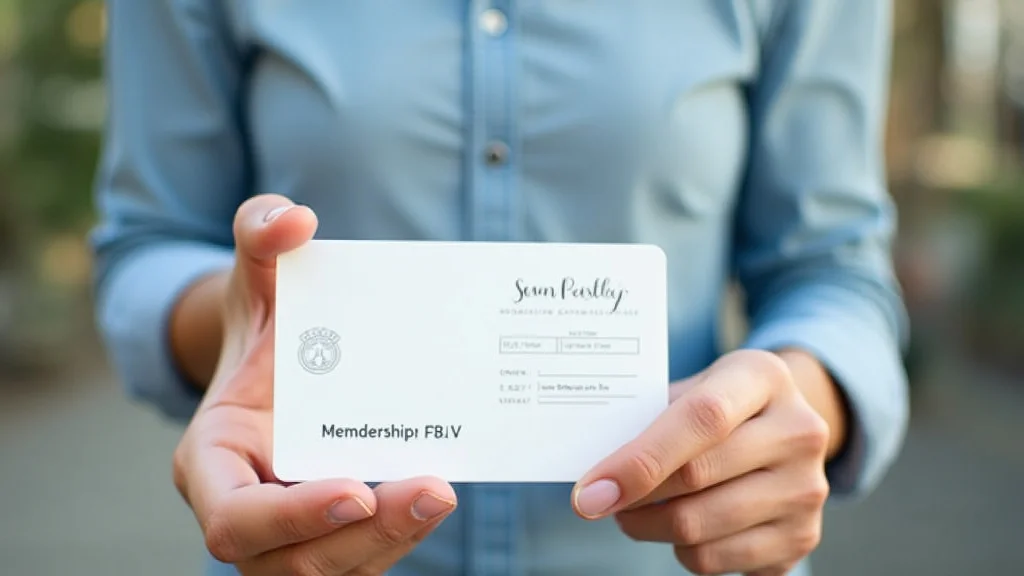
An effective printing membership cards design does more than just look good; it communicates important information clearly and efficiently. A well-designed card should include essential details such as the member’s name, membership number, and organization logo. It should also incorporate elements that enhance security, such as a photo or unique identifier. The layout must be easy to read and intuitive to use. Consider using a consistent brand identity throughout your card design to build recognition and trust. Good design enhances the overall user experience, improves brand image, and helps reduce the chance of errors. A well-designed card is an asset.
Essential Design Elements
Creating a card that is both attractive and informative means incorporating key components. The logo should be prominent, establishing brand identity. Member details, such as their name and membership number, must be clear and easily readable. The expiry date is critical for managing memberships, and any contact details can assist in providing information or help. Proper placement and a clear layout prevent confusion and ensure the card is user-friendly. These design principles ensure that the cards look professional and are easy to use. These elements combine to give users an all-around card experience.
- Logo and Branding: A clear logo strengthens brand recognition.
- Member Information: Include essential member details for identification.
- Expiry Date: Clearly display the membership validity period.
- Contact Information: Provides a way to connect with the organization.
- Security Features: Consider photos, holograms, or watermarks.
Choosing the Right Colors and Fonts
Color and typography greatly impact the look and usability of your cards. The color scheme should reflect your brand and be visually appealing. Contrasting colors improve readability. Consider your target audience when selecting colors and fonts. A modern, clean font is easier to read than a highly stylized font, especially in a small space. Make sure the text is large enough to be read quickly and easily. High-quality designs result in cards that are both beautiful and effective. These choices contribute greatly to creating a visually appealing and functional card.
- Brand Alignment: Choose colors that reflect your brand identity.
- Readability: Select fonts that are easy to read at a glance.
- Contrast: Make sure text contrasts well with the background.
- Font Size: Ensure text is large enough to read easily.
- Color Psychology: Use colors to evoke the right emotions.
Card Layout and Best Practices
A well-organized layout is important for making your printing membership cards effective. Prioritize essential information, such as the member’s name and membership number. Keep the design simple and clean, avoiding clutter. Use a grid system to ensure balanced placement of design elements. Place your logo in a prominent position, like the top left or center. The placement of the magnetic stripe or chip should be considered early in the design phase. A card layout that is well thought-out makes it easy for members to quickly access the necessary information. Good layout design results in a professional-looking and functional card.
- Prioritize Information: Feature critical details for easy access.
- Keep It Simple: Avoid cluttered designs.
- Use a Grid: Ensures a balanced layout.
- Consider Technology: Plan the placement of any technology used (stripe, chip).
- Test the Design: Have members review it for feedback.
The Printing Processes for Membership Cards
Selecting the right printing process is essential for achieving the desired look and functionality of your membership cards. Different methods offer various features, costs, and levels of quality. Understanding the options allows you to make an informed choice that matches your design needs, budget, and desired volume. The right process provides a card that is both visually appealing and reliable. The choice impacts both the card’s appearance and the features you can include, such as embedded technologies or special finishes.
Direct-to-Card Printing
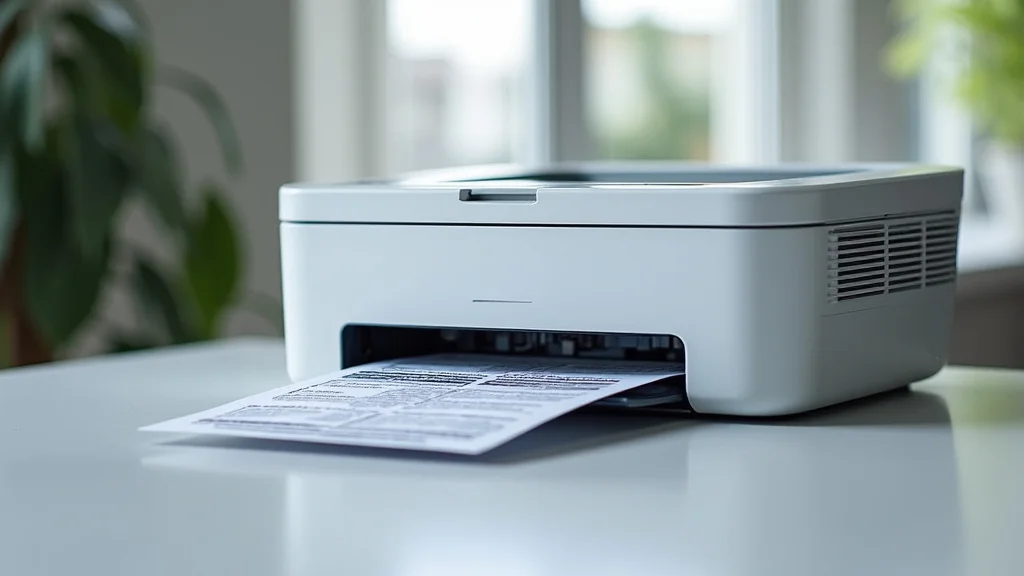
Direct-to-card (DTC) printing is a popular method that directly applies the image onto the card surface. DTC printers are compact and work well for printing small to medium volumes. They are easy to use and produce excellent color quality and resolution. DTC printers can incorporate magnetic stripes, and some include options for contactless cards. This method is suited to personalized cards with variable data, like names and membership numbers. It delivers high-quality prints quickly. It’s a great option if you need to print cards on demand. DTC offers a good balance of cost, quality, and flexibility for many applications.
- Cost-Effective: DTC printers are generally more affordable.
- On-Demand Printing: Allows for flexible and quick production.
- Personalization: Suitable for adding variable data.
- Compact: Easy to fit into various workspaces.
- Ease of Use: Simple operation for quick printing.
Retransfer Printing
Retransfer printing involves printing the image onto a clear film and then transferring that film to the card. This method offers several advantages, like the ability to print over the edges of the card. Retransfer printing offers higher print quality and durability compared to direct-to-card printing. This is particularly useful for cards with complex designs or those that will face harsh environments. Retransfer printers can print on uneven surfaces, such as cards with smart chips. This method allows for a premium finish and enhances the card’s lifespan. Retransfer is the optimal process for cards that must withstand regular handling and wear. The result is a more durable card with a better appearance.
- Superior Quality: Higher resolution and richer colors.
- Edge-to-Edge Printing: Prints can extend to the card’s edges.
- Durability: Increased resistance to scratching and wear.
- Versatile: Works on cards with uneven surfaces.
- Professional Finish: Provides a premium, high-end look.
Offset Printing
Offset printing is a method typically used for large print runs, ideal for high-volume printing membership cards. This process involves transferring ink from plates onto a rubber blanket and then to the card. It’s known for its consistent and high-quality results. Offset printing produces vibrant colors and sharp details, making it perfect for intricate designs and detailed images. This method is generally more cost-effective for large quantities of cards, but less economical for small runs. It allows for a wide array of finishing options, like spot UV coatings and metallic inks. Offset printing is a great choice for organizations that need a large quantity of cards with exceptional quality. Offset provides a good balance between cost and quality for many situations.
- High Volume: Best for large-scale printing runs.
- Exceptional Quality: Ensures consistent results and sharp details.
- Cost-Effective: Reduces cost per card for large orders.
- Customization: Offers extensive finishing options.
- Precise Color Matching: Provides accurate color reproduction.
Choosing the Right Printer
Selecting the correct printer for your printing membership cards is a decision that involves several factors. Consider your print volume, desired quality, features needed, and your budget. Choosing the right printer will support your needs, making your membership card program smooth and successful. Consider the type of printing methods supported and any additional features, such as encoding for magnetic stripes or smart cards. Selecting a printer requires more than just the price. You must also consider ongoing costs, such as consumables and maintenance. Selecting a printer helps maximize value and efficiency.
Printer Features and Specifications
Various specifications will influence your decision. Print resolution determines the clarity and detail of the printed image. Print speed affects your production capability, especially for on-demand printing. The type of cards a printer supports is important because different printers handle different card materials. The features include the ability to encode magnetic stripes or smart card chips. The printer’s connectivity options, such as USB or Ethernet, also matter. When you take these features into account, you can select a printer that best matches your production and card specifications. Choosing the right features will help your card program work well.
- Print Resolution: Ensures clear, detailed printing.
- Print Speed: Impacts production time.
- Card Compatibility: Supports various card types and sizes.
- Encoding Options: Allows for data and security features.
- Connectivity: Ensures smooth integration with your systems.
Budget and Cost Considerations
Determining your budget is essential when choosing a printer. Consider both the initial investment and the ongoing costs, such as ink, ribbons, and maintenance. Compare the price of different printers and what you get for your money. Look for printers that offer a good return on investment. The total cost of ownership goes beyond the initial price. Consider the cost per card, taking into account supplies, which impacts your overall budget. A thoughtful analysis of these costs helps you select a printer that matches both your needs and your budget. Make sure you fully understand all of the costs involved.
- Initial Investment: The upfront cost of the printer.
- Consumables: Costs associated with ink, ribbons, and cards.
- Maintenance: Factor in maintenance and repair costs.
- Cost Per Card: Calculate the cost of each printed card.
- Return on Investment: Evaluate the overall value.
Printer Brands and Models
There are many printer brands and models, and researching them will help you make a good decision. Each brand provides different features and strengths, so be sure to consider the model based on your unique needs. Read reviews and compare features to know the pros and cons of each model. Consider talking to other organizations about their experience with these models. This helps you select a printer that matches your needs and budget. Selecting the right brand and model can result in a more efficient and effective card program. You can compare and contrast the different brands with different models to better help make a decision. Always look for brands with a history of great products and support.
- Research Brands: Explore different manufacturers.
- Compare Models: Match features to your needs.
- Read Reviews: Review user experiences.
- Check Support: Evaluate warranty and service.
- Consider Longevity: Look for a brand with a strong reputation.
Enhancing Card Security
Security measures are essential for protecting your membership program and preventing fraud. Different measures are designed to increase the card’s integrity and limit unauthorized use. Think about incorporating security features during the printing membership cards process to provide protection. These features range from simple visual elements to advanced technologies. A strong security system protects your members and maintains trust in your organization. The goal is to make it tough for counterfeiters to create copies. The added security measures help preserve the integrity of your card program.
Security Features to Implement
You can add security features during the printing process to prevent the unauthorized use of cards. Holograms add a complex layer of protection that is difficult to copy. Microtext is small enough that it can’t be easily read or replicated. UV ink only becomes visible under ultraviolet light, adding a hidden element. Consider adding a cardholder photo to help with quick identification. These combined features make it harder for counterfeit cards to be used. These added measures discourage fraud and increase the card’s security.
- Holograms: Difficult to replicate and enhance visual appeal.
- Microtext: Extremely small text that is difficult to forge.
- UV Ink: Visible only under UV light for hidden verification.
- Photos: Provide a visual match for identity verification.
- Unique Serial Numbers: Every card has a different identifier.
Card Data and Access Control
The control of card data is essential to maintaining security. Implement secure data storage and management methods to prevent breaches. Only authorized personnel should be allowed access to data. Employ encryption to protect cardholder information. Set up access control policies to determine who can issue and manage cards. Consider using smart cards or contactless cards with embedded security features. These precautions protect the privacy of your members’ data. This reduces the risk of fraud and data breaches. By taking these actions, you maintain the security of your card program.
- Secure Data Storage: Protect cardholder information.
- Access Control: Restrict data access.
- Encryption: Protect data during transmission and storage.
- Smart Cards: Employ advanced security features.
- Regular Audits: Keep your security systems up-to-date.
Preventing Card Tampering and Counterfeiting
Card tampering and counterfeiting are issues that must be addressed to keep your program safe. You can deter tampering by using durable materials and protective laminates. Inspect cards regularly for signs of alteration, such as scratches or changes in text. Make sure you use robust printing processes that are difficult to duplicate. Train staff on how to spot counterfeits and report any suspicious activity immediately. Combining these methods will help reduce instances of tampering and counterfeiting. These actions help to protect your card program and keep your members’ information secure.
- Use Durable Materials: Reduce the chance of damage.
- Inspect Cards Regularly: Look for signs of tampering.
- Employ Secure Printing: Difficult for counterfeiters.
- Educate Staff: Train staff to identify fraud.
- Monitor for Suspicious Activity: React swiftly to possible fraud.
Card Personalization and Data Management
Personalization and data management are essential to create efficient printing membership cards systems. Customizing each card with unique information builds a more engaging experience. Effective data management guarantees accuracy and security. These methods ensure that your membership program operates smoothly and offers valuable value. Careful organization protects data integrity and helps your organization grow. This improves member satisfaction while improving program efficiency. This improves card programs, offering a better user experience.
Personalization Options
You can use many customization choices to make each card unique. Variable data printing allows you to add names, membership numbers, and other personalized information. You can customize cards with barcodes or QR codes for tracking and access control. Consider using a photo for the cardholder’s identification. You can also include custom graphics or designs that reflect your brand. These personalization choices improve the experience for members. This helps to create a card that is both useful and memorable.
- Variable Data Printing: Add unique information to each card.
- Barcodes and QR Codes: For quick data entry and access control.
- Photos: Add photo identification for security.
- Custom Graphics: Use logos and designs for branding.
- Magnetic Stripes and Smart Chips: Enable additional features.
Database Management for Membership Cards
Managing your membership database efficiently is key to managing your card program well. Make sure you choose a robust database system that securely stores member information. Your system should manage cardholder information such as names, membership numbers, and contact details. Set up procedures to update member information efficiently, such as changes in address or account status. Integrate your database with your card printing system. You will need to make certain your database follows privacy regulations, protecting personal information. This database management is key to running a successful membership program. This results in accuracy, efficiency, and a positive user experience.
- Choose a Robust Database: Use a secure system.
- Manage Member Data: Store and organize member details.
- Update Member Records: Keep records up to date.
- Integrate Systems: Connect the database with printing.
- Ensure Privacy: Maintain compliance with data laws.
Card Issuance and Management
You can create an efficient card issuance program to make your printing membership cards successful. Determine the steps for card application, approval, and distribution. Set up a system to handle card replacements if needed. Track card usage, and establish rules for card reissuance. Set up procedures to cancel lost or stolen cards, which helps prevent fraud. Make sure your card issuance process is easy to understand and use. Good card management practices will help your program operate smoothly. This helps to improve the member experience and protect the interests of your organization.
- Application Process: Clearly outline how to apply for a card.
- Card Distribution: Establish how cards are issued.
- Replacement Policy: Handle lost or damaged cards.
- Usage Tracking: Monitor card use.
- Deactivation Process: Immediately deactivate lost or stolen cards.
Common Myths Debunked
Myth 1: PVC is the only material suitable for membership cards.
While PVC is a common choice, it’s not the only option. Materials like composite and PETG cards provide added durability and sustainability. PVC is a good, low-cost option, but the other options offer added features. The optimal material depends on the card’s function and the environmental conditions it will face. Consider using composite or PETG if you want more durability or sustainable practices.
Myth 2: All card printers are the same.
Card printers vary considerably in terms of capabilities, print quality, and cost. Some printers use direct-to-card technology, while others utilize retransfer printing. Some are better suited for high-volume runs, while others excel at on-demand printing and personalization. Your decision will depend on your needs, but selecting the proper printer will give you the best value for your card program.
Myth 3: High-resolution printing guarantees excellent results.
While resolution matters, it is not the only factor in print quality. Other factors include the printer’s technology, the quality of the card material, and the type of ink used. Make certain that you choose a printer that combines high resolution with good print technology and materials. Excellent print quality results from several factors, not just resolution. Choosing the right features guarantees the best results.
Myth 4: Security features are only for high-value cards.
Security features like holograms, microtext, and UV ink are valuable for any card that holds private information or provides access to restricted areas. These features discourage fraud, protect members, and safeguard your organization’s reputation. Security protects all cards, not just expensive ones. These features protect your members.
Myth 5: Designing membership cards is easy.
Creating effective membership cards requires planning. It needs a good understanding of design, readability, branding, and practicality. A well-designed card clearly displays essential information. It should also be visually appealing and user-friendly. You might want to get assistance from a professional designer to guarantee a high-quality product. Design requires more than just aesthetics; it’s also about usability and function.
Frequently Asked Questions
Question: What are the main types of card printing methods?
Answer: The major card printing methods are direct-to-card, retransfer printing, and offset printing. Direct-to-card printing is the most common for small runs, whereas retransfer provides high quality. Offset printing is for large volumes.
Question: How do I choose the best card material for my needs?
Answer: Select card material based on its durability, cost, and the environment in which it will be used. PVC is a budget-friendly option, while composites are more robust. PETG offers a balance of environmental friendliness and performance.
Question: How do I incorporate security features into my membership cards?
Answer: Security features can include holograms, microtext, UV ink, photos, and unique serial numbers. These features make it hard to copy the card.
Question: What are the best practices for designing membership cards?
Answer: Design best practices include using a clear logo, member information, and an expiry date. The best designs use easy-to-read fonts and proper color contrast. You should have a clear layout.
Question: How can I manage my membership card data securely?
Answer: Utilize a secure database system to safely store member data. Employ access controls and encryption to safeguard data. Regularly back up your data to prevent loss. Make sure you comply with all privacy regulations.
Final Thoughts
Creating successful printing membership cards is a balanced process of design, printing, and data management. By selecting the correct materials, you can ensure that your cards are both durable and attractive. Consider your needs and requirements to determine which printing method best suits your needs. A well-thought-out card design, using clear fonts and colors, improves readability and enhances brand recognition. Always use security measures, such as holograms or unique numbers, to protect against fraud. Make sure your card program is efficient by handling your data well. Take these steps to create durable, useful, and secure cards. By following these suggestions, you can provide members with an experience that is both positive and efficient. This increases member loyalty and confidence.