Remember that frustrating moment at the airport when you needed to print your boarding pass, but the line at the counter was endless? Or the time you needed a quick print at the library, only to find the printer out of order? These scenarios highlight the convenience printing kiosks offer. This post explores everything you need to know about these self-service machines, from how they operate to the advantages they bring to various settings. You’ll gain valuable insights into how printing kiosks can streamline your life, boost efficiency, and save you valuable time. By the end, you’ll be well-equipped to appreciate the value these machines provide.
Key Takeaways
- Printing kiosks offer convenient self-service printing solutions for various needs.
- They utilize a straightforward process, accepting payments and printing documents quickly.
- These machines enhance efficiency in diverse environments like libraries and retail stores.
- Different types of kiosks cater to a range of printing demands, from basic to specialized.
- The technology behind printing kiosks involves networked printers and user-friendly interfaces.
- Printing kiosks are cost-effective, reduce labor costs, and offer various revenue opportunities.
The Fundamentals of Printing Kiosks
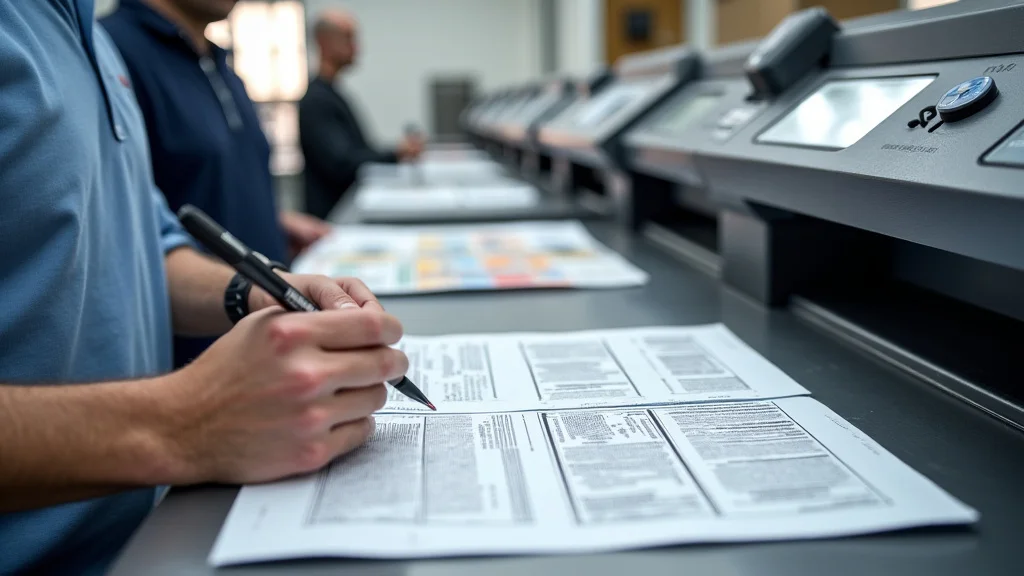
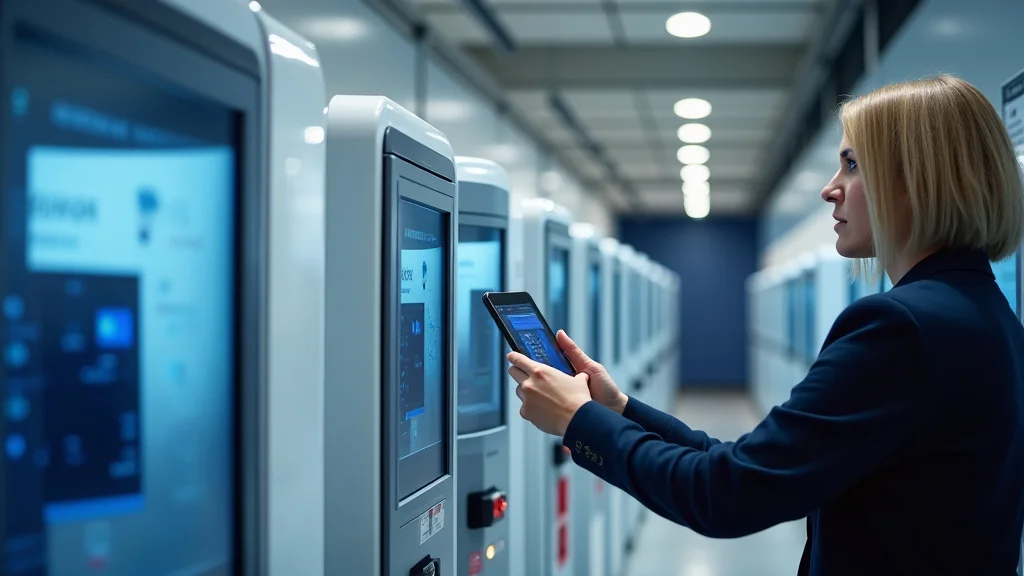
At their core, a printing kiosk is a self-service machine that allows users to print documents, photos, or other materials without needing a staff member’s help. These kiosks typically consist of a printer, a user interface (often a touchscreen), a payment system, and a network connection. They are designed for ease of use, with simple steps that guide users through the printing process. Kiosks are usually located in accessible areas with high foot traffic, such as libraries, airports, universities, and retail locations, providing convenient access to printing facilities. Their functionality extends beyond simple document printing; they also facilitate tasks like photo printing, document scanning, and even faxing in some models.
How Printing Kiosks Operate
The operational process of a printing kiosk is designed to be simple and user-friendly. Initially, a user interacts with the touchscreen interface to select the printing options, such as document type, number of copies, and paper size. The kiosk then prompts the user to upload the document. They may do this through a USB drive, a cloud service like Google Drive or Dropbox, or by connecting a mobile device. The system processes the file, and the user then proceeds to the payment stage. Payment is usually made through card readers or cash, with the kiosk providing change if necessary. After payment confirmation, the printer starts, producing the user’s document. The entire process takes just a few minutes, making it a fast and practical solution for immediate printing needs.
- Document Selection: Users begin by choosing what they want to print, either from a connected device, cloud storage, or the kiosk’s internal system.
- File Upload: The kiosk accepts files via USB, Bluetooth, or direct connection, ensuring broad compatibility.
- Payment Processing: A secure payment system handles transactions with credit cards, debit cards, or cash, depending on the kiosk.
- Printing: After payment, the kiosk prints the document using a high-quality printer, offering various paper options.
Types of Printing Kiosks
Printing kiosks come in many varieties, each designed for specific needs. Some focus on basic document printing, using affordable and quick printers suitable for text documents and simple graphics. Other kiosks are equipped for photo printing, offering higher resolution and specialized paper options to produce photographs. There are also multifunctional kiosks that integrate scanning, faxing, and document binding. Certain kiosks have enhanced features, like the capability to print large-format documents or 3D objects, serving more specialized industries like design and engineering. This diversity in functionality ensures that there is a printing kiosk suitable for nearly every printing requirement.
- Basic Document Kiosks: They focus on printing documents in black and white or color, usually suitable for everyday printing tasks.
- Photo Printing Kiosks: These kiosks feature high-quality printers that are capable of printing vibrant photos in various sizes.
- Multifunction Kiosks: These machines combine printing with scanning, copying, and sometimes even faxing capabilities.
- Specialized Kiosks: They are used for printing large format materials, 3D printing, or specialty printing tasks.
The Technological Aspects
The internal workings of a printing kiosk depend on a combination of hardware and software working in tandem. The core of the machine involves a robust network connection that allows the kiosk to communicate with the central server and receive print jobs from users. The printing itself is handled by a high-speed, reliable printer, which can be either inkjet or laser, depending on the machine’s purpose. A touchscreen interface streamlines the user experience, guiding users through the necessary steps with simple instructions. Embedded payment systems, incorporating secure card readers and cash handling mechanisms, are also vital to the operation. The entire system is often managed by a dedicated software suite that controls the printing process, handles payments, and monitors the overall system performance.
- Network Connectivity: A strong, secure network connection is essential for handling print jobs, payments, and system updates.
- Printer Technology: Kiosks use either inkjet or laser printers, selected for speed, quality, and volume of printing needs.
- User Interface: The touchscreen interface allows easy navigation and document selection for the end user.
- Payment Systems: Secure card readers and cash handling systems that process payment and provide change.
Advantages of Employing Printing Kiosks
Deploying printing kiosks provides significant benefits for both the service provider and the user. For service providers, the primary advantage is reduced labor costs since the kiosks operate without the need for constant staff. The kiosk can run around the clock, providing 24/7 service without needing additional personnel. In addition, these machines enhance efficiency and speed. Users get immediate access to printing, avoiding the delays associated with manual processes. Furthermore, kiosks enhance customer satisfaction by offering convenient self-service options. They free up staff for other tasks and cater to the on-demand needs of users.
Cost Efficiency and ROI
One of the significant advantages of implementing a printing kiosk is the cost savings it brings. They reduce labor expenses, as the need for staff is minimized. Additionally, these machines can generate revenue from print jobs. The kiosk can operate continuously without needing salaries, providing a continuous income stream. The initial investment in a kiosk, which includes the cost of the machine, installation, and maintenance, can usually be offset through the revenue generated over time. ROI is also improved when you account for the increase in customer satisfaction and convenience, which may translate to higher usage rates and increased foot traffic.
- Reduced Labor Costs: Fewer staff members are needed to oversee print services.
- Continuous Operation: Kiosks offer 24/7 service without additional staffing costs.
- Revenue Generation: Income is generated from user print jobs, creating a steady revenue stream.
- Faster Service Times: Quicker printing compared to manual service systems.
Enhanced Customer Experience
The customer experience is often significantly enhanced by using a printing kiosk. Users enjoy self-service ease, printing documents on their schedule. The kiosk removes the waiting periods associated with a staffed service. The straightforward interface and quick payment options contribute to a better customer experience. This can increase customer loyalty and make users feel more satisfied with the services. Furthermore, kiosks usually offer a wide selection of paper types and printing options, giving users control over the final product. The presence of a printing kiosk also indicates a business’s dedication to tech-driven solutions.
- Convenience: Customers have access to printing services anytime they need them, avoiding delays.
- Self-Service Freedom: Users get direct control over the printing process and options.
- Faster Service: The fast processing times of kiosks allow customers to get their documents quickly.
- Various Options: Kiosks often provide a wide selection of print sizes and media choices.
Environmental and Social Impact
Printing kiosks also bring important environmental and social benefits. By offering on-demand printing, they help decrease paper waste by limiting the amount of unnecessary printing. Modern kiosks may include options for double-sided printing, further reducing paper consumption. Socially, printing kiosks improve accessibility. They provide printing services in areas where they might otherwise be limited. They are particularly beneficial in public places like libraries, community centers, and transportation hubs.
- Reduced Paper Waste: The on-demand function can help lower the amount of paper used.
- Environmentally Friendly Options: Kiosks may provide options for double-sided printing to reduce paper usage.
- Enhanced Accessibility: They provide printing resources in locations with limited access.
- Community Access: Kiosks ensure that essential printing services are available to a wider audience.
Real-World Examples and Case Studies
The practical application and effectiveness of printing kiosks are clearly demonstrated through various real-world case studies and examples. These examples highlight their benefits in specific contexts, showing how different organizations utilize kiosks to enhance customer experience, boost efficiency, and increase revenue. Analyzing these real-world examples gives a deeper picture of the practical advantages of implementing printing kiosks.
- University Libraries: Many universities use printing kiosks to provide convenient printing services to students. A case study at a large university showed a 30% reduction in printer-related complaints and a significant increase in student satisfaction after implementing these machines.
- Retail Copy Centers: Retail locations often employ printing kiosks to handle document printing, photo prints, and document scanning. A study done by a major retail chain found a 20% increase in customer spending due to the increased foot traffic driven by kiosk usage.
- Airports: Airports often feature printing kiosks, allowing travelers to print boarding passes and other travel documents quickly. A survey at a busy airport found that 90% of passengers found the kiosks to be a convenient and time-saving resource.
These case studies show how printing kiosks fit into various environments. The main benefits include better customer experience, cost savings, and the efficiency boost the kiosks provide.
Printing Kiosk Security and Maintenance
The security and upkeep of a printing kiosk are essential to its continued operation and its users’ safety. Security measures must include protecting user data and preventing unauthorized access to the printer. Regular maintenance guarantees the device continues to function efficiently. Kiosks need to be placed in well-lit, visible areas. They should also be secured physically to prevent damage or theft. By balancing security and regular maintenance, kiosks provide a secure, trustworthy, and effective printing solution.
Data Protection and Security
Data security is a top concern in the setup of printing kiosks. Protecting user data involves employing secure file transfer methods, like using encryption during uploads and downloads. The kiosk’s software should be regularly updated to fix any security vulnerabilities. Access to stored documents should be limited, removing documents immediately after they are printed. Payment systems must be PCI-compliant to secure financial information. Furthermore, kiosks should have surveillance systems and tamper-proof features to avoid data breaches and physical damage.
- Encryption: Protecting data while it is uploaded, downloaded, and printed, using secure protocols.
- Regular Updates: Updating the kiosk’s software frequently to address any security flaws.
- Data Deletion: Deleting documents right after printing to avoid unauthorized access.
- Payment Security: Compliance with PCI standards to secure financial transactions.
Maintenance Procedures
Maintaining a printing kiosk involves regular upkeep to ensure it operates smoothly. Routine tasks include checking and refilling paper, changing ink or toner, and cleaning the printer components to prevent jams and maintain print quality. Kiosks should be tested often to find and address any mechanical problems. Software maintenance involves updating the system to fix bugs and enhance performance. Scheduled maintenance programs minimize downtime and maximize the kiosk’s lifespan. Having a dedicated support team or service contract is important for resolving technical problems promptly.
- Paper and Toner: Frequently refilling paper and replacing ink or toner.
- Cleaning: Cleaning and servicing the printer components to ensure quality output.
- Software Updates: Installing software updates to fix glitches and optimize the system.
- Scheduled Maintenance: Implementing a regular maintenance schedule to minimize disruptions.
Common Myths Debunked
Myth 1: Printing Kiosks Are Difficult to Use
In reality, printing kiosks are made to be very easy to use. Modern kiosks have user-friendly touchscreen interfaces, with clear directions to help users through each step. The interface is often very similar across different kiosks, ensuring consistency. Many also include helpful features such as tutorials and online support, making it simple for people of all technical backgrounds to use them. These machines are designed to simplify the printing process and reduce any learning curve.
Myth 2: Printing Kiosks Are Always Expensive
Although the initial cost of installing a printing kiosk can be high, they are often cost-effective for the long term. Costs may be offset by several things, including reductions in labor costs and the generation of revenue from print jobs. Compared to having staff members provide printing services, kiosks minimize labor needs, leading to long-term cost savings. The income from print jobs provides an additional revenue stream that contributes to a positive return on investment.
Myth 3: Printing Quality Is Poor
The print quality of a printing kiosk depends on the type of printer used, but modern kiosks offer great print quality. High-end kiosks are equipped with high-resolution printers that can print detailed images and sharp text. You can select different paper and print settings, which allow users to control the quality of their prints. Regular maintenance is necessary to keep the printers in good condition, guaranteeing that the quality of print is consistent.
Myth 4: Printing Kiosks Are Unreliable
Although printing kiosks may experience some issues from time to time, they have been developed to be very dependable. Regular maintenance helps to minimize problems. The equipment is often created to be used for extended periods. Kiosks also include diagnostic tools that detect and resolve problems quickly. The use of robust components and automated error-handling features improves reliability. Kiosks also have redundant systems. In other words, if one component fails, the machine continues to operate.
Myth 5: Printing Kiosks Are Only For Basic Printing
Printing kiosks now offer features beyond basic printing, including options for document scanning, photo printing, and even 3D printing in more specialized models. They offer different printing options like various paper sizes and media types, providing a flexible range of printing capabilities. From printing documents and photos to handling more specific needs, printing kiosks have evolved to meet diverse requirements.
Frequently Asked Questions
Question: How do I connect to a printing kiosk?
Answer: You can connect to a printing kiosk via USB, cloud services like Google Drive or Dropbox, or sometimes via Bluetooth or Wi-Fi. The kiosk’s user interface will guide you through the connection process.
Question: What payment methods do printing kiosks accept?
Answer: Most printing kiosks accept credit cards, debit cards, and cash. Some also accept mobile payment methods like Apple Pay or Google Pay.
Question: Can I print photos from my phone?
Answer: Yes, many printing kiosks allow you to print photos from your phone, either by connecting via USB, using a cloud service, or using a mobile app that connects directly to the kiosk.
Question: Are printing kiosks secure?
Answer: Yes, printing kiosks incorporate security measures like encryption, secure payment processing, and data deletion after printing to protect user information.
Question: What happens if the kiosk has a problem during my print job?
Answer: If the kiosk malfunctions during your print job, it should display an error message and offer you a refund or the opportunity to retry your print. Contacting the kiosk’s support team is also an option.
Final Thoughts
The printing kiosk has transformed the way people access and use printing services, providing an ideal mix of convenience, cost-effectiveness, and accessibility. These self-service machines empower users to print their documents, photos, and other materials on their own schedules, eliminating the need for staff or waiting periods. They streamline operations in various environments, from libraries and universities to airports and retail stores, by reducing labor costs and improving efficiency. The different types of printing kiosks available guarantee there is a solution for nearly every printing requirement. So, whether you’re a student needing to print a last-minute assignment or a traveler trying to print a boarding pass, consider the benefits of a printing kiosk. You’ll likely discover they are a fast and reliable solution.