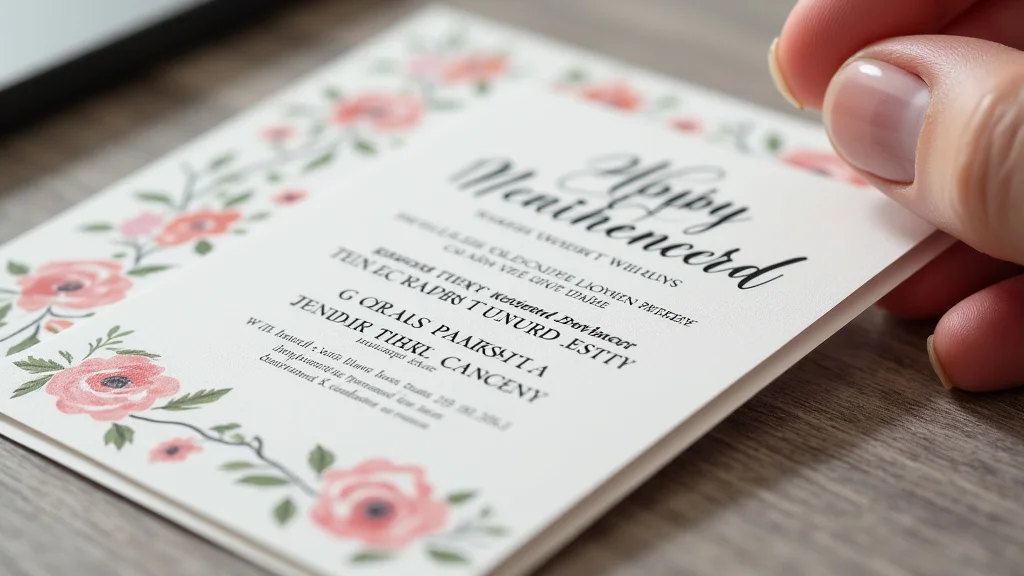
Remember that time you spent hours crafting the perfect invitation for your best friend’s wedding, only to have the colors look completely off when you printed 5×7 invitations? It’s a frustrating experience, but one easily avoided. This guide explores the essential factors of printing 5×7 invitations, ensuring your announcements look professional and polished. You’ll gain a solid grasp of paper types, design considerations, and printing options. By the end, you’ll be equipped with the knowledge to create invitations that impress. This post is designed to help you create fantastic invitations and also give you a better grasp of the printing process itself.
Key Takeaways
- Learn about various paper choices to suit different invitation styles.
- Discover essential design considerations for effective 5×7 invitations.
- Understand the difference between digital and offset printing.
- Explore cost-saving options for your invitation project.
- Gain a better understanding of how to prepare your files for professional results.
- Uncover tips for finding the perfect printing service to meet your needs.
Choosing the Right Paper for Your Invitations
The paper you select significantly affects the final look and feel of your 5×7 invitations. Different paper types offer varying textures, weights, and finishes, each with its unique advantages. Making the right choice is important to match the invitation’s purpose, whether for a formal wedding or a casual birthday bash. A well-chosen paper adds an extra touch of quality, making a positive impression on your recipients. There is a lot to consider before deciding on the appropriate paper to use. It is a decision that will influence the appearance and how your invitations are perceived by those who receive them.
Paper Types and Their Characteristics
- Card Stock: This is a popular choice for printing 5×7 invitations due to its durability and versatility. Card stock comes in various weights, typically ranging from 80lb to 120lb. Heavier stocks offer a more substantial feel, ideal for formal events. Lighter stocks are suitable for invitations requiring a more flexible feel.
- Matte Paper: Matte paper provides a smooth, non-reflective surface. This paper type is great for a softer, more elegant look. It is an excellent choice for invitations that feature a lot of text, as the matte finish reduces glare and makes reading easier.
- Glossy Paper: Glossy paper has a shiny, reflective surface that enhances the vibrancy of colors and images. It’s a great option for invitations that showcase photos or detailed graphics. This type of paper is often used to bring an extra layer of visual appeal to your invitations.
- Specialty Papers: Beyond the standard options, there are several specialty paper choices that can add a unique touch to your invitations. These include textured papers like linen or felt, which offer a tactile experience. Metallic papers with a shimmer effect, perfect for creating luxurious invitations.
Card stock is known for its ability to handle different printing methods, including digital and offset printing. It also works well for scoring, folding, and other finishing processes. This makes it an ideal choice for invitations that require special formatting.
Matte paper allows ink to be absorbed quickly, providing excellent color reproduction. However, it can sometimes lack the vibrancy of glossy paper. It is still a versatile option for various invitation themes and styles, including modern, rustic, or minimalist designs. In some ways, it is the most versatile paper type.
The glossy finish gives a premium look and feel. Be aware that the shiny surface can cause glare, which might make it slightly harder to read text in certain lighting conditions. Glossy paper is best suited for invitations that want to make a bold visual statement.
Specialty papers often require specialized printing methods. These papers can increase the overall cost, but they make the invitations memorable and create a lasting impression. Some printing services provide samples of various specialty papers to help you make your final selection.
Paper Weight and Its Significance
- Impact on Feel: The weight of the paper directly affects how substantial your invitations feel. A heavier paper stock conveys quality and importance, ideal for formal events. Lighter paper is often used for invitations where cost savings are a priority, such as mass mailings.
- Printing Compatibility: Heavier papers are usually compatible with both digital and offset printing, while some home printers might have limitations. Always check your printer’s specifications before selecting a heavy paper weight. Paper weight also affects how well the paper handles scoring, folding, and other finishing options.
- Mailing Considerations: The weight of the paper can also affect the postage costs if you are mailing invitations. Heavier invitations will require more postage. Keep this in mind when determining your budget. It’s often a good practice to weigh a sample invitation before sending out your final batch to estimate your mailing costs accurately.
The feel of your invitation plays a role in the initial impression it gives. A thicker paper conveys a feeling of high quality and care, helping to set a positive tone for your event. Paper weight is measured in pounds (lb) or grams per square meter (gsm), which should be considered when deciding on your paper type.
The printing process can influence paper choice. Offset printing can handle a wider range of paper weights. Digital printing might have restrictions. It’s crucial to confirm that your chosen paper is compatible with the printing method you select. Doing so will ensure optimal print quality and prevent issues like paper jams or ink smudging.
Postage rates vary based on weight and size, so always consider these aspects when planning. In many cases, it makes sense to go with a slightly lighter paper stock to reduce mailing costs, especially when sending out a large number of invitations.
Design Best Practices for 5×7 Invitations
A well-designed printing 5×7 invitations is essential for making a great first impression. This size offers ample space for text and visuals while remaining manageable and cost-effective. Effective design involves balancing aesthetics with functionality, ensuring your invitation conveys all the important information clearly and attractively. Careful consideration of layout, typography, and color schemes is key to creating a design that captures attention and sets the tone for your event.
Layout and Composition
- Balance and Symmetry: Strive for a balanced layout. Symmetry can create a formal and classic feel. Asymmetry can make the design more modern and dynamic.
- Whitespace: Whitespace, or negative space, is the empty area around elements in your design. Using ample whitespace prevents your design from appearing crowded. It also helps to draw attention to key elements like event details.
- Hierarchy: Establish a clear visual hierarchy by varying the size and style of text and graphics. Make the event title and date the most prominent elements. Use different font sizes and weights to guide the reader’s eye.
Consider the placement of text and images to avoid a cluttered appearance. A well-balanced design is visually pleasing and easy to read. Experiment with different arrangements until you find the perfect balance.
Whitespace improves readability and enhances the overall aesthetic. It gives the design a clean and professional look. Avoid filling every available space with text or graphics; it will result in a visual mess.
Prioritize information to ensure that recipients can quickly grasp the most important details. Use larger fonts for headings and important dates. Smaller fonts can be used for secondary information, such as the dress code or RSVP instructions.
Typography and Color Palette
- Font Selection: Choose fonts that are legible and complement your invitation’s theme. Use no more than two or three fonts. Avoid using fonts that are difficult to read, especially for the main event details.
- Color Harmony: Select a color palette that suits the event’s theme and reflects your personal style. Use contrasting colors to highlight important information. Consider the psychological impact of colors.
- Color Contrast: Ensure sufficient contrast between text and background colors for optimal readability. Dark text on a light background is generally easier to read. Avoid using similar colors for text and background, as this can strain the eyes.
Select fonts that reflect the style of your event. Use a classic serif font for formal invitations. Consider using a modern sans-serif font for a more contemporary look. Ensure that the chosen fonts work together harmoniously, creating a cohesive design.
When selecting your colors, consider the mood you wish to create. For instance, pastels are suitable for a baby shower. Rich, bold colors might be a better choice for an evening event. Always make sure there is enough contrast between text and background.
High contrast also enhances the visual appeal of your design. Always test your design by printing a sample. Ensure that all the important information is easily readable in various lighting conditions. Accessibility is key.
Printing Methods: Digital vs. Offset
When printing 5×7 invitations, selecting the appropriate printing method is important. Digital and offset printing are the most common options. Each has unique benefits, and the best choice depends on your project’s needs, budget, and desired outcome. Understanding the key differences between these methods enables you to make an informed decision and achieve the highest quality results.
Digital Printing
- Process Overview: Digital printing involves using digital files to directly transfer images onto paper. It’s similar to how a high-quality home printer works. This method uses toner or ink to produce the image, making it easy to create complex designs.
- Benefits: Digital printing offers quick turnaround times, which is essential for projects with tight deadlines. It’s also cost-effective for small quantities. The ease of personalizing each invitation with different names or details adds another layer of versatility.
- Limitations: While digital printing produces excellent results, it might not be the most economical choice for large print runs. The cost per unit can be higher compared to offset printing. Digital printing might not offer the same color accuracy or paper choices as offset printing.
Digital printing is very convenient for small print runs. It’s also great for customized invitations, as it can easily accommodate variable data, such as different names and addresses on each invitation. Modern digital printers offer high-resolution results, comparable to offset printing.
Digital printing usually eliminates the need for plate creation, which significantly reduces the set-up costs. This makes it an attractive option for projects with limited budgets. Digital printing is generally the best method for those who want personalized invitations.
Digital printing has limitations when it comes to specialty finishes. Some options, such as spot colors or foil stamping, might not be available. Always discuss your requirements with the printing service to confirm if digital printing meets your design needs.
Offset Printing
- Process Overview: Offset printing uses plates to transfer ink onto a rubber blanket. The blanket then transfers the ink onto the paper. This method delivers higher quality results, especially for large print runs, and precise color control.
- Benefits: Offset printing is cost-effective for large quantities, making it a budget-friendly option for mass mailings. It offers the best color accuracy and a wider range of paper choices. Offset printing can accommodate specialty finishes, such as spot UV coating or foil stamping.
- Limitations: The set-up costs for offset printing are higher, including creating printing plates, making it unsuitable for small runs. It also requires more time for production. Turnaround times are slower compared to digital printing, so this may not be the ideal option for projects with tight deadlines.
Offset printing is known for its ability to produce sharp images and vibrant colors. It’s well-suited for detailed graphics and photographic images. This process is generally a good option if you have a complex design and want high-end results.
Offset printing provides greater control over the final product. The printing service can adjust the ink density and color balance, achieving a specific color match. This is important for brand consistency or matching existing designs.
Offset printing generally has a minimum order quantity. You will need to print a minimum number of invitations to make the process cost-effective. If your project has a limited budget or you need a small quantity, digital printing might be the better option.
File Preparation for Professional Printing
Preparing your files correctly is essential for achieving professional-quality printing 5×7 invitations. Proper file setup guarantees that your design prints as intended. This involves considering the correct file format, resolution, color mode, and bleed settings. Investing time in file preparation can help avoid issues during the printing process and deliver the best possible outcome.
File Formats and Resolution
- Preferred File Formats: The most common file formats for professional printing are PDF (Portable Document Format) and high-resolution JPEG (Joint Photographic Experts Group). PDF files are best for preserving the original design elements, including fonts and layouts.
- Resolution Requirements: High resolution is crucial for sharp, clear prints. Aim for a resolution of at least 300 dots per inch (DPI) for images and graphics. This ensures that the images and text appear crisp and detailed, even when printed at a larger size.
- Color Mode: Use CMYK (Cyan, Magenta, Yellow, Key/Black) color mode for your design, as this is the standard for printing. This will ensure that the colors in your invitation match what you see on the screen. RGB (Red, Green, Blue) is used for digital displays.
PDF files offer excellent compatibility with different printing equipment. JPEG files are suitable for images, but they might not preserve all design features. Always choose a format that supports the quality and complexity of your invitation design.
Low-resolution images will look blurry or pixelated when printed, so it’s best to always use high-resolution files. If your design includes raster images (photos or bitmap graphics), ensure they meet the minimum DPI requirement.
Printing in CMYK is essential for accurate color reproduction. If your design is in RGB, the colors might appear different when printed, often appearing duller than expected. Most design programs allow you to easily convert to CMYK.
Bleed, Margins, and Safe Zones
- Bleed Settings: Bleed refers to extending your design beyond the trim area. This ensures that your design elements, such as background colors or images, go all the way to the edge after cutting.
- Margins and Safe Zones: Keep important text and design elements within the safe zone, usually about 0.25 inches from the edge of the invitation. This prevents text from being cut off during trimming. It’s critical for the layout of your design.
- Proofreading and Proofing: Proofread all text carefully. Check for any spelling errors or grammatical mistakes. Review the layout, color, and design elements to ensure everything appears as you want.
Add a bleed of at least 0.125 inches (1/8 inch) on each edge of your design. This prevents a white border from appearing around the edges. When setting up your file, the bleed area will ensure the printing service will cut the design properly.
The safe zone ensures that all important information is visible. You may create visual guides within your design software. These will help you keep the text and images within the safe zones. Avoid placing essential elements near the edge of the design.
Proofing your design is essential before sending it for printing. Always request a physical proof from your printing service. This helps you check the final product before placing a large order. A final proof guarantees the overall quality and your satisfaction.
Cost Considerations for Printing 5×7 Invitations
Budgeting effectively is important when planning to print 5×7 invitations. Several factors influence the final cost, including printing method, paper choice, and finishing options. You can manage your project budget by carefully weighing these variables and making informed decisions. Knowing the cost implications of each choice will help you get the best possible results without breaking the bank.
Factors Affecting Printing Costs
- Printing Method: Digital printing is generally more affordable for small quantities. Offset printing becomes more economical for large orders. The choice of printing method greatly affects the cost per unit and the overall budget.
- Paper Stock: The choice of paper is another key cost driver. Standard paper stocks like card stock are more affordable. Specialty papers, such as textured or metallic options, will add to the expenses. Paper weight also impacts costs.
- Finishing Options: Finishing options, such as foil stamping or spot UV coating, add to the cost. Simple finishing choices, like trimming and scoring, will usually be included in the base price. Complex finishing methods will increase the final cost.
If you’re printing a small number of invitations, digital printing might be the best option. Offset printing offers lower per-unit costs for high-volume orders, making it ideal for large-scale projects. Always request quotes from different printers to compare prices.
Budget-friendly options are often available, such as using lighter card stock or selecting a standard finish. If you want a more luxurious appearance, consider upgrading to a specialty paper. Always try to stay within your budget.
Consider which finishing options are necessary. For instance, if you want a striking visual effect, consider foil stamping. Always check with your printer to get an accurate estimate of finishing costs. Keep in mind that less can sometimes be more.
Cost-Saving Tips
- Order in Bulk: Ordering a larger quantity of invitations can reduce the per-unit cost. However, only do this if you know you will need all of the invitations. Offset printing offers better value as the quantity increases.
- Choose Standard Sizes: Using a standard 5×7 inch invitation size can help save money. Custom sizes may require extra cutting and finishing processes. This increases costs, so sticking with the standard size is usually the best approach.
- Simplify Design: A simple design with fewer colors and finishing options will be more cost-effective. Avoid complex designs that require special printing techniques. The fewer the steps, the lower the cost usually will be.
When you’re ordering invitations for a large event, ordering in bulk is often more economical. Consider the possibility of needing extras. It’s always good to have some invitations on hand in case of mistakes or last-minute additions to your guest list.
Standard sizes typically have lower production costs. They are also easier for printers to handle. It’s best to verify the size requirements and consider whether the additional cost of a custom size is worth the expense.
The simplicity of your design often impacts production costs. Complex designs with multiple colors and finishing processes tend to increase the overall price. Consider what elements are essential for your invitation and minimize the rest.
Finding the Right Printing Service
Choosing the right printing service is crucial for high-quality printing 5×7 invitations. Your choice impacts print quality, service, and cost. Researching various printing companies and weighing their strengths and weaknesses helps you identify the best fit for your needs. The right partner can make the printing process smooth and deliver fantastic results.
Researching Printing Companies
- Online Reviews: Check online reviews and testimonials to assess the printing service’s reputation. Look for feedback on print quality, customer service, and turnaround times. The reviews can give you an overview of the printing company’s reliability and quality.
- Portfolio: Review the printing service’s portfolio or sample work to evaluate their print quality and style. See examples of invitations they have printed, paying close attention to color reproduction, paper quality, and finishing. This will help you to understand their capabilities.
- Services Offered: Find out what services the printing company provides. Ensure they offer the specific printing methods and finishing options you need. Look for value-added services, such as design assistance or envelope printing.
Pay attention to any recurring themes in the reviews, both positive and negative. If multiple customers report issues with print quality or customer service, it might be a warning sign. However, keep in mind that reviews are subjective.
If you have specific design requirements, make sure to see samples of similar projects. This helps to determine if the printing service can deliver the quality you expect. Some companies also provide physical samples.
Choosing a service that offers a wide range of services can streamline the printing process. Determine if they offer everything you need in a single place. A company that also handles envelope printing can save you time and effort.
Evaluating Quotes and Comparing Services
- Obtain Multiple Quotes: Request quotes from several printing services to compare pricing and services. Provide identical specifications to make the comparison as fair as possible. Compare the costs, turnaround times, and level of service.
- Check Turnaround Times: Confirm the printing service’s turnaround times and whether they can meet your deadline. Ask about rush options if needed. A fast turnaround time is essential for timely delivery.
- Customer Service: Evaluate the printing service’s customer service. Determine whether they are responsive, helpful, and easy to communicate with. A responsive customer service team is important for addressing any issues that may arise during the printing process.
Requesting multiple quotes is essential for getting the best deal. Ask the printing services to itemize their pricing to see what makes up the cost. If a quote seems very low, double-check if all the desired services are included.
If your event date is quickly approaching, make sure the printing service can deliver your invitations within your required timeframe. Factor in the time for proofing and any adjustments. Be clear about your expectations.
Good communication is critical for a smooth printing experience. Ensure that the printing service has a customer service team that is accessible and responsive to your queries. They should be able to assist you.
Common Myths Debunked
Myth 1: You need an expensive designer to create beautiful 5×7 invitations.
Reality: While a professional designer can bring expertise, many user-friendly design tools and templates allow you to create stunning invitations at a lower cost. These platforms offer pre-designed layouts and customization options, providing accessible tools for creating invitations that make an impression.
Myth 2: Glossy paper is always the best choice for invitations.
Reality: While glossy paper offers vibrant colors, it’s not always the best choice. Matte paper provides a more elegant and readable finish, especially if you have a lot of text. The best paper choice depends on your design’s aesthetic and the overall feel you want to achieve for your invitations.
Myth 3: Printing at home is always cheaper than using a professional printing service.
Reality: Although home printing might seem cheaper initially, it often leads to higher costs when considering ink, paper, and potential printer malfunctions. Professional printing services offer better quality and cost-effectiveness for larger quantities. They also provide access to a wider selection of paper types and finishing options.
Myth 4: Bleed is not essential for 5×7 invitations.
Reality: Bleed is important for ensuring that your design goes all the way to the edge of the invitation after cutting. Without bleed, you might end up with unwanted white borders around your design. This is a common aspect of professional printing. It should never be skipped.
Myth 5: All printing services are the same.
Reality: Printing services differ in their print quality, paper options, and customer service. Always research and compare services. Find a printing company that matches your design needs and budget. It is important to compare reviews and portfolios.
Frequently Asked Questions
Question: What is the standard size for a 5×7 invitation?
Answer: The standard size for a 5×7 invitation is exactly 5 inches wide by 7 inches high.
Question: What is a bleed, and why is it important?
Answer: A bleed is extending your design beyond the trim area to ensure that the printed image extends to the edge of the paper after cutting. It prevents unwanted white borders.
Question: Can I print my 5×7 invitations at home?
Answer: You can, but it depends on your printer. Professional printing usually offers better quality and cost-effectiveness, especially for larger quantities and specific paper choices.
Question: What file format is best for printing 5×7 invitations?
Answer: The best file formats are PDF (Portable Document Format) and high-resolution JPEG (Joint Photographic Experts Group) for preserving quality.
Question: How do I ensure my colors look right when printing?
Answer: Use the CMYK color mode for your design to ensure accurate color reproduction during the printing process, as CMYK is the standard color space for printing.
Final Thoughts
Mastering the art of printing 5×7 invitations is a rewarding experience. It means you can create announcements that reflect your style. From selecting the appropriate paper to optimizing your design and choosing the right printing method, each detail plays a role in the final product. You have explored the nuances of paper types, understanding how they influence the look and feel of your invitations. Design tips were also discussed to craft visually appealing layouts, and you are more aware of the differences between digital and offset printing. You now have a stronger comprehension of how to prepare your files correctly, ensuring high-quality results. You also know that you can choose the right printing service to match your event’s needs. Now you have the tools to create 5×7 invitations that will get a fantastic response. Go ahead and start crafting your perfect invitations today. Your guests will be amazed.