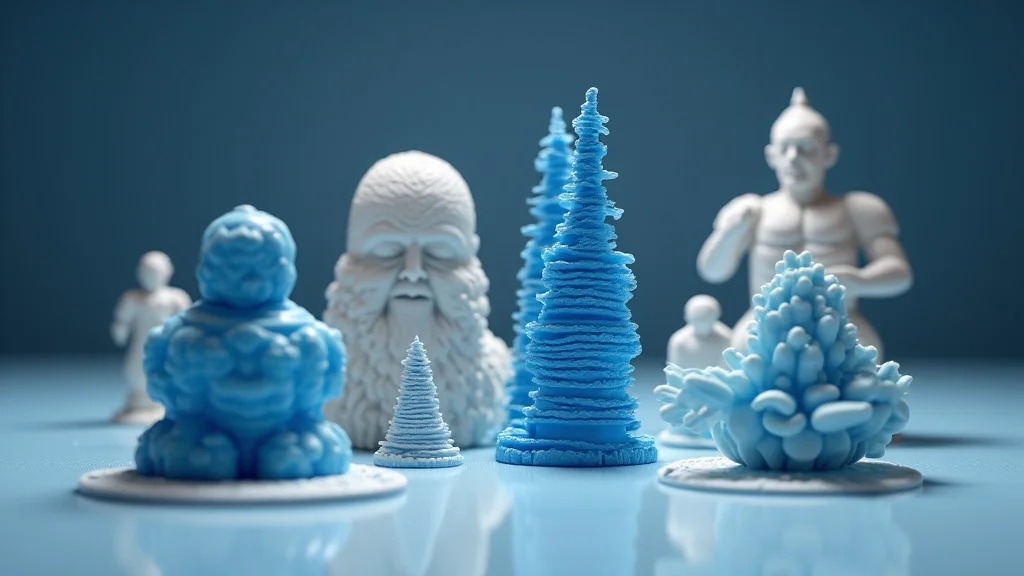
Remember that cool toy your friend showed off, built with a machine that seemed straight out of a sci-fi movie? That machine likely uses printing 3D models! Imagine creating your own gadgets, art, or even replacement parts just by pressing a button. This guide will help you explore the fundamentals of printing 3D models, turning your creative ideas into physical objects. You’ll learn the steps, the materials, and what to expect when starting this exciting hobby. By the end, you’ll be able to confidently begin your own projects, greatly improving your skills and confidence in a fun and growing field.
Key Takeaways
- Understand the basic process of 3D printing and how it brings digital designs to life.
- Learn about the different materials used in 3D printing and their best applications.
- Discover the essential steps for designing or finding 3D models to print.
- Explore the common types of 3D printers and their key features.
- Find out how to prepare models for printing using slicing software.
- Troubleshoot common issues that arise during the 3D printing process.
Basics of Printing 3D Models: How It Works
3D printing, also known as additive manufacturing, is a process of creating three-dimensional solid objects from a digital file. This is achieved by laying down successive layers of material, one on top of the other, until the entire object is formed. Think of it like building a structure with LEGO bricks, but instead of manually assembling them, a machine does it automatically, based on your digital design. This technology has revolutionized manufacturing, prototyping, and DIY projects, offering a faster and more cost-effective way to produce complex shapes compared to traditional methods.
The Core Process
The core process involves several crucial steps. First, you need a digital design, often created using CAD (Computer-Aided Design) software or downloaded from online repositories. This design is then converted into a file format that the 3D printer can understand. The printer reads this file and, layer by layer, deposits material following the design’s instructions. The material is typically melted or cured, solidifying each layer and bonding it to the previous one. This layering process continues until the final 3D object is complete.
-
Digital Design: Before you start printing 3D models, you’ll need a digital model. This model acts like a blueprint. Design software lets you create a model from scratch or make alterations to existing designs. Popular free options include Tinkercad and Blender. These programs let you create models using various tools, like shapes, and editing operations.
This is where your vision comes to life. Whether you are creating a simple shape or a complex product, understanding the design process is important. You can also download ready-made designs from sites like Thingiverse. The choice depends on your design knowledge and project requirements. Creating a great design begins with creativity and the right tools.
-
Slicing: Slicing software is used to prepare the 3D model for printing. It takes the digital model and cuts it into numerous thin horizontal layers. It also creates the instructions the printer uses to build the object. This includes the path the printer’s nozzle or laser follows to deposit material for each layer. The slicing software also determines the print settings.
Think of slicing as the translation process. The software ensures that the printer knows where and how to deposit material, and this is important for your designs. The quality of your prints largely depends on the choices you make during slicing, such as layer thickness, infill density, and support structures. This step ensures that your printer can interpret and follow the instructions correctly.
-
Printing: This is where the magic happens. The 3D printer, following the instructions from the sliced file, builds the model layer by layer. The material is deposited through a nozzle, using processes like Fused Deposition Modeling (FDM), Stereolithography (SLA), or Selective Laser Sintering (SLS). As each layer is added, it bonds to the previous one, gradually forming the solid object.
The printing stage brings your digital design into the real world. During printing, the printer’s print bed moves while the extruder deposits materials. Watch your ideas come to life as the layers stack up and the object is created. Different 3D printing technologies use various materials and processes, influencing the print quality, speed, and overall capabilities.
-
Post-Processing: After printing, your model may need post-processing to remove support structures, smooth surfaces, or refine details. This can involve sanding, painting, or applying coatings. The post-processing phase is where the model is finalized and transformed into its usable state. Different methods are used depending on the materials and finish.
Post-processing can change the look and functionality of the finished products. The amount of post-processing needed varies based on the printing method. Some models might need minimal cleanup, while others need extensive treatment to achieve the desired look. It is an important stage to enhance the quality and usefulness of your creation. This is where you bring your model to its full potential.
Different Types of 3D Printers
Several types of 3D printers are available, each utilizing different technologies and suitable for various applications. The most common types include Fused Deposition Modeling (FDM), Stereolithography (SLA), and Selective Laser Sintering (SLS). These technologies use different materials and methods, each offering advantages and disadvantages concerning speed, resolution, and cost. Exploring these various types helps in picking the best choice, matching your needs and printing goals.
Fused Deposition Modeling (FDM)
FDM is the most widely used and budget-friendly type of 3D printing. It uses a heated nozzle to extrude thermoplastic filaments, such as PLA, ABS, and PETG. The plastic is melted and deposited layer by layer onto a build platform, solidifying to form the object. FDM printers are simple to use, making them ideal for beginners and hobbyists. They are also relatively inexpensive to purchase and maintain, making them a great starting point for anyone exploring the realm of printing 3D models.
-
How it Works: FDM printers work by feeding a plastic filament through a heated nozzle that melts the plastic. The nozzle moves along the X, Y, and Z axes, depositing the molten plastic onto the build platform in layers. The plastic cools and solidifies, forming each layer of the 3D model. The process continues until the entire object is built.
The accuracy of an FDM print depends on several factors. These include the layer thickness, the temperature of the nozzle and bed, and the speed of the printing. Fine-tuning these settings can greatly improve the quality of the final product. Even with all the variables, it remains a fantastic option for beginners and is great for prototyping.
-
Materials: FDM printers can use a variety of materials, including PLA (Polylactic Acid), ABS (Acrylonitrile Butadiene Styrene), PETG (Polyethylene Terephthalate Glycol), TPU (Thermoplastic Polyurethane), and more. PLA is a popular choice for beginners due to its ease of use and low odor. ABS is a stronger material, often used for functional parts. PETG offers a balance of strength and flexibility.
Selecting the right material is important for the function of your print. Consider the purpose of the object and the environment in which it will be used. PLA is great for decorative items, while ABS is better suited for parts that need to withstand heat. TPU is a good option if you need flexible prints. Understanding the properties of each material helps to produce the best results.
-
Pros and Cons: FDM printers are cost-effective, easy to operate, and use a wide range of materials. However, they may produce prints with visible layer lines and have less fine detail compared to SLA printers. Support structures may be needed for complex designs. Also, the quality of prints can change if the printer settings are changed or the materials have different characteristics.
Despite their limitations, FDM printers remain a great choice for many projects. The cost-effectiveness and ease of use make them perfect for learning about printing 3D models. As you become more experienced, you can experiment with different materials and settings to enhance the quality of your prints. FDM is an accessible and evolving option for 3D printing enthusiasts.
Stereolithography (SLA)
SLA uses a liquid resin that is cured by a laser to create objects. A laser selectively hardens the resin layer by layer, solidifying it into the desired shape. SLA printers produce high-resolution prints with fine details and smooth surfaces, making them suitable for detailed models and prototypes. This method is often used for creating miniatures, jewelry, and other items where surface quality is vital.
-
How it Works: SLA printers use a laser to cure liquid resin. The laser traces the shape of each layer, hardening the resin at specific points. The build platform moves up, and the next layer of resin is exposed to the laser, creating the next layer of the print. This process is repeated until the complete object is formed.
This method allows for very fine detail and smooth surfaces, perfect for small and intricate objects. However, SLA printers can be more expensive than FDM printers and require more care, like working with the liquid resin. Also, post-processing is a must to remove excess resin and cure the print completely.
-
Materials: SLA printers primarily use photopolymer resins. These resins come in different types, each with its properties. Some are designed for high detail, some for flexibility, and others for strength. Selecting the right resin is crucial for the function and look of your prints. Experimenting with different resins will help you achieve the best results.
Resin type is a key consideration for SLA printing. Some resins offer better mechanical properties, while others prioritize clarity or durability. Choosing the proper resin can greatly affect the quality and usability of your finished product. Research the features of each resin to ensure it matches the needs of your project.
-
Pros and Cons: SLA printers make high-quality, detailed prints with smooth surfaces. However, they can be more costly than FDM printers, and the resins can be messy to handle. Post-processing, including washing the print and curing it, is important to finalize the printed objects. Also, some resins can be sensitive to UV light.
SLA is perfect if you need high resolution and great detail. The smooth surfaces mean minimal post-processing. Nevertheless, the cost and added steps might be a trade-off. Choosing the right printer relies on the particular needs of your project. If details and aesthetics are crucial, SLA is often the ideal choice.
Designing and Finding 3D Models
Before you begin printing 3D models, you need a digital design. This can be created using CAD software, found on the web, or through scanning. The design stage is where your ideas come to life. Picking the right tools and getting familiar with design principles is vital. Whether you are crafting models from scratch or finding existing ones, the design process is a crucial step to bring your ideas to life.
CAD Software
CAD (Computer-Aided Design) software allows you to create 3D models from scratch. These programs give you tools to design, edit, and refine your models. Choosing the right software often depends on your skill level and project needs. Understanding the features and capabilities of these programs is important to create the desired results. Popular CAD software can vary from beginner-friendly to professional-level tools, each offering its benefits.
-
Beginner-Friendly: For those new to 3D design, programs like Tinkercad are a great start. Tinkercad is free, easy to use, and browser-based, making it accessible from any computer. Blender also provides more advanced functionality, though it has a steeper learning curve. These programs are designed to provide a good introduction to the 3D design process.
When starting, opt for simple programs that concentrate on fundamental concepts. Tinkercad’s drag-and-drop tools are ideal for beginners. Blender allows you to create very detailed designs but requires more time to learn. These platforms offer an easy way to understand and experiment with 3D modeling.
-
Intermediate and Advanced: Programs such as Fusion 360 and SketchUp offer more advanced features and greater control over design. Fusion 360 is a powerful, yet accessible tool for CAD design, and it’s especially useful for mechanical parts and functional prototypes. SketchUp is user-friendly and great for architectural designs.
As you improve, these programs provide a wide variety of tools. Fusion 360 provides great tools for intricate designs, while SketchUp is perfect for building design models. These programs need a better understanding of CAD principles. These options provide many tools for various design projects.
-
Key Features: The features of CAD software vary based on the platform. Key features include tools for modeling, editing, and rendering. The software must allow the export of models in formats compatible with 3D printers, such as STL or OBJ.
Choose software that provides the tools you need for your projects. Modeling tools allow you to make complex shapes. Editing features permit you to refine the designs. The capability to export in printer-friendly formats is important. Choose the software based on its functions and suitability for your design needs.
Online Repositories
Several online repositories offer downloadable 3D models, such as Thingiverse, MyMiniFactory, and Cults3D. These platforms have many ready-to-print models created by designers all over the world. These repositories are great for beginners as they provide a wide range of options to print without needing to design from scratch. These platforms also provide an easy way to get started with printing 3D models.
-
Thingiverse: Thingiverse is one of the most popular platforms, with a large community and a vast library of free models. Users can download, share, and customize designs. The platform is well-known for its wide selection of models, from practical gadgets to artistic sculptures.
Thingiverse is a great platform for all levels. Its user-friendly interface makes exploring the library easy. The option to customize designs is perfect for people who like to make alterations to the existing designs. With its vast library and active community, it is a very useful resource for 3D printing enthusiasts.
-
MyMiniFactory: MyMiniFactory focuses on quality-assured designs, with community validation and high-quality models. Designs go through a quality-control process, meaning you will receive great printable files. The platform is known for its detailed miniatures and specialized designs.
MyMiniFactory offers verified, high-quality designs. The community validation process guarantees that each model is great for printing. This makes it an ideal choice if you need top-notch models, from miniatures to more complex models. The platform’s emphasis on quality ensures great printing results.
-
Cults3D: Cults3D provides a platform for both free and paid designs. It has a great selection of unique designs, including art, jewelry, and mechanical parts. This option is great for finding creative and niche models.
Cults3D offers a variety of designs for people with many needs. You will discover many models that are both free and paid. Its unique collection gives you new ideas for your printing projects. The platform is ideal if you want to find more niche or creative designs.
3D Scanning
3D scanning converts a real-world object into a digital 3D model. This is achieved using scanners that capture the object’s geometry and surface details. This technique is beneficial if you want to reproduce existing objects or create digital models of things you already have. Many different scanners are available, varying in technology and price, to match the project’s requirements.
-
Types of Scanners: 3D scanners use different technologies, like structured light, laser scanning, and photogrammetry. Structured light scanners project patterns onto the object and measure the distortions to create a 3D model. Laser scanners use lasers to measure distances, and photogrammetry uses photographs to construct the model.
Choosing the correct scanner depends on the needs of the project. Structured light scanners are ideal for detailed scans and laser scanners are effective for larger objects. Photogrammetry is often a low-cost choice. Knowing the technology and the capabilities will help you choose the best tool.
-
Photogrammetry: Photogrammetry involves taking many photos of an object from various angles, which are then processed by software to create a 3D model. It is a cost-effective choice, perfect for scanning large objects or environments. Software like Meshroom and RealityCapture allows users to turn photos into 3D models.
Photogrammetry is a low-cost, accessible technique. By using photos taken from different angles, you can produce a 3D model. The software is simple to use and has tools to enhance and refine the model. This makes photogrammetry a useful technique for various scanning tasks.
-
Post-Processing: After scanning, the resulting model may need post-processing to fix defects, smooth surfaces, and improve details. Software like MeshMixer and Blender can be used to repair models and refine their features. Post-processing often involves removing noise, merging sections, and fine-tuning details for the best print results.
Post-processing is a must to make sure the final result is ready for printing. Software can be used to fix errors and smooth out surfaces. The ability to refine details guarantees that the final model is aesthetically pleasing and functional. By taking the time to post-process the models, you will make the most of your 3D scanning efforts.
Preparing Your Model for Printing
After getting your digital model, the next step is preparing it for printing, which includes slicing and setting up your printer. Slicing software is used to convert the 3D model into instructions that the printer can understand, setting the printing parameters to optimize print quality and material usage. These preparatory steps are crucial to ensure successful and high-quality prints.
Slicing Software
Slicing software is a vital tool used to prep the model for printing. It takes the 3D model and divides it into layers. It also creates a set of instructions the printer will follow. The choice of slicer and how to configure it directly impacts the speed and quality of the final print. Understanding the slicing process and its various parameters is necessary to achieve the best results.
-
Popular Slicers: Popular slicing software options include Cura, PrusaSlicer, Simplify3D, and others. Cura is a free, user-friendly slicer, ideal for beginners. PrusaSlicer is a feature-rich, open-source tool with great support for Prusa printers. Simplify3D is known for its advanced settings and great print quality.
Selecting the right slicer depends on your printer and your skill level. Cura’s interface is easy to use, making it ideal for those just starting. PrusaSlicer offers advanced settings. Picking a slicer that meets your needs helps ensure excellent results.
-
Key Settings: Key settings to consider include layer height, infill density, print speed, temperature, and support structures. Layer height affects the print’s resolution, with thinner layers producing more detailed prints. Infill density determines how solid the internal structure of the print is, affecting its strength and material usage. Print speed impacts the print time.
Changing these parameters impacts the print’s quality and speed. Thin layers increase the detail. Higher infill makes the print more solid. The temperature should be configured to the materials in use. Optimizing these parameters is important to printing success.
-
Support Structures: Support structures are needed if the model has overhanging parts. These structures prop up the overhanging areas. The slicer generates them automatically, making them easy to remove after printing. Selecting the right support structure type and settings is important for print success.
When printing models with overhangs, support structures are necessary. These structures are built to hold up the overhanging parts, making sure that your prints come out correctly. The supports must be properly configured so they can be easily removed. Choosing the proper structure type and settings is key to achieving great results.
Printer Setup and Calibration
Proper printer setup and calibration is key to ensuring that the printer works correctly. These include ensuring the print bed is level, setting up the filament, and performing calibration tests. Taking these steps helps the printer function correctly and results in the highest-quality prints. Regular calibration and setup will extend your printer’s life and give consistent results.
-
Leveling the Bed: Leveling the print bed is very important, making sure the first layer adheres correctly. Many printers have auto-leveling features, and those without require manual adjustment. The bed must be properly leveled for proper first-layer adhesion, which is key to a good print.
The print bed must be leveled for every print. If the bed is not level, the print will fail. Auto-leveling printers use sensors to make the process easier. With the manual setup, you will need to adjust the bed height until it is set correctly. Leveling the bed is an important step in making the first layer adhere.
-
Setting Filament: Filament setup involves loading the filament and setting the temperature for the specific material you are using. Make sure you load the filament correctly and have the correct temperatures. The printer’s performance depends on the setup.
Setting up the filament is easy once you understand the printer’s setup. The printer’s manual will show you how to load the filament and change the temperature settings. The specific settings depend on the material that is in use. Properly setting the printer will ensure the proper extrusion of material and a great print.
-
Calibration Tests: Performing calibration tests, like first-layer adhesion tests and temperature towers, helps fine-tune your printer’s settings. These tests guarantee that the printer is calibrated correctly and that you are using the best settings for the materials in use. These calibration tests are important to improve print quality and reliability.
Calibration tests are an easy way to fine-tune your printer for each material. The tests help you set the correct bed height and temperature. These tests ensure the material bonds properly. Following the recommended tests is the best way to get good prints.
Troubleshooting Common 3D Printing Problems
Even with great setup and preparation, problems can arise during 3D printing. Issues such as warping, layer shifts, and poor bed adhesion can ruin the print. This section looks at common issues and suggests ways to troubleshoot them, which will help to improve your chances of getting great prints. Solving these problems will help to improve the quality of your printing skills.
Warping
Warping is when the print edges lift off the print bed, leading to a distorted or failed print. This is often caused by thermal stress as the material cools and shrinks. It is a widespread issue, particularly with materials like ABS. By adjusting settings such as bed temperature and applying adhesives, you can improve the print quality.
-
Causes: Warping is primarily caused by temperature changes as the material cools, leading to uneven contraction. Poor bed adhesion and insufficient bed temperature can also contribute to this problem. The bed may not be level, and the first layer might not adhere properly.
Warping happens due to uneven cooling and thermal stress. This issue is most common with materials like ABS. Poor bed adhesion is an important factor. Uneven temperatures or not using an adhesive can lead to warping.
-
Solutions: To reduce warping, make sure your bed is level and clean. Use bed adhesive, like glue stick or painter’s tape, to improve adhesion. Adjust the bed temperature, and use an enclosure to maintain the temperature around the print. Slowing down the first layer print speed can improve adhesion.
Solving warping involves several steps. Level the bed, and ensure it is clean. Applying a bed adhesive improves the chance of the print sticking. Keeping the bed and the environment at a stable temperature helps. Slowing down the first layer ensures proper adhesion. Implement these changes, and you will greatly decrease warping.
-
Preventative Measures: Preventative measures include using a heated bed, applying adhesives, and using an enclosure. Choosing materials that warp less, such as PLA, can also help. Proper bed leveling and calibration can also stop this issue.
Take preventative measures to prevent warping. Using a heated bed and an enclosure helps reduce the effect of the temperature changes. Choosing the right material can decrease the chance of warping. Bed leveling and calibration can ensure the first layer adheres.
Layer Shifting
Layer shifting is when the layers of the print are not aligned, leading to a distorted final product. This can manifest as offsets or shifts in the X or Y axes. Many factors, like belt tension, print speed, and motor issues, can cause layer shifting. Finding and correcting these factors is important for good results.
-
Causes: Layer shifting can occur due to various reasons. These include loose belts, incorrect print speeds, motor issues, and obstructions in the printer’s movement. Any issue with the mechanical components or printing setup can lead to layer shifts.
These issues relate to issues with the printer’s setup. Check the belts to ensure they are tight. Choose speeds that the printer can handle. Make sure there are no obstructions. Addressing these concerns can improve print quality.
-
Solutions: Check and tighten belts, ensuring that there is no slack. Verify that the print speed is not too high. Check for obstructions that interfere with the printer’s movement. Also, check for electrical issues with the stepper motors.
To resolve layer shifting, start with the simple checks. Tighten the belts and then test. Adjust the print speeds to make sure they do not cause problems. Remove obstructions and check the motors for issues. Taking these steps is critical in fixing the issue.
-
Preventative Measures: Regular maintenance, belt tensioning, and speed management are preventive steps. Ensure smooth movements of the print head and bed. Choose the right print settings for the model. These steps will lower the chance of this issue.
By taking these steps, you can prevent layer shifting. Check the mechanical parts often. Ensure the print head can move smoothly. Make sure you are using the correct print settings. Preventative maintenance is important for consistently good prints.
Poor Bed Adhesion
Poor bed adhesion is when the print does not stick to the print bed, leading to warping, detachment, and overall print failure. Good bed adhesion is vital to the printing process, making sure that the initial layers remain in place. This is often caused by a number of factors, including bed leveling, bed temperature, and choice of adhesive.
-
Causes: Poor bed adhesion can arise due to several factors. These include an unleveled bed, incorrect bed temperatures, dirty surfaces, and improper nozzle height. The bed may not have the right surface. Choosing the correct setup is vital for good adhesion.
A variety of reasons exist, including incorrect bed leveling and incorrect temperatures. A dirty surface or wrong nozzle height can cause issues with adhesion. Correcting each of these factors can improve print quality.
-
Solutions: Start by leveling the print bed precisely. Clean the bed surface and increase the bed temperature. Use adhesives like glue stick or painter’s tape to improve adhesion. Ensure that the nozzle is the correct height for the first layer.
Correcting adhesion issues involves multiple steps. Level the bed, and ensure that the surface is clean. Use glue or tape, and raise the bed temperature. Choosing the correct nozzle height ensures that the first layer adheres. Implementing these steps will help you achieve the best print results.
-
Preventative Measures: Ensure the bed is always clean and level. Use bed adhesives, and pick the correct bed and nozzle temperatures for your materials. Perform frequent calibration to maintain the printer’s performance. Taking preventative steps guarantees good adhesion.
Make sure the bed is always clean and level, and use the right adhesives. Check the temperatures, and make sure to calibrate the printer often. Taking these steps is vital to good printing and great adhesion.
Common Myths Debunked
Myth 1: 3D printing is only for experts.
In reality, 3D printing is very accessible, and most modern 3D printers are easy to use, even for people with no previous experience. With user-friendly software and the availability of online tutorials, people of all skill levels can easily start 3D printing. Many affordable printers are suitable for beginners, allowing them to explore and learn at their own pace.
Myth 2: 3D printed objects are not durable.
The durability of 3D-printed objects relies on the material used and the printing parameters. Certain materials, like ABS and PETG, are very strong and can withstand stress and impact. The design and print settings, like infill density, also affect durability. Using the right material and settings, you can 3D print functional parts that are as strong as the manufactured ones.
Myth 3: 3D printing is expensive.
While professional 3D printers can be costly, several affordable options exist for hobbyists and home use. The cost of entry has decreased considerably, and the cost of materials is reasonable. The ability to print only what you need can also be cost-effective. Compared to traditional manufacturing methods, 3D printing can be cost-effective for prototyping and small-batch production.
Myth 4: 3D printing always takes a long time.
The print time relies on the size, complexity, and settings of the model. Large and complex models take longer. Using faster print speeds and optimized settings can reduce print times. The technology has improved greatly, with newer printers offering faster print speeds. Small and simple designs can be printed in a few minutes or hours.
Myth 5: You need special knowledge to design models.
While expert design skills can improve your designs, you don’t need them to get started. Many design programs are simple to use. Also, there are many ready-to-print models online. You can learn the basics quickly and improve your skills with practice. You can begin printing using downloaded models and expand your skillset as your experience grows.
Frequently Asked Questions
Question: What is the best 3D printer for beginners?
Answer: For beginners, FDM (Fused Deposition Modeling) printers are great due to their simplicity and cost-effectiveness. The Ender 3 and the Prusa Mini are good options.
Question: What materials can I use for 3D printing?
Answer: The most popular materials include PLA, ABS, PETG, and TPU. PLA is easy to use, ABS is strong, PETG is flexible, and TPU is a flexible material.
Question: How do I choose the best slicer software?
Answer: Cura is great for beginners, while PrusaSlicer and Simplify3D have advanced features. The right choice depends on your needs.
Question: How do I improve bed adhesion?
Answer: Level your bed, make sure it is clean, and use bed adhesives. Make sure the nozzle height is proper for the first layer.
Question: What is the main use for support structures?
Answer: Support structures are used to hold up overhanging parts of a model during printing, making sure that it prints correctly.
Final Thoughts
Exploring the world of printing 3D models can be very rewarding, allowing you to create physical objects from your ideas. By understanding the basics of 3D printing, you have the knowledge to create your designs and print them. You explored several different printer types, materials, and processes and now have a comprehensive view of how the technology works. Whether you’re interested in making custom gadgets, functional parts, or artistic creations, the potential is nearly endless. So, get started with your first project, explore your creativity, and let your imagination drive your printing endeavors. Remember, every great creator began with a first print, so don’t hesitate to explore and experiment. The field of 3D printing is continuously evolving, and you can be a part of it, creating the future, one layer at a time!